

Introduction: List relationships is a
new feature in SharePoint 2010. In this article we will be seeing about the
inserted related list in SharePoint 2010.
I have two lists "Departments" and "Employees".
Departments List:
In this list I have the following columns and values.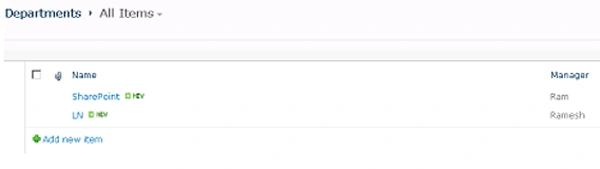
Employees List:
In this list I have a lookup column "Department" which links to the "Name" field
in the "Departments" list. And I have a projected field "Lookup: Manager" which
links to the "Manager" field in the "Departments" list.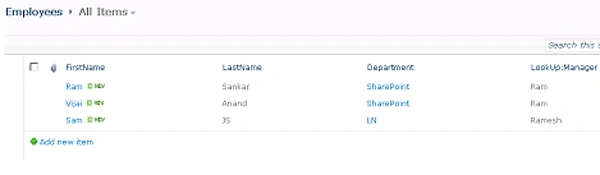
Inserted Related List:
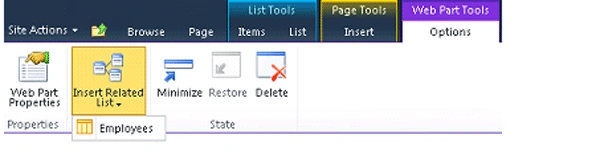
- Go to the "Departments" list.
- Go to Site Actions => Edit the page.
- Go to the Web Part tools =>Options =>
Inserted Related List =>Employees.
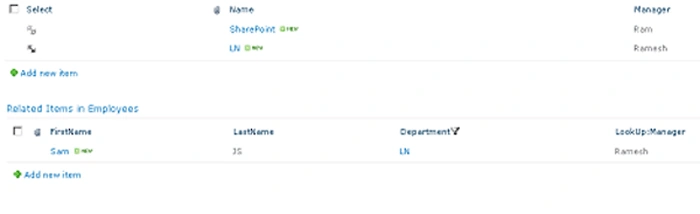
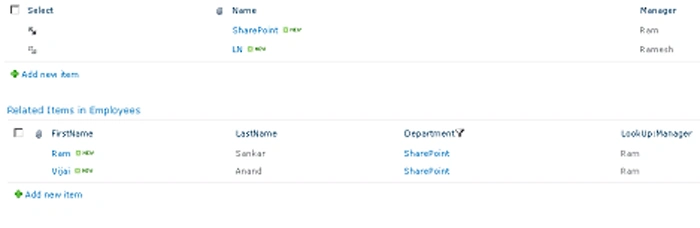
- Now you could select the value from the
"Departments" list and you could be able to see the related Items in
Employees list as shown in the following.
Join the conversation! Your thoughts help the community grow.