
Occasionally you need to insert some text automatically when you insert some character.
To add text automatically by inserting some characters use the following steps.
Step 1
Open Microsoft Word 2013.
Step 2
Click on the "File Tab" and choose "Option".

Step 3
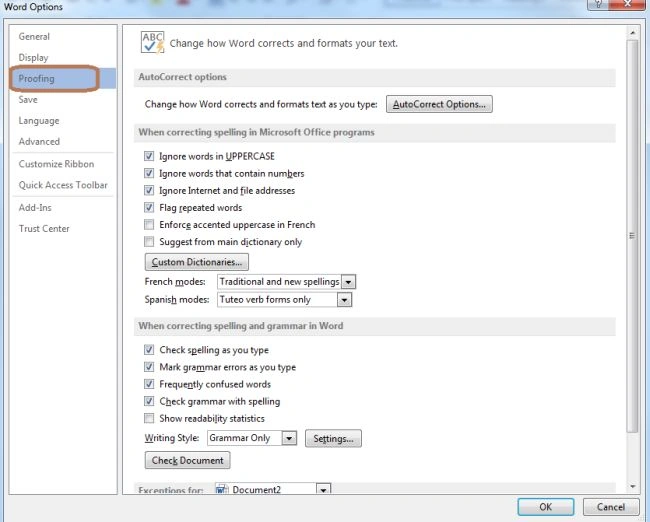
Go to the "Proofing Tab" within the Word option window.
Step 4
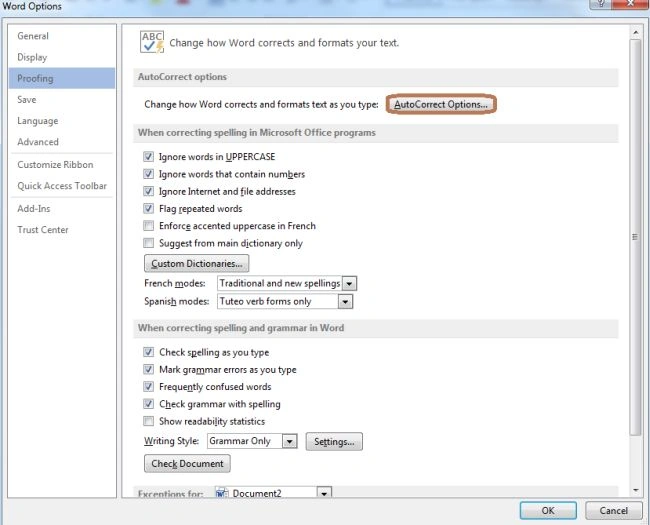
Click on the "Autocorrect Option" button:
Step 5
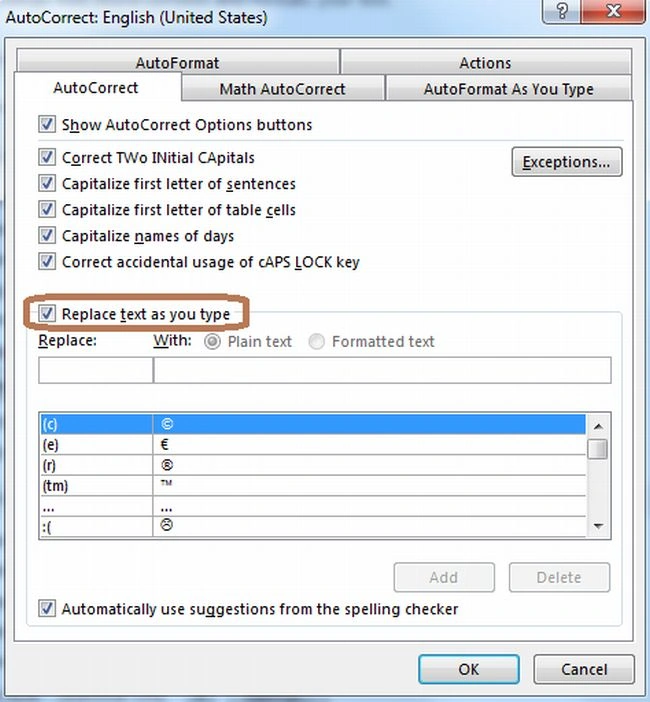
Now check the "Replace text as you type" check box.
Step 6
Now enter the character and under Replace and text that you want to replace automatically.

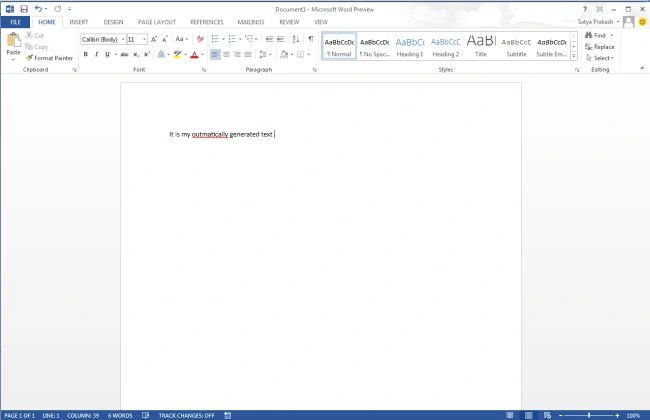
Note: Now enter the character in your Word document and press the spacebar; then see the character automatically replaced by the text.
Join the conversation! Your thoughts help the community grow.