

Here we use Entity Framework 6 with MVC5.
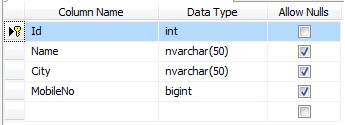
- First here is our SQL table:
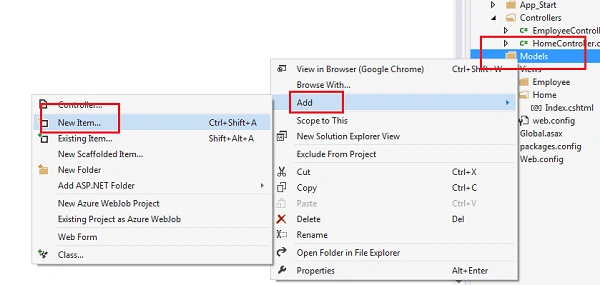
- So for this tutorial first we will create a new empty MVC application. In this we will add an ADO.Net entity data model to the Model as in the following:
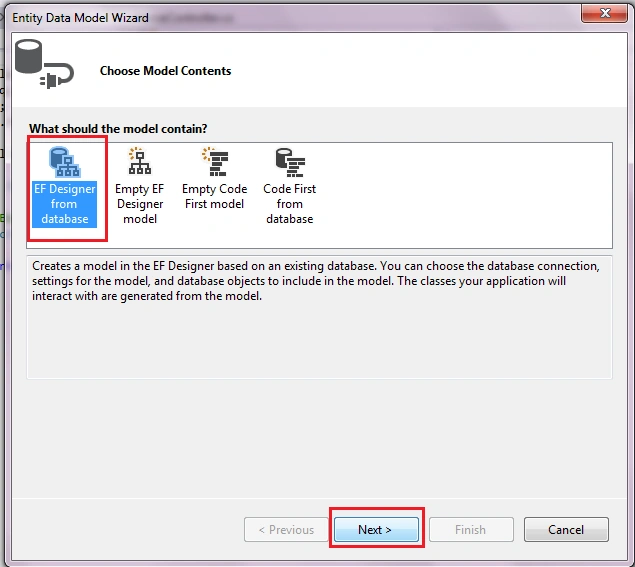
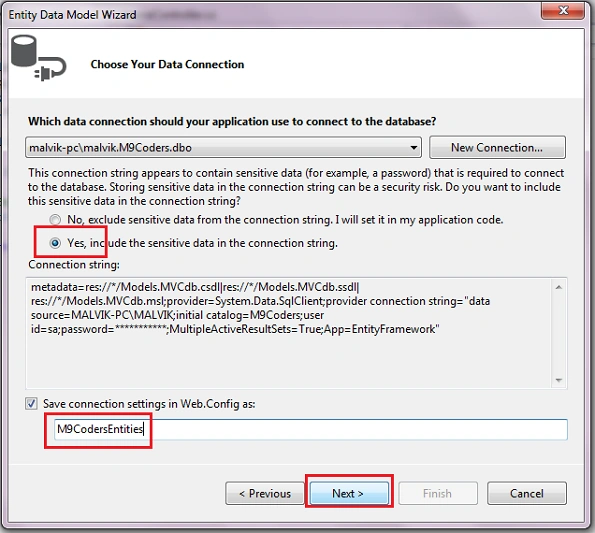
- Select "EF Designer from database".
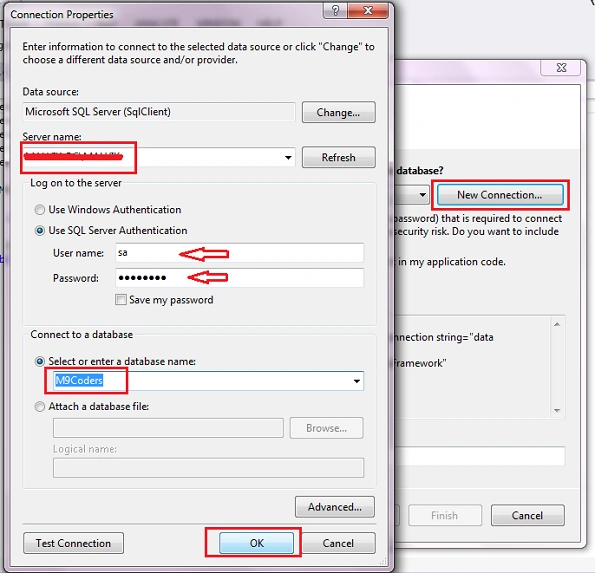
- Then select Server name and Database name.
- Select the Yes radio button and click on "Next".
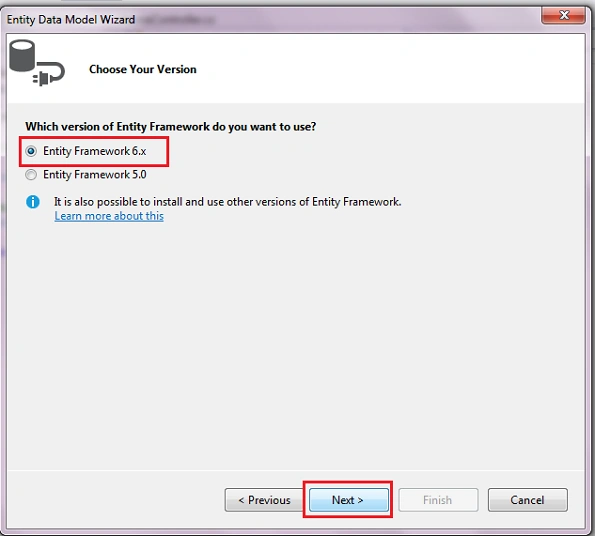
- Select "Entity Framework 6.x".
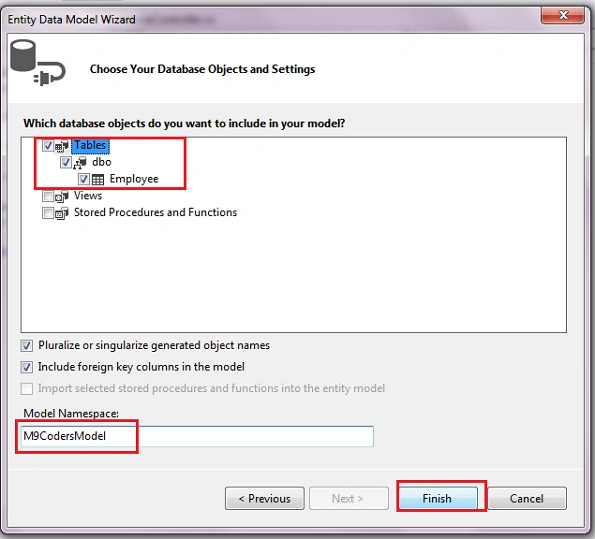
- Then select the table.
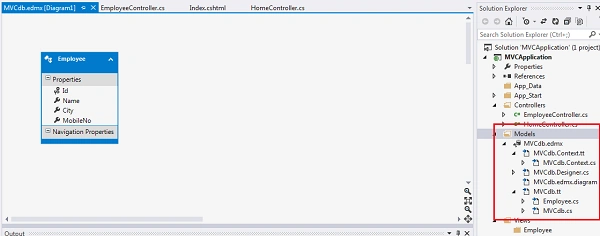
- Now MVCdb.edmx has been added to the Model folder.
- Now add an Employee Controller as in the following:
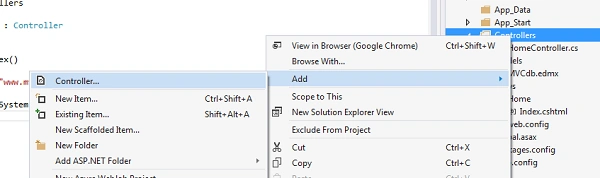
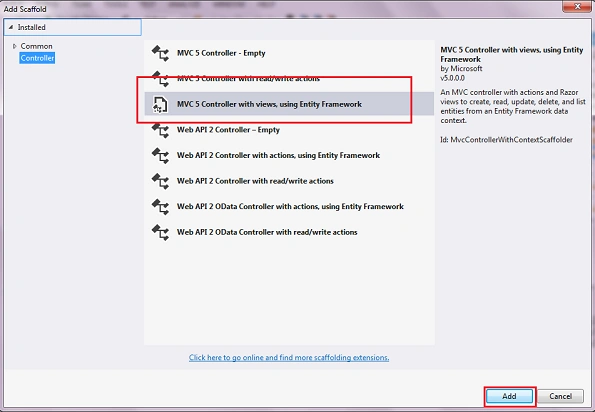
- Choose "MVC5 Controller with views, using Entity Framework".
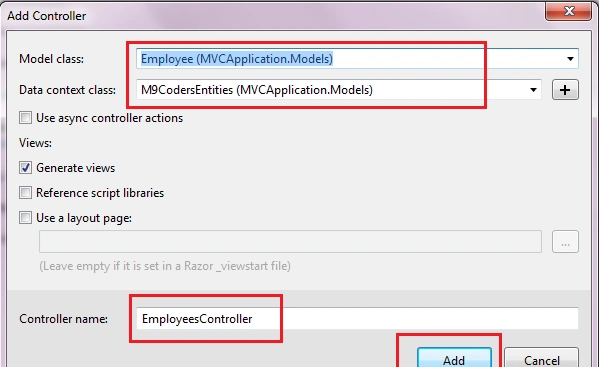
- Select Model class and DataContextClass and provide the Controller name Employee.
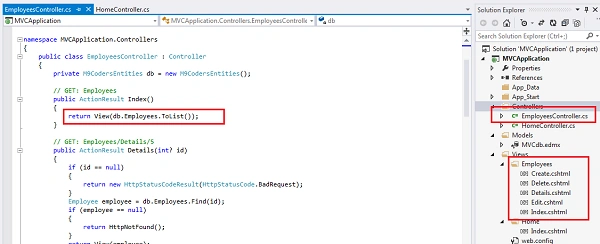
- So now, automatically create an Index, Create, Delete, Edit and Details Views and Controller actions.
- Now run the application (Ctrl+F5).
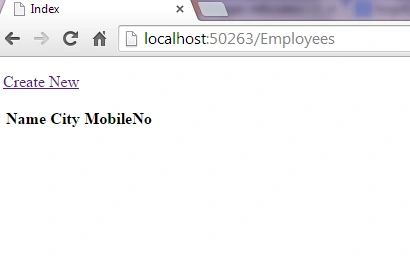
- Click on "Create New".
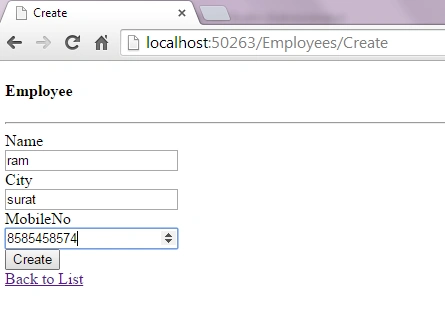
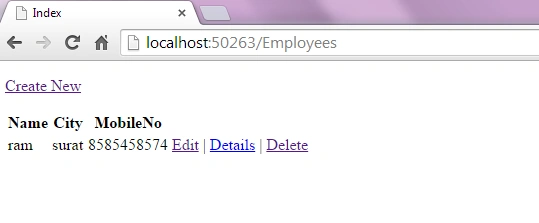
- Add data and click on the Create button.
Dinesh GabhanePosted Nov 7, 2019, 8:37 AM
Very Nice Article
Shailesh kumarPosted Aug 9, 2018, 8:22 AM
Can i get the source code pls
Malvik BhavsarPosted Jan 4, 2015, 2:13 AM
Thank you guys..
Ismail Hakki SenPosted Jan 3, 2015, 6:57 PM
i think the title should contain "with database first model". correct me if im wrong. thanks by the way.
Saineshwar BageriPosted Jan 3, 2015, 12:15 AM
nice one