

Introduction
Here are the steps to install MySQL Server on Windows Operating System.
- Download MySQL
- Install MySQL
- Set Path
- Basic commands.
Step 1 - Download MySQL
Download MySQL Installer,
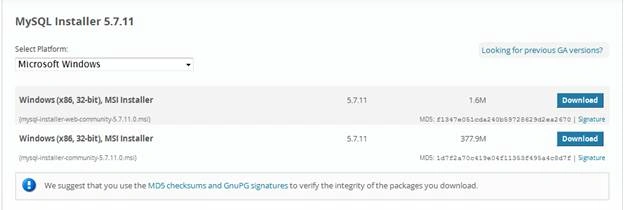
Figure 1: MySQL Installer download page
On clicking the download button the following window will open.
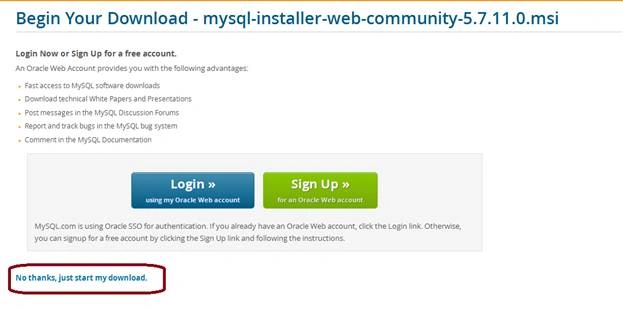
Figure 2: Start Download
Click No thanks, just start my download. Downloading process will start.
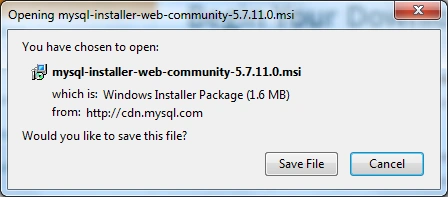
Figure 4: Downloader window
Click the Save File button. Now your file is downloaded.
Step 2 - Install MySQL
After downloading your Installer file the following window will open.
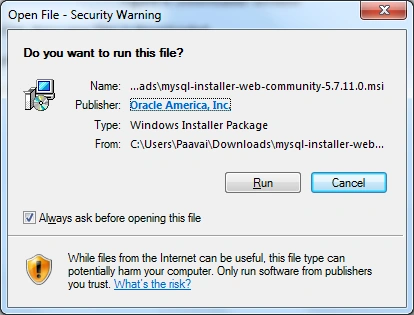
Figure 5: Installation window
In the above window click the Run button to start the Installation.
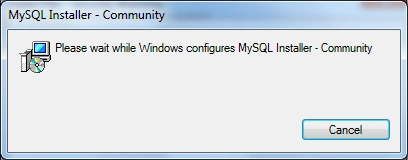
Figure 6: Downloads the files
The Upgradation window will open
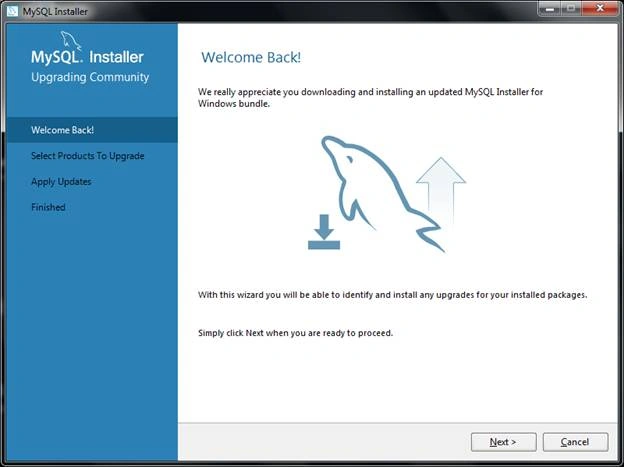
Figure 7: Installing begin
Click the Next button to proceed with the installation. If you already installed any MySQL, then click which product you want to upgrade or otherwise download your MySQL version 5.6.17.
Click the above link and download the MySQL version. After the download completes, click to open the file. The following window will open.
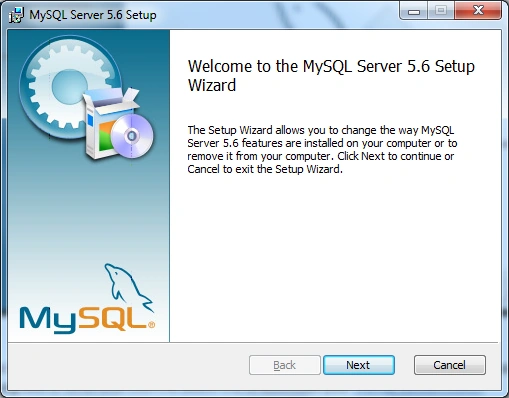
Figure 8: Setup Window
In this above window click Next to proceed with the installation.
In the next window click, I accept the license and terms checkbox and then click next to proceed.
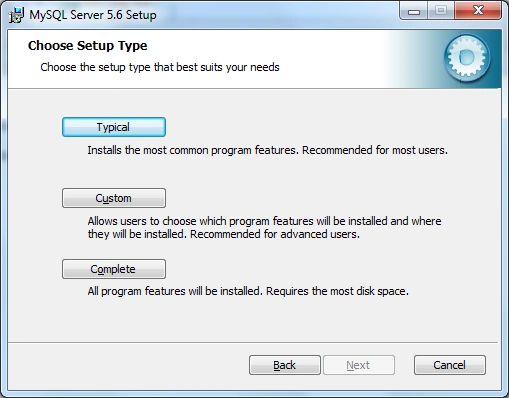
Figure 9: Setup Type window
Choose the type which one you want to Install. I will go with complete installation here.
Then click the Install button.
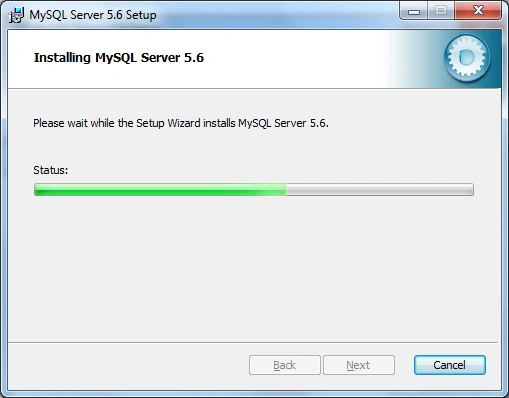
Figure 10: Installation Processed
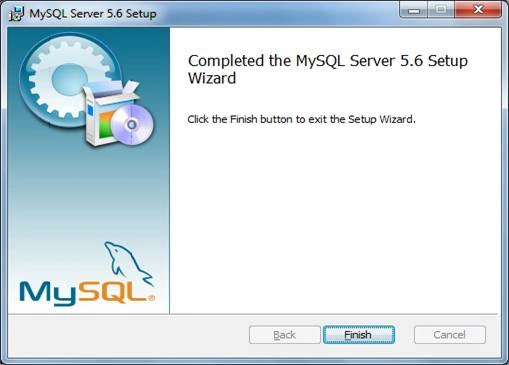
Figure 11: Setup Complete
After installation completed click the Finish button to complete the installation.
Step 3 - Set MySQL Path
After installation set the path for MySQL Directory.
Right-click - My Computer, Properties, then Advanced System Setting
Then the following window will open
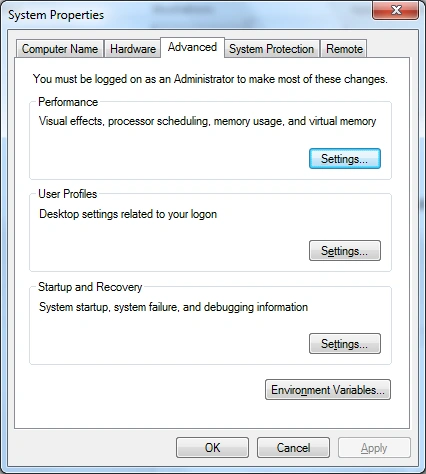
Figure 8: System Properties
In the above window choose Environment Variables.
The following window will open.
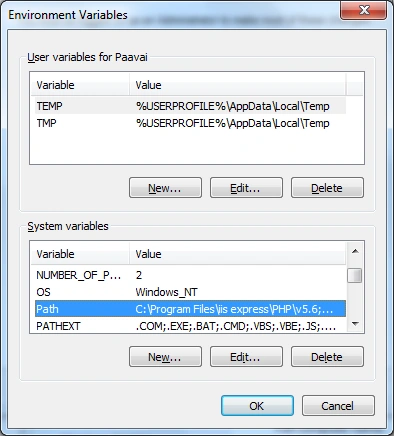
Figure 9: Environment Variable window
Double Click Path under System variables label
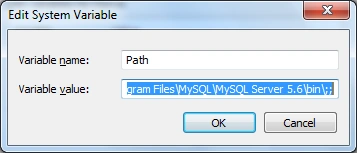
Figure 10: Edit Path
The path is C:\Program Files\MySQL\MySQL Server 5.6\bin\;
Figure 1: MySQL Installer download page
Figure 2: Start Download
Figure 4: Downloader window
Figure 5: Installation window
Figure 6: Downloads the files
Figure 7: Installing begin
Figure 8: Setup Window
Figure 9: Setup Type window
Figure 10: Installation Processed
Figure 11: Setup Complete
Figure 8: System Properties
Figure 9: Environment Variable window
Figure 10: Edit Path
Read more articles on MySQL,
Ravi KandelPosted Mar 8, 2017, 9:01 AM
Awesome Thanks for sharing
Anu VPosted Aug 2, 2016, 12:28 AM
Nice