

Reporting Service Add-in for SharePoint needs to be installed on all web front end servers and application servers in a SharePoint farm. This installation will deploy the necessary reporting service feature components in the server to support the following:
- PowerView
- Report Builder Integration with SharePoint Library
- Report Viewer Web part
- Features necessary for Report subscription, scheduling and data source management
- SharePoint Security Integration with Reporting Server Content
- Reporting Service Data Alert Integration with SharePoint.
You could take two approaches to install Reporting Service Add-In for SharePoint. The reporting service Add-In is part of the SQL Server installation package so you could use SQL Server installation package to install the Add-In or you could download the Reporting Service Add-In for SharePoint as a separate package and install it.
If you are installing in a Windows 2008 Server R2 then ensure Service Pack 1 is installed.
Approach 1: Download Reporting Service Add-In for SharePoint and Install it
As a first step of installation, download the Reporting Service add-in from Reporting Service Add-In for SharePoint . Once the download is complete, copy the installation package to the necessary servers in the SharePoint Farm.
- Step 1: Run the installer called RSSharePoint

- Click on "Next"

- Accept the license agreement and click on "Next"

- Click "Install"

- Wait for 5 to 10 minutes

- Click on "Finish"
Approach 2: Install Reporting Service Add-in using SQL Server Installation Package
- Step 1: Run the SQL Server Installer

- Click on the installation, and then click on "New SQL Server Stand-alone Installation" or "Add feature to an existing installation".
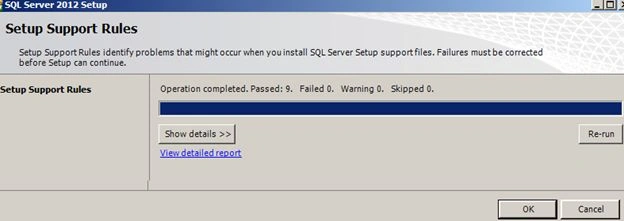
- Click "OK"

- Click "Next"

- Select "Perform a New installation"

- If you don't have a key then select evaluation, it doesn't matter because the Reporting Service Add-in is a free feature. And click "Next".

- Accept the license and click "Next".

- Select "SQL Server Feature Installation"

- Select only "Reporting Services Add-in for SharePoint Products" and click "Next".
- Click "Next" on a couple of more screens.

- Verify you are not installing only the necessary feature and click on the "Install" Button.

- Verify the completion report and click the "Close" button to finish the installation.
- Restart the machine.
Gowtham RajamanickamPosted Apr 11, 2016, 2:56 AM
good one...