

The integration components must be installed on the machine before base image is uploaded to the Azure. The integration components start each time the OS starts. It handles the integration between the role instance and Azure environment. Windows Azure Integration components support:
- Windows setup for deployment
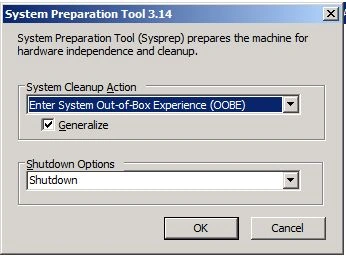
When a VM role instance comes online, the generalized image that is used to create the instance must run through a setup specialization phase. This specialization phase is performed by the System Preparation Tool (sysprep), provided by the Windows Azure Integration Components. To automate the specialization, it creates an answer file named c:\unattend.xml.
- Interaction with the Windows Azure
environment
It installs the Service runtime API's, so that the VM role can get information about the Azure environment, like instance ID, upgrade domain etc. This information is only available to the code that is running under an Administrator or LocalSystem account in the VM role instance.
- Local storage resources
You can access the local resources using the Service runtime API's or at c:\Resources\<resource-name>.
- Certificate installation
You can install the certificates to the LocalMachine store location. It is not possible to install certificates to the CurrentUser store location or any other store location. Do not install the certificate before uploading, because while generalizing the image, System Preparation Tool (sysprep) will destroy the private key of the certificate.
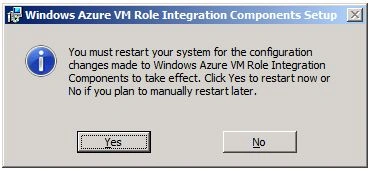
Now we will see how to install Integration components on VM role.




Reeta Singh LodhiPosted Dec 30, 2011, 12:35 AM
Thanks Monika and Arjun.
Arjun PanwarPosted Dec 28, 2011, 12:27 PM
Thanks for sharing
Monika AroraPosted Dec 28, 2011, 12:10 AM
Great what an article. I will surely implement this.