

Introduction
Azure Load Testing is a powerful cloud-based service designed to help developers and DevOps engineers ensure the performance and reliability of their applications under various load conditions. By simulating real-world traffic, Azure Load Testing enables you to identify bottlenecks, optimize performance, and ensure your applications can handle expected user loads. This service can be integrated with other Azure resources such as App Services, Function Apps, and more, providing a comprehensive solution for performance testing in a scalable and efficient manner. In this blog, we will explore the features of Azure Load Testing, its use cases, and provide a step-by-step guide on how to set up and run load tests on your applications.
Use Cases
- Performance Validation: Validate the performance of web applications, APIs, and services under expected and peak user loads.
- Scalability Testing: Test the scalability of your applications by simulating increased traffic loads to ensure they can handle growth.
- Identifying Bottlenecks: Identify performance bottlenecks and resource constraints in your applications, enabling proactive optimizations.
- Pre-deployment Testing: Conduct thorough load tests before deploying new features or applications to ensure they meet performance requirements.
- Continuous Integration/Continuous Deployment (CI/CD): Integrate load testing into your CI/CD pipelines to automatically test performance with every deployment.
Steps to perform load testing with Azure load testing
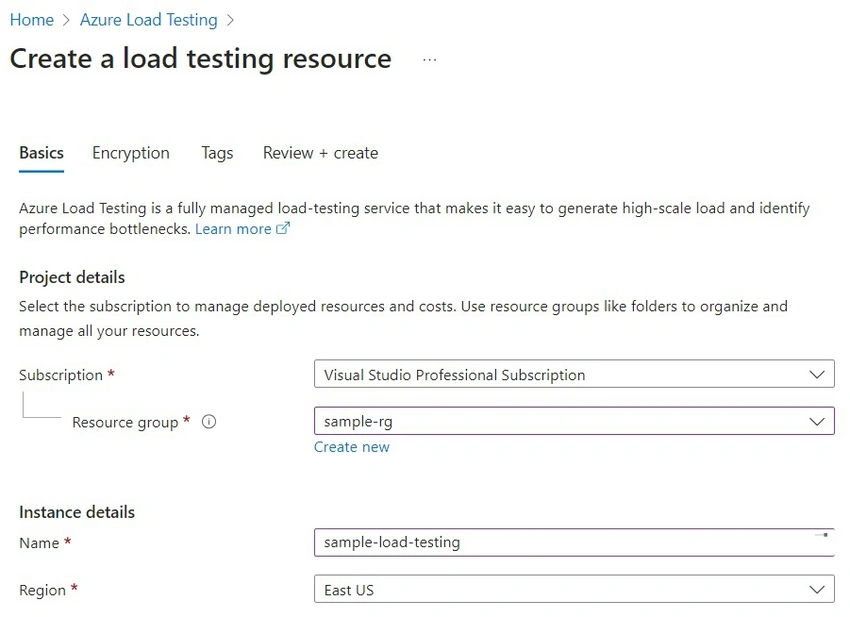
Step 1. Create an Azure load-testing resource
- Search for "Azure Load Testing" in the search bar.
- Click on "Create" to start the creation process.
- Fill in the necessary details such as Subscription, Resource Group, and Name.
- Select the region where you want the load testing resource to be created.
- Click on "Review + Create" and then "Create" to deploy the resource.
Step 2. Configure load testing based on HTTP URL
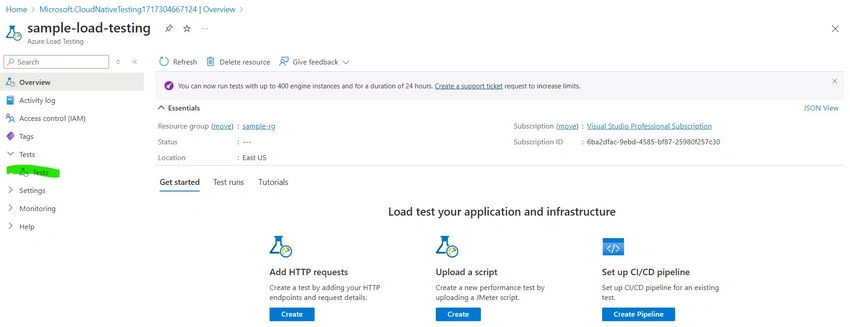
- Click on "Tests" on the left menu to start configuring a load test.
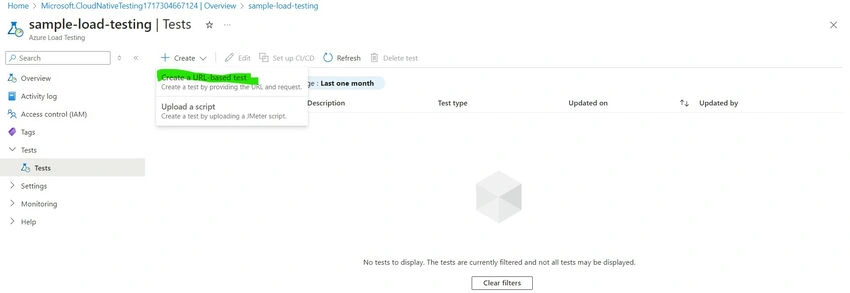
- Select "Create a URL-based Test" Note: We can create a Load Test based on the Jmeter File as well
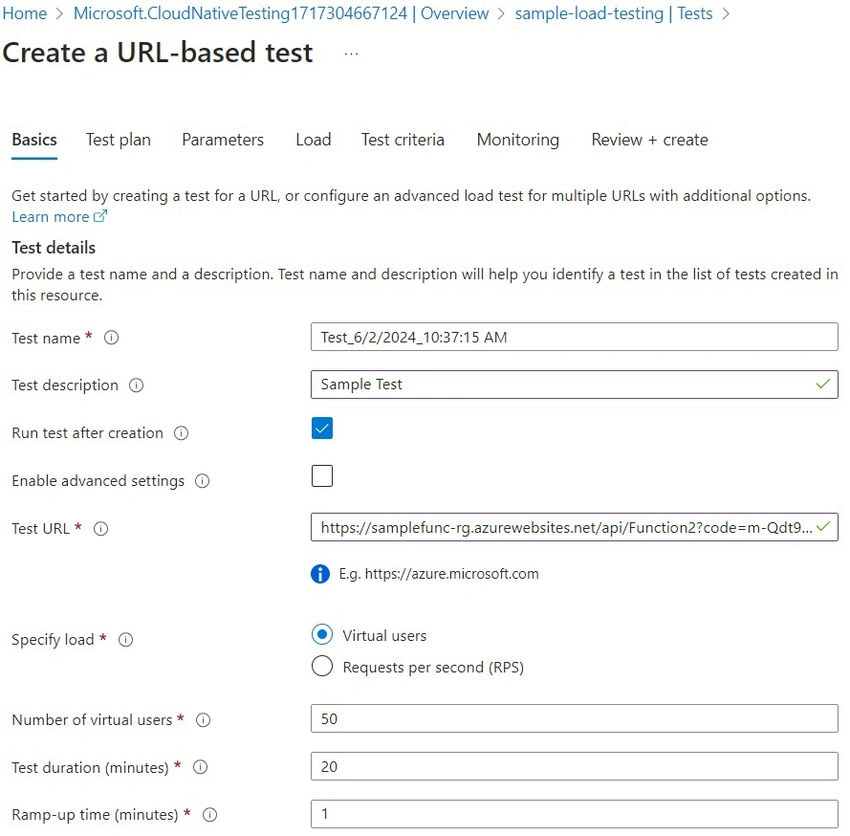
- Specify the Test URL(I have provided the HTTP Trigger Function URL from my Function app). Note: Enable Advanced Settings to provide a Test Plan, Parameters, Test Criteria, Load, and Monitoring.
- Configure the load parameters such as the number of virtual users, test duration, and ramp-up time.
Step 3. Integrate Azure components with load test
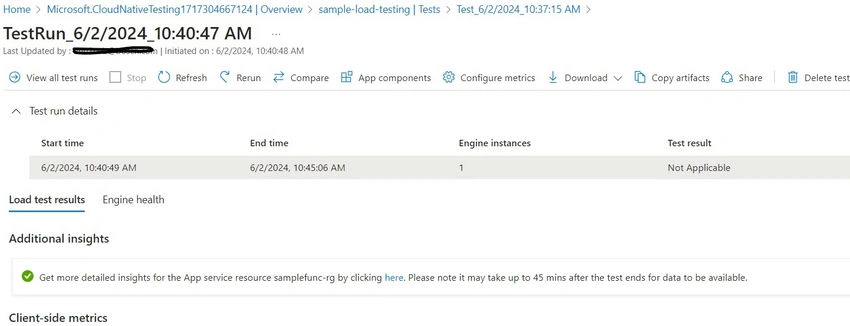
- Once the Test is created, It will run automatically.
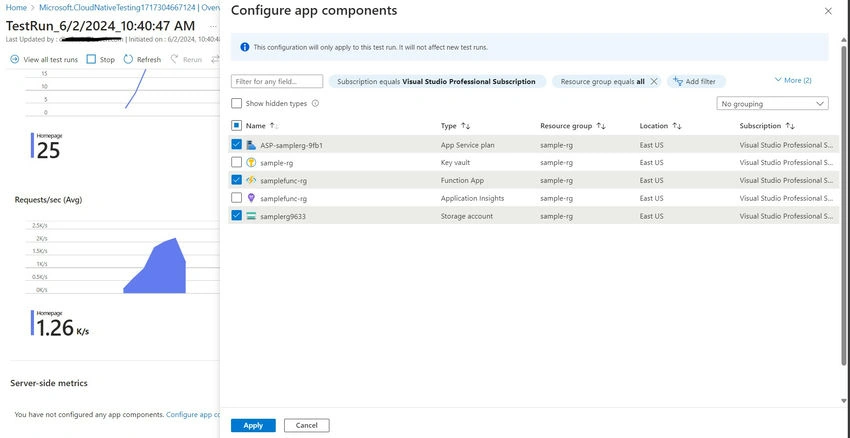
- Open the created Test and click "App Components"
- Link the related Azure Resources to see their performance and click Apply.
Step 4. Analyze the Results
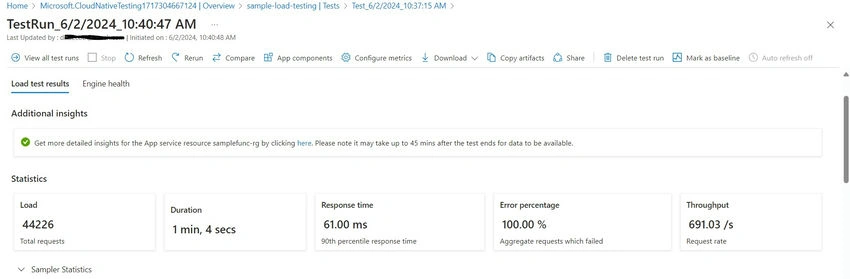
- View Detailed Reports: After the test is complete, Azure Load Testing provides detailed reports on the performance metrics. Analyze these reports to identify any performance bottlenecks or issues.
- You can see the statistics like Total Requests, Duration, Response Time, Throughput, etc.
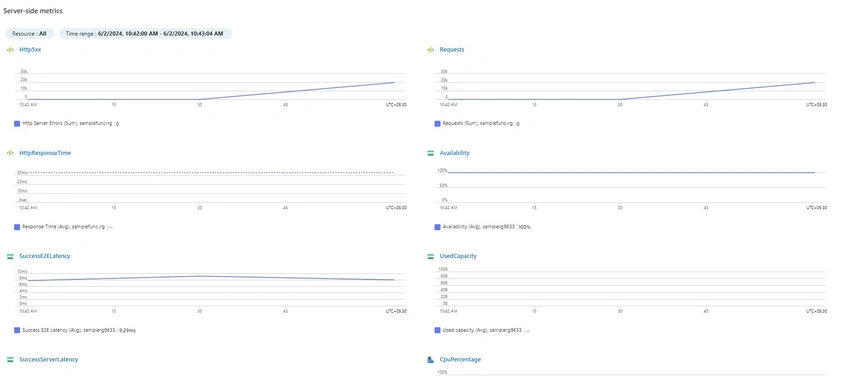
- Obser the Server-Side Metrics for the Function App, Storage Account, and App Service Plan Resources
For More Info: Azure Load Testing
Conclusion
Azure Load Testing is a crucial tool for ensuring the performance and reliability of your applications under various load conditions. By simulating real-world traffic and providing detailed performance insights, it helps you identify and address bottlenecks before they impact your users. Integrating Azure Load Testing into your development and deployment workflows can significantly enhance the performance and scalability of your applications, leading to a better user experience and improved operational efficiency. Follow the steps outlined in this blog to start leveraging Azure Load Testing for your applications and ensure they are always ready to handle the demands of your users.
Join the conversation! Your thoughts help the community grow.