Create a new team site.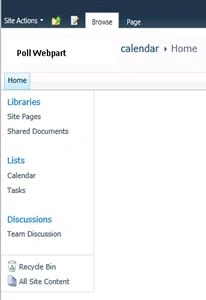
Go to Site Actions -> More options.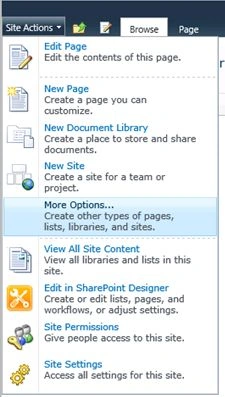
Select Calendar from the list named "Meeting Schedule" then click Create.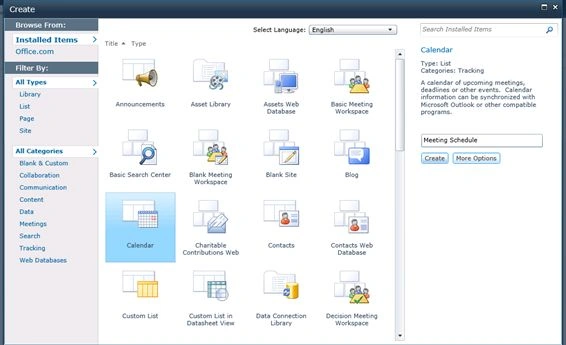
So the calendar has been created.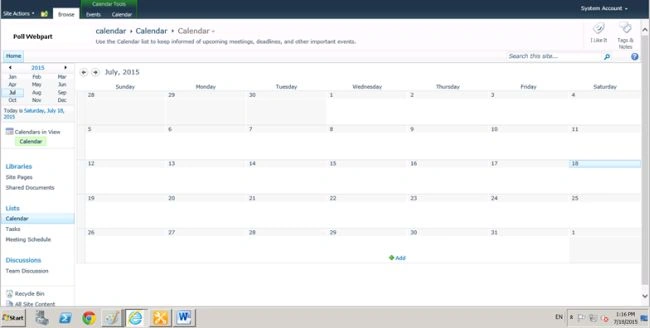
Now we can Add events.
Now to add a simple Meeting event.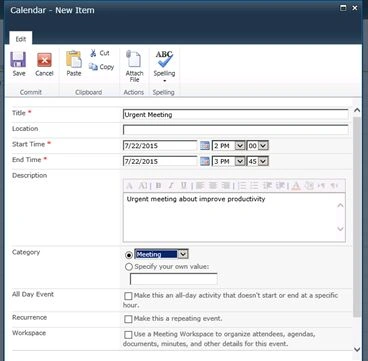
Click Save. The meeting has now been added successfully.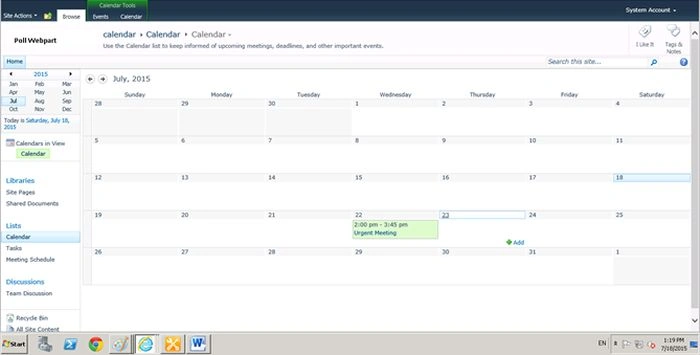
So this is a SharePoint calendar. We can add events and set alerts and so on in the SharePoint.
Now I will integrate this calendar with Microsoft Outlook.
Click on the Calendar under Calendar tools in the top of the ribbon.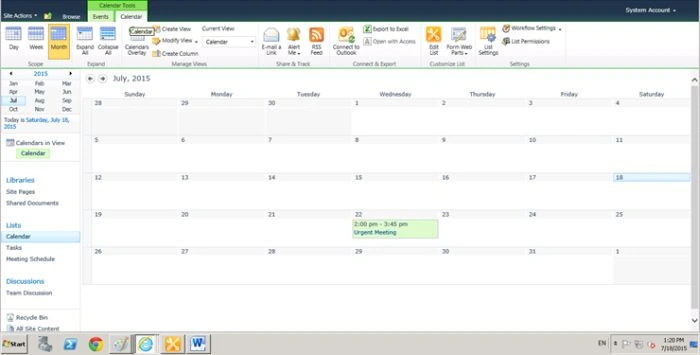
Click on Connect to Outlook.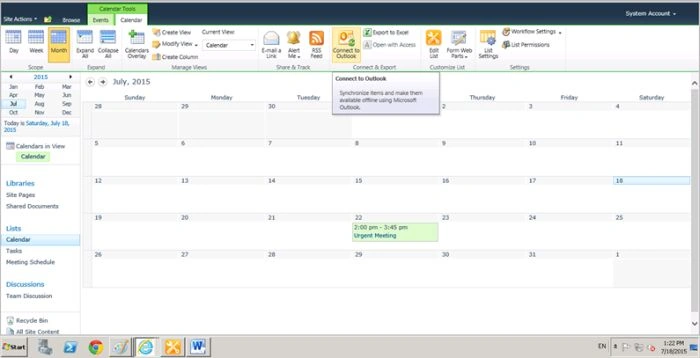
Click Allow to access Microsoft Outlook.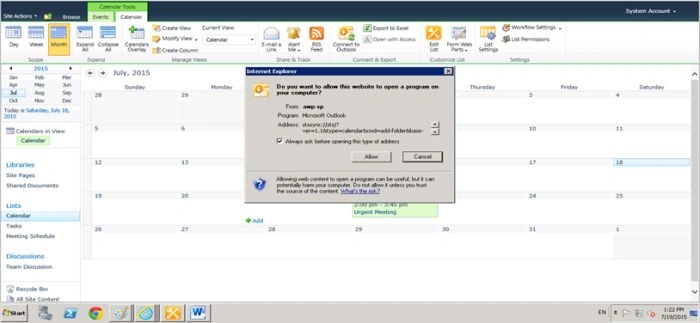
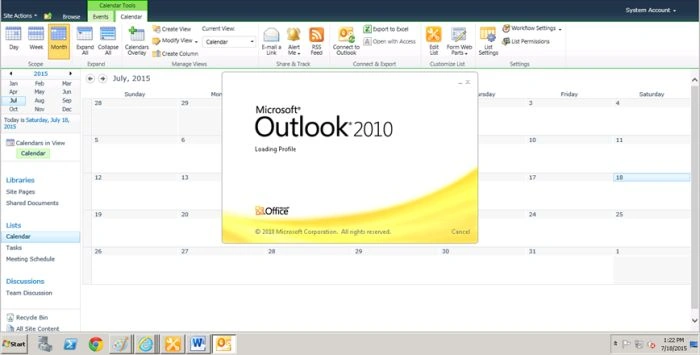
Enter the credentials.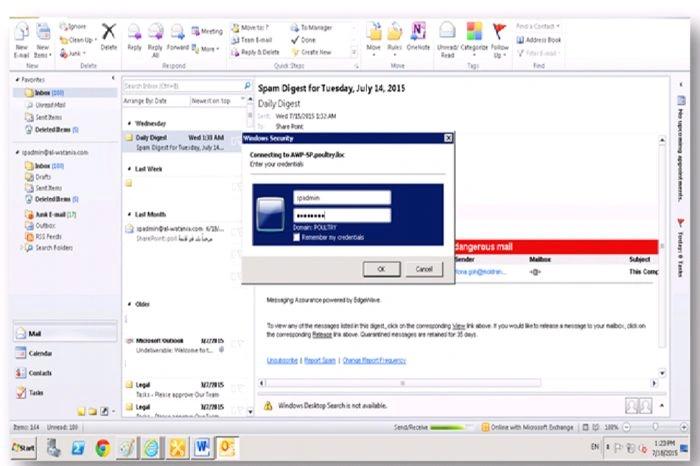
Click OK.
In this window click Yes to add the Calendar to Outlook.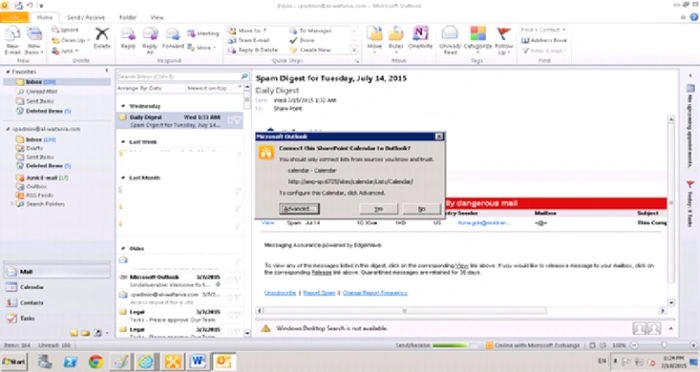
So now the SharePoint calendar has been integrated with Outlook.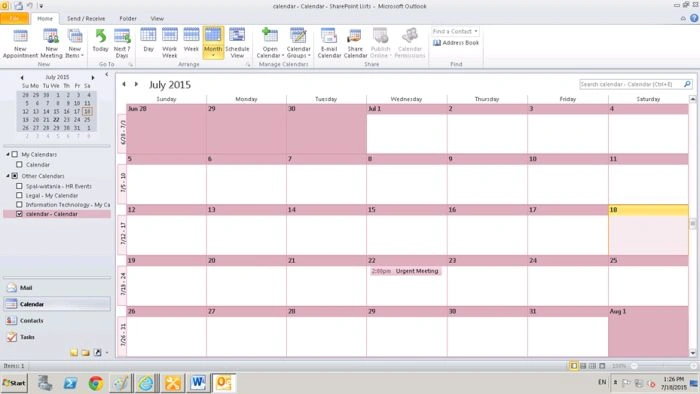
Then see the Event we added in SharePoint.
Here I will add a new appointment from Outlook.
Click on New Appointment at the top of the ribbon.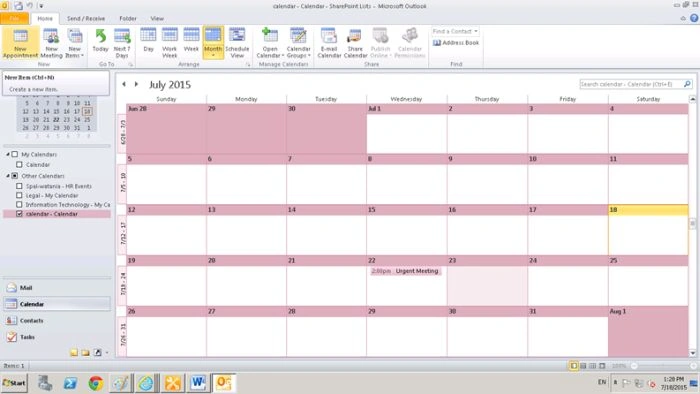
Completely fill in the appointment details and select Save and Close.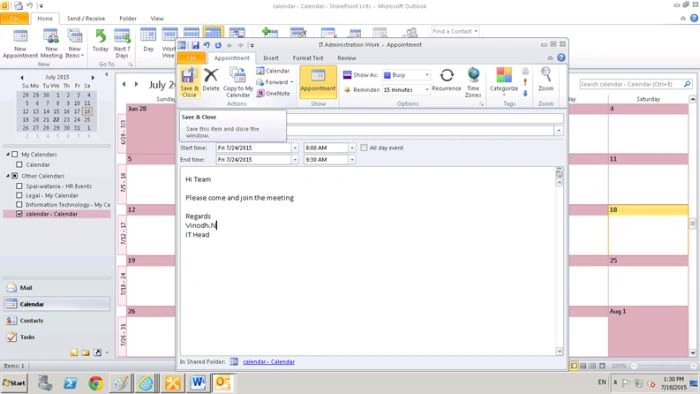
So now the new Appointment has been added successfully.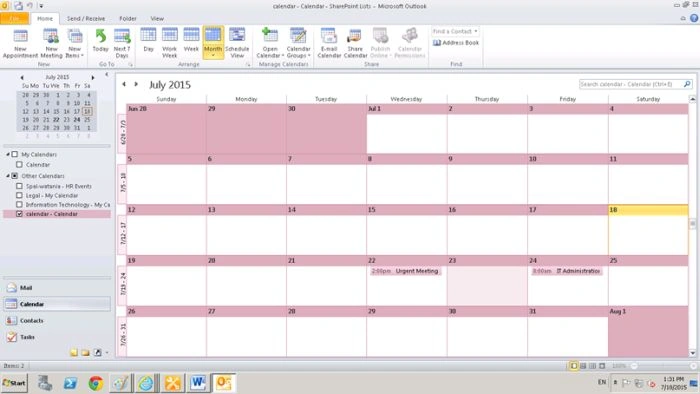
Now go to SharePoint and refresh the calendar.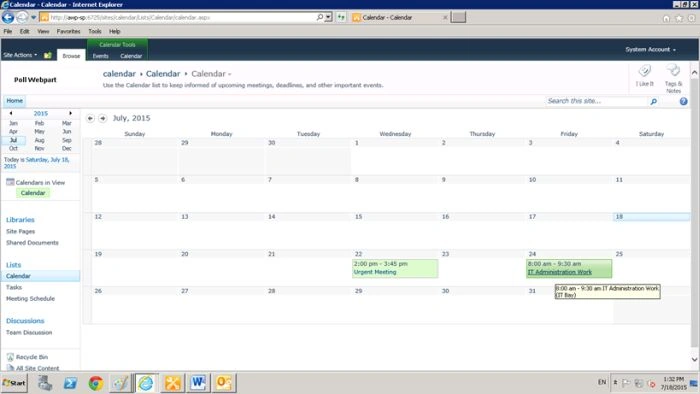
So the new Appointment or Event has been added successfully.
This will be very helpful for SharePoint learners.
Regards: Vinodh.N (SharePoint developer\Administrator).

Integrate SharePoint Calendar to MS Outlook

Vinodh NarayananPosted Nov 6, 2015, 12:26 PM
Rajkiran Swain Thanks a lot
Rajkiran SwainPosted Nov 6, 2015, 8:31 AM
good 1...
Vinodh NarayananPosted Jul 20, 2015, 7:04 AM
T%hank you guys
Gowtham RajamanickamPosted Jul 20, 2015, 6:53 AM
great
Jacob RobinsonPosted Jul 20, 2015, 6:07 AM
Good One..
Vinodh NarayananPosted Jul 20, 2015, 4:50 AM
Sibeesh Venu Thank you
Sibeesh VenuPosted Jul 20, 2015, 4:48 AM
Nice Share.
Vinodh NarayananPosted Jul 19, 2015, 12:47 PM
Pankaj Kumar ChoudharyThanks
Pankaj Kumar ChoudharyPosted Jul 19, 2015, 12:37 PM
Nice One Sir.......
Vinodh NarayananPosted Jul 19, 2015, 7:52 AM
Santhakumar MunuswamyThanks sir
Santhakumar MunuswamyPosted Jul 19, 2015, 7:47 AM
Good one
Vinodh NarayananPosted Jul 19, 2015, 7:31 AM
Prasham SabadraThanks sir
Prasham SabadraPosted Jul 19, 2015, 5:13 AM
Nice article. Thanks for Sharing!!!
Gopi ChandPosted Jul 18, 2015, 3:35 PM
Great