

Background
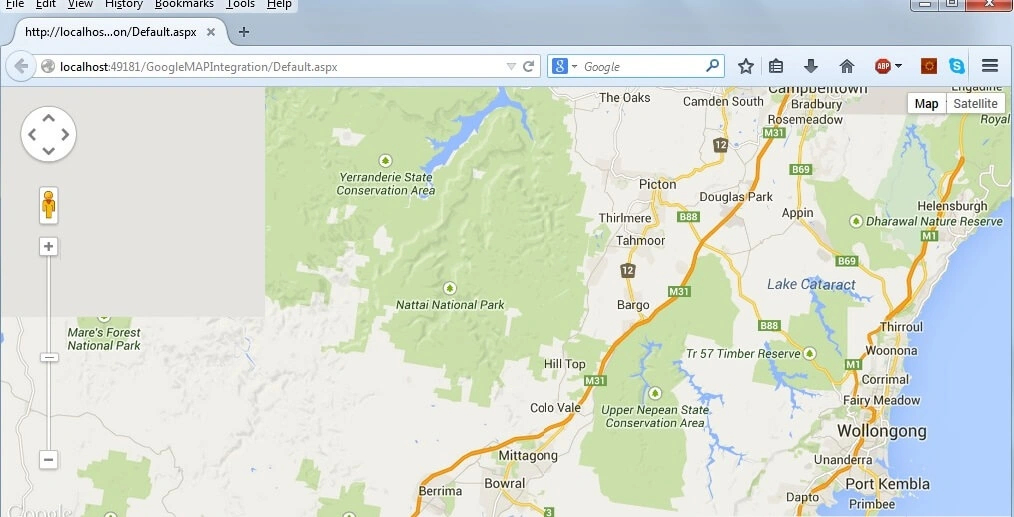
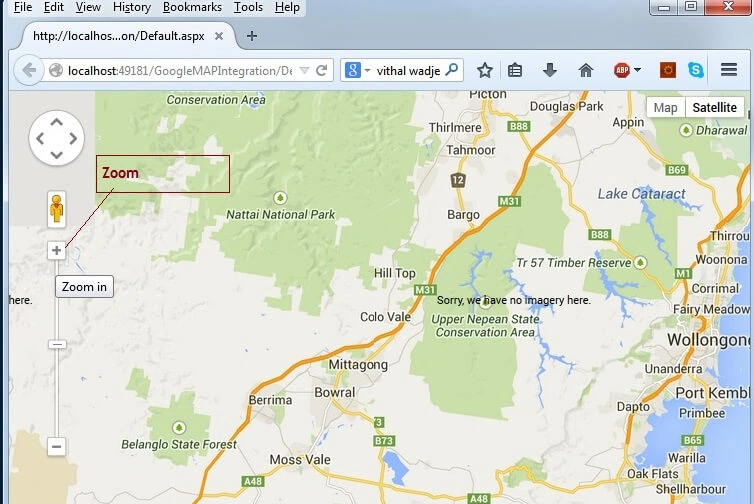
There is always a requirement to use a map in a web application, so by considering the preceding requirement I decided to write this article. So let us learn step-by-step how to integrate Google Maps with an ASP.Net web application.
Key points for integrating Google Maps:
- Google provides the free API to integrate Google Maps in our application.
- You can customize Google Maps depending on your requirements.
Let us demonstrate the preceding points with an example by creating a web application as in the following:
- "Start" - "All Programs" - "Microsoft Visual Studio 2010".
- "File" - "New WebSite" - "C#" - "ASP.NET Empty Web Application" (to avoid adding a master page).
- Provide the web site a name such as "GoogleMAPIntegration" or another as you wish and specify the location.
- Then right-click on Solution Explorer - "Add New Item" then Default.aspx page.
Now the Default.aspx source code will look as in the following:
- <html xmlns="http://www.w3.org/1999/xhtml">
- <head runat="server">
- <title></title>
- </head>
- <body>
- <form id="form1" runat="server">
- <div>
- </div>
- </form>
- </body>
- </html>
Now drag and drop the one div tag from HTML controls and specify the ID as follows:
- <div id="canvasMap"> </div>
Now create a CSS class to provide some design to the form as in the following:
- <style type="text/css">
- html, body, #canvasMap {
- height: 100%;
- margin: 0px;
- padding: 0px
- }
- </style>
Now create the JavaScript function to load the Google Maps as in the following:
- <script type="text/javascript">
- var map;
- function LoadGoogleMAP() {
- var SetmapOptions = {
- zoom: 10,
- center: new google.maps.LatLng(-34.397, 150.644)
- };
- map = new google.maps.Map(document.getElementById('canvasMap'),
- SetmapOptions);
- }
- google.maps.event.addDomListener(window, 'load', LoadGoogleMAP);
- </script>
Abdul Amin KhanPosted Jan 19, 2018, 1:46 AM
Code Link is Fake please correct it
Peter BPosted Apr 18, 2017, 3:19 PM
To the Google API frustrations; one needs their own API Key from Google in order to use their APIs. You can activate your own key with an extended version of this url (I've removed personal information) https://console.developers.google.com/apis/. From there you may obtain your own key which you can plug into your own url. You may also want to restrict your key so that you don't have any quota theft. Hope this helps.
Pinar KamitPosted Mar 6, 2017, 5:44 AM
If you re getting the key error, write to src="https://maps.googleapis.com/maps/api/js?key=KEY" (generate a key for the KEY from google map api)
Patrick MolloyPosted Nov 25, 2016, 11:22 AM
I did and its because I'm struggling with it that I found this website. I cannot run the code from ms web developer because of the missing key, and when I put the key in, it breaks. Telling me to go read it elsewhere really doesn't help as it is your code that won't run. Never mind, I'm sure I'll find a solution elsewhere.
Patrick MolloyPosted Nov 25, 2016, 7:22 AM
I'm not seeing anything in the article above relating to an API key, not is there anythimh in the html code aboe.
Patrick MolloyPosted Nov 23, 2016, 8:15 AM
How do I add the api key?
Vithal WadjePosted Jun 21, 2016, 2:48 AM
thanks
Lalit RaghavPosted Jun 9, 2016, 3:24 AM
Nice One
Vithal WadjePosted Feb 25, 2016, 1:15 PM
Thanks Atul Rawat sir
Vithal WadjePosted Feb 25, 2016, 1:15 PM
Thanks Sumit Jolly sir
Atul RawatPosted Feb 25, 2016, 1:06 AM
nice article sir
Guest UserPosted Dec 11, 2014, 3:12 AM
great!
Vithal WadjePosted Dec 10, 2014, 8:44 PM
Yes for location search MAP their is different API I will to it
Guest UserPosted Dec 10, 2014, 7:03 PM
i'm sure the api may have provision to accept location & return LongLat data points
Guest UserPosted Dec 10, 2014, 7:02 PM
good one! would be also nice, if we can enhance the code by adding location search?