

Introduction
In this article we will see how we can integrate WPF User control into Winform application in Visual Studio 2010.
Creating Blank Solution
Fire up Visual Studio 2010 and create a Blank Solution, name the solution as WPF.Winform.Integration.
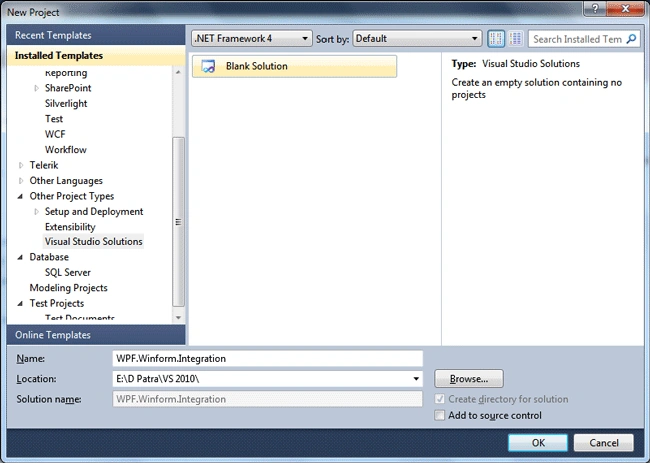
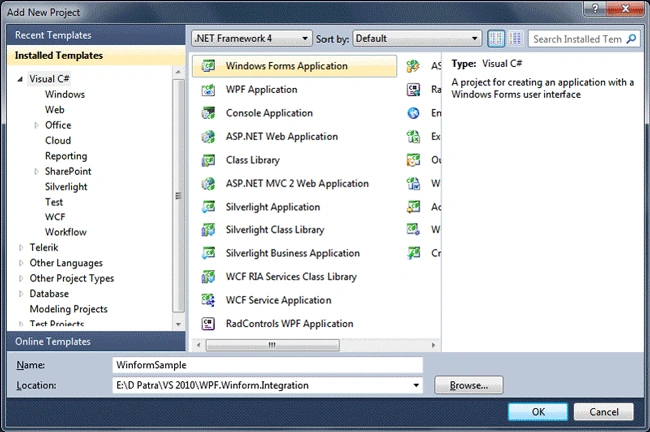
Let's add a Winform Application and give it a name "WinformSample". As we are integrating WPF into Winforms so make sure this is your start up Project for the solution.
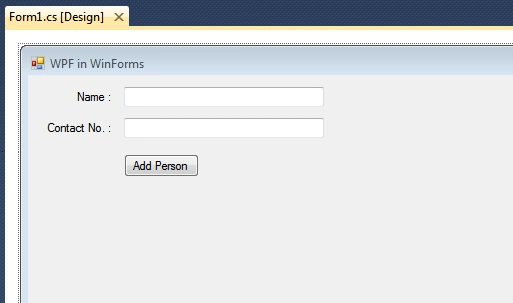
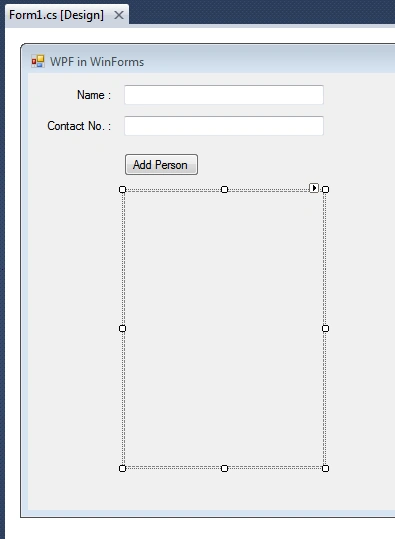
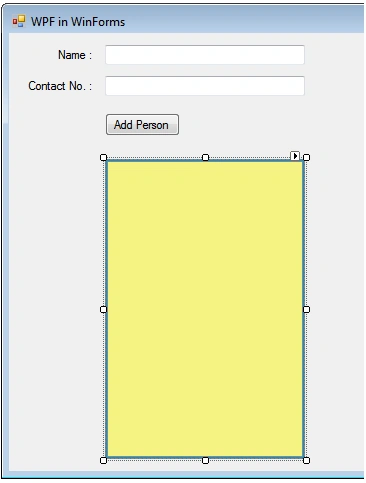
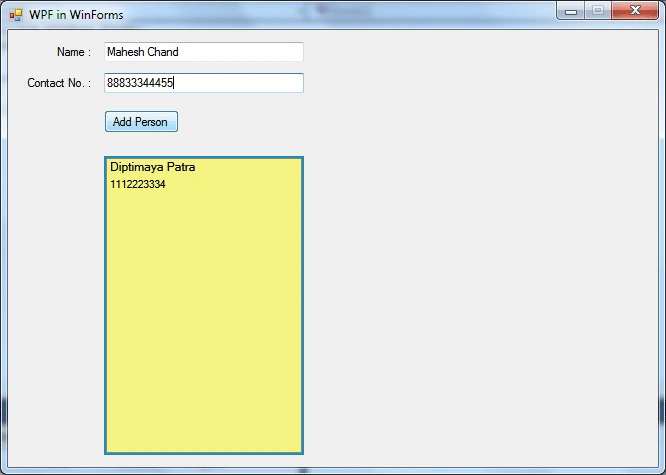
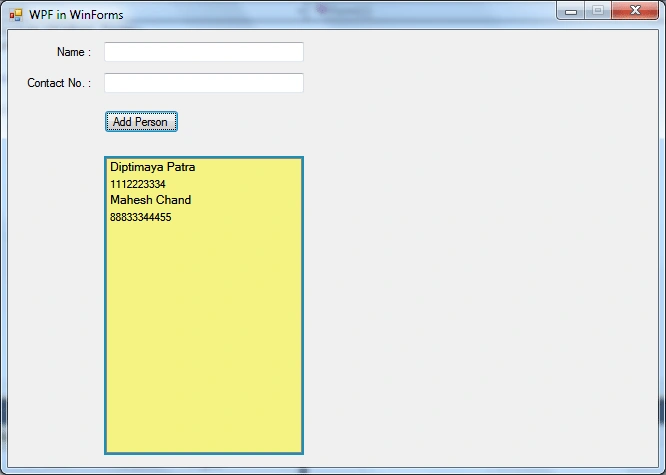
Let's see simplest thing what we can do. We can add two properties of an entity from the Winform to the WPF. So I have designed the following Winform with two text boxes (Name and Contact) and then a Button to add to the UserControl.
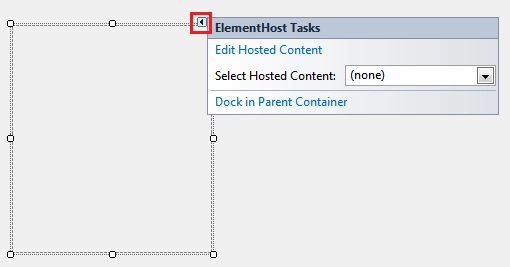
To host a WPF User Control, we need a control called "Element Host".
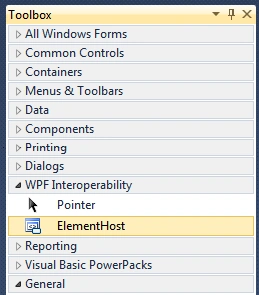
Add one instance of the Element Host into the application. Resize it accordingly.
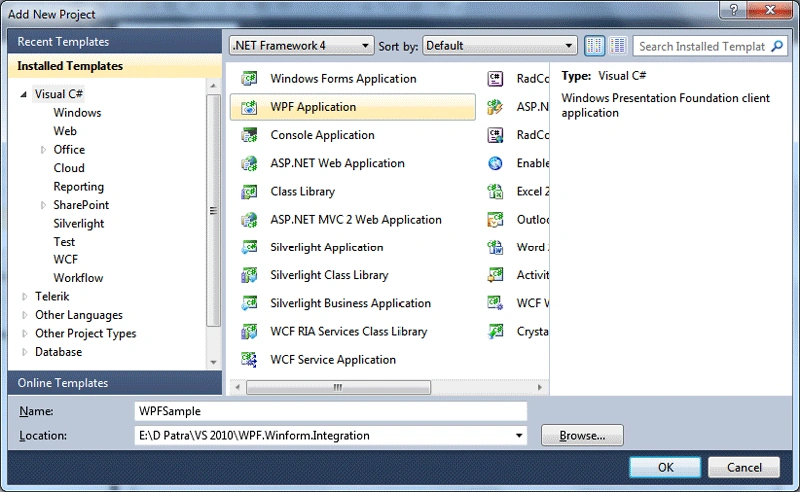
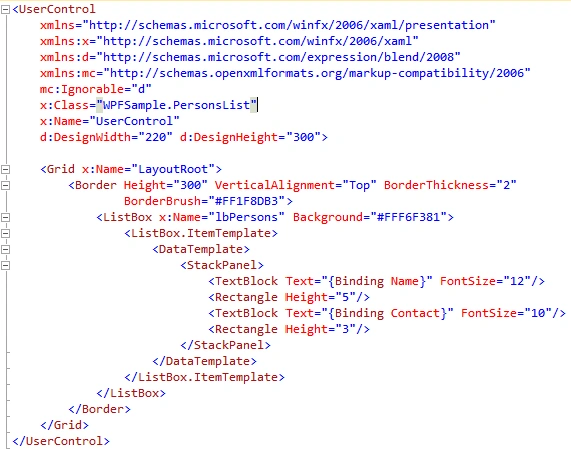
Now, let's add a WPF Application to the solution, name the project as WPFSample.
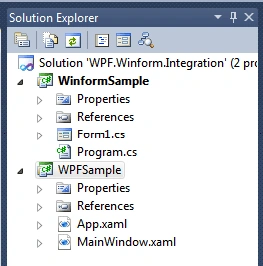
Now that we have added the the WPF Application, the following is the solution structure.
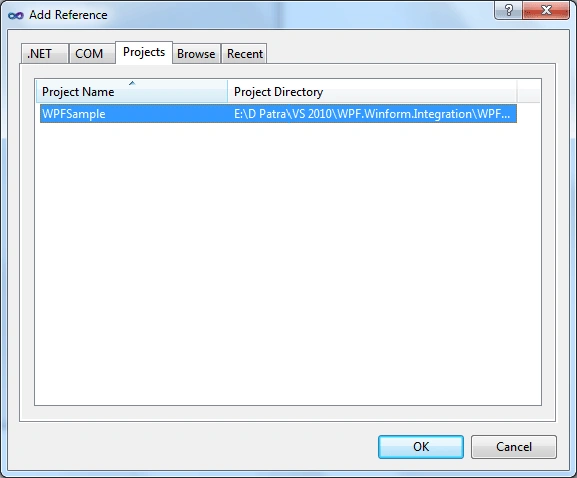
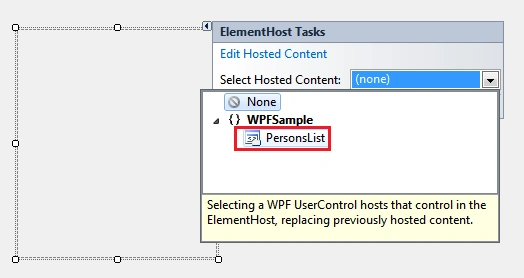
Now, the most important part, add the project reference of the WPF Application to the Winforms Application.
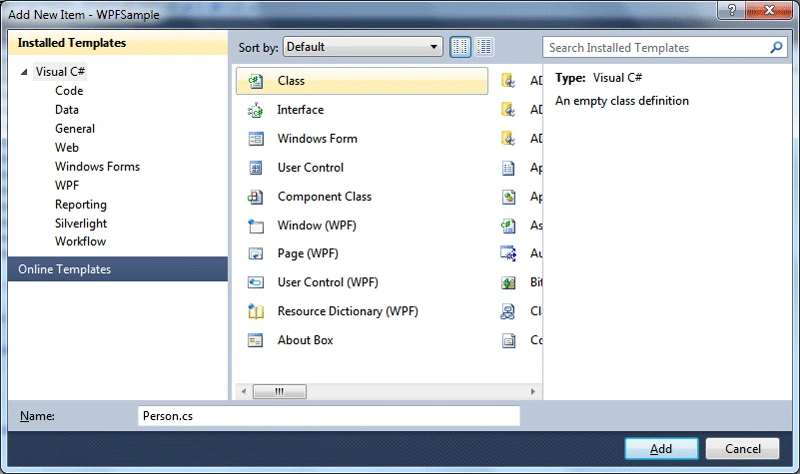
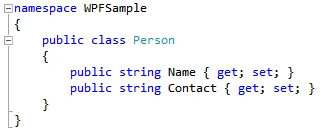
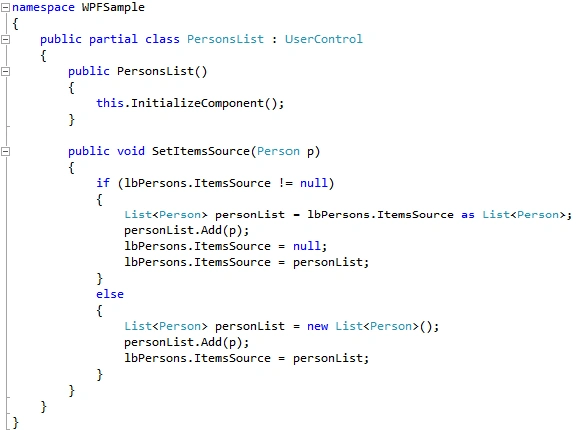
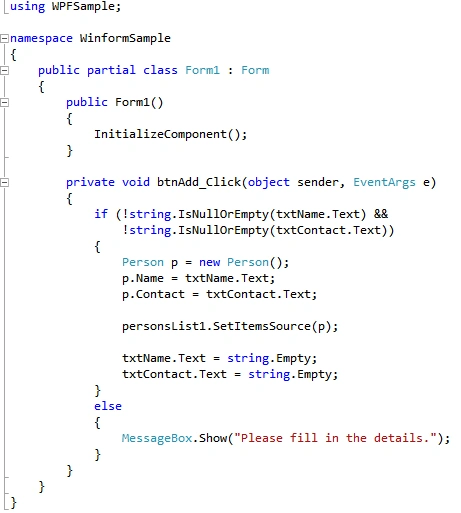
Rohit NagarePosted Jul 10, 2013, 3:44 AM
Plz check my problem in this.http://www.c-sharpcorner.com/Forums/Thread/217311/how-to-solve-the-error-in-wpf-component-on-C-Sharp-windows-forms.aspx
Rohit NagarePosted Jul 10, 2013, 3:43 AM
I am getting error when i drag the wpf component over the windows forms.
Rajaprabhu RajaPosted Jul 3, 2013, 3:36 AM
How to perform rowclick event in datagrid?
Shin CheolminPosted Mar 22, 2011, 8:10 PM
Where does it come from personsList1 Object in btnAdd_Click()??
Vamshi GireddyPosted Jan 20, 2011, 10:06 AM
HI Nice article. Is it possible if we do some action on wpf control & winforms shud have some response ?
Mike ClarkePosted Nov 8, 2010, 8:07 AM
I think there is a step missing. After "Now, the most important part, add the project reference of the WPF Application to the Winforms Application." you need to add a reference to the assembly in the Form1.Designer.cs. Also I think the code for the control could be simplified : public partial class PersonList : UserControl { List<Person> PeopleList = new List<Person>(); // Create a people list public PersonList() { InitializeComponent(); } public void SetItemsSource(Person oPerson) { PeopleList.Add(oPerson); lbPerson.ItemsSource = null; lbPerson.ItemsSource = PeopleList; } }
N BPosted Sep 28, 2010, 8:54 AM
Hi, Thanks; the article is helpful. I am looking for launching and accessing winform from Silverlight; is it possible? If no, are there any workarounds? I know it is possible to launch an ActiveX from Silverlight. Can you point me to a link that explains the steps required to achieve this? Thanks
Mahesh ChandPosted Jul 6, 2010, 2:13 AM
I see it. Must be loading first time.
Mahesh ChandPosted Jul 6, 2010, 2:12 AM
Keep up the good work Dipti. Image 2 is missing.