

Introduction
BIDS is the interface that you can use to develop packages for data Extraction, Transformation and Loading (ETL) in SSIS.
SQL Server Database Tooling
For more information: Microsoft SQL Server Data Tools Update.
The main features of BIDS are:
- Solution Explorer
- SSIS Designer
- SSIS Menu
- SSIS Designer Options on the Tools Menu
- Integration Services Project Properties
- Other Integration Services Windows and Features
1. Solution Explorer
When we create a new project the Solution Explorer will create it and its contents are in three folders like Connection Managers, SSIS packages, Miscellaneous and one item like project.param.
Connection Managers
We have the options to create various types of connection managers to connect with different data sources and also this has the scope at package level and project level.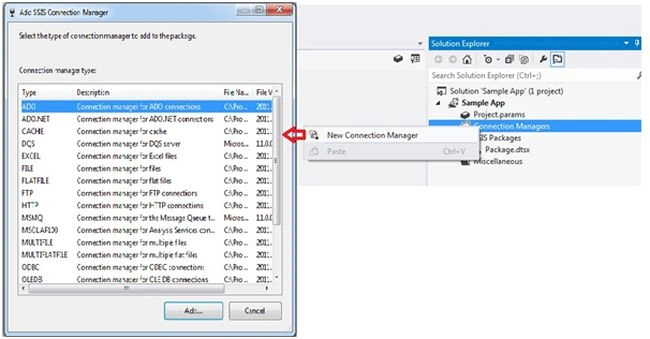
SSIS packages
This folder mainly contains the packages and has other items as shown in the following image.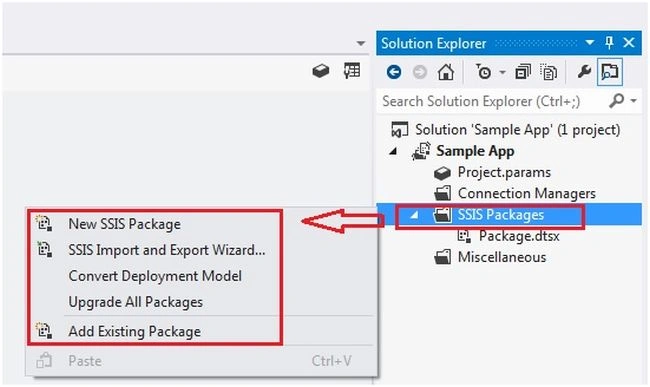
We have the options to create a new package, package upgrade, import and export and add an existing package.
The Miscellaneous folder is used if you want to add any other file like documents, images and so on, you can use this folder.
project.param
Using this you can create a package parameter for modifying package execution without the necessity to edit and redeploy the package and project parameter to supply any external input the project receives to one or more packages in the project.
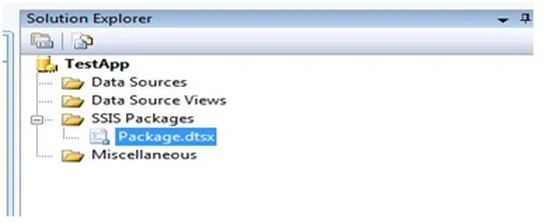
But in the old version the folder names are Data Sources, Data Source Views, SSIS Packages and Miscellaneous.
You can see in the following the difference in various versions. 
2. SSIS Designer
It mainly contains the following item tabs:
- Control flow
- Data flow
- Event handler
- Parameters
- Package explorer
- Progress
- Execution results
- Connection managers

Control flow: This contains all the task and business logic in the package. We have the option to use the breakpoint for debugging and layout options for zoom in and zoom out.
Data flow: On the Data Flow tab, we have the options to combine into a data flow sources that extract data, transformations that modify and aggregate data.
Event handler: Configure workflows to respond to package events.
Package explorer: Explorer view of the package the views like top hierarchy, connections, executables, event handlers, logs, precedence constraints and variable configured in the package.
Progress: Information about package execution when you run a package.
Execution results: Summary of the execution with events details and errors if exist.
Connection Managers: Integration Services uses connection managers to encapsulate connections to a data source.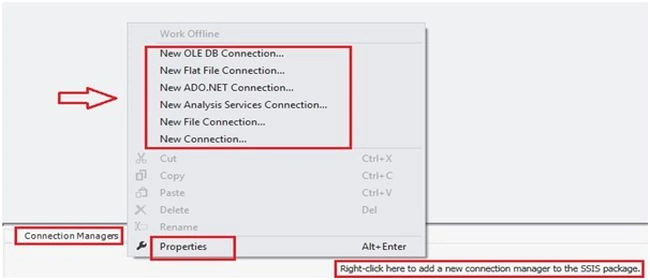
3. SSIS Menu
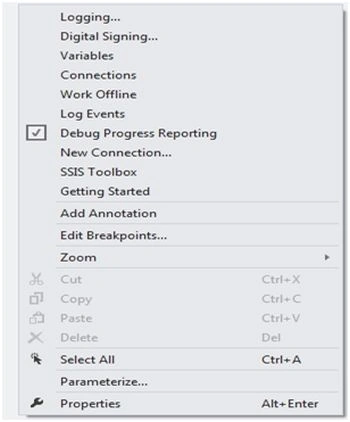
The following are the menu items:
- Logging.
- Package Configurations.
- Digital Signing.
- Variables.
- Work Offline.
- Log Events and so on.
4. SSIS Designer Options on the Tools Menu
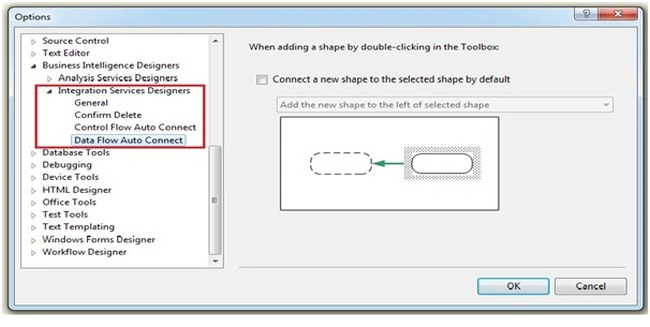
Click on Tools =>Options => Business Intelligence Designers, there are the following types of tools:
- General page: options for loading, displaying and upgrading packages.
- Control Flow Auto Connect: specify the default behaviour for connecting objects that are available on the design area.
- Data Flow Auto Connect pages: specify the default behaviour for connecting objects that are available on the design area.
- Confirm delete page: confirmation message, when packages components are deleted you will get the confirmation message.
New version: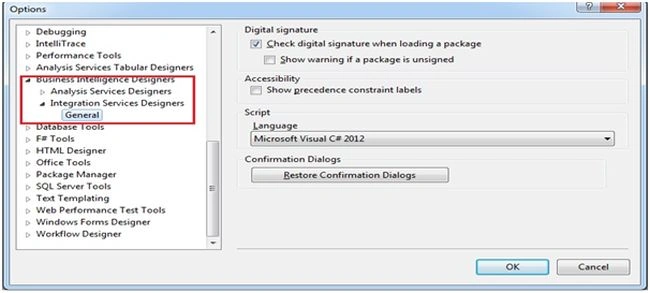
5. Integration Services Project Properties
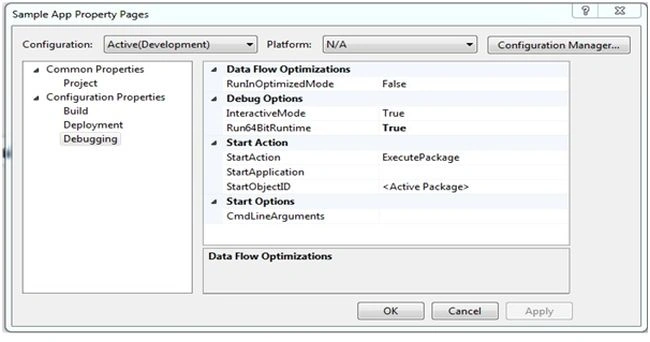
The following are common properties and configuration properties:
- Build
- Deployment
- Debugging
6. Other Integration Services Windows and Features
- Toolbox: Integration Services populates the Toolbox with a rich variety of ready-to-use control flow tasks and data flow sources, transformations and destinations.
- Variables window: Displays all variables and lets objects in a package communicate with each other and can be used in expressions and in scripts.
- Log Events window: Logging lets you keep a record of a package's run-time events. You can view the logged events easily at design time in the Log Events window.

This article explained the detailed options and menu items of BIDS.
Join the conversation! Your thoughts help the community grow.