

Introduction
In this article I am using the ASP.NET SignalR library in the latest MVC 5 project template. Let me give you a glimpse of SignalR, it is a library that adds real-time web functionality to the ASP.NET applications. Now, what is this real-time functionality? It is used to access the server code and push the content to the connected clients instantly instead of the server waiting for the client's request.
In that context, I am developing an ASP.NET Web application using the MVC Project template and in it using a real-time web application with ASP.NET SignalR.
Prerequisites
I am using Visual Studio 2013. There are some prerequisites to develop the application:
- Visual Studio 2010 SP1 or Visual Studio 2012.
- ASP.NET and Web Tools 2012.2
Let's create an application for SignalR development using the following sections:
- MVC 5 Application
- Code Execution
MVC 5 Application
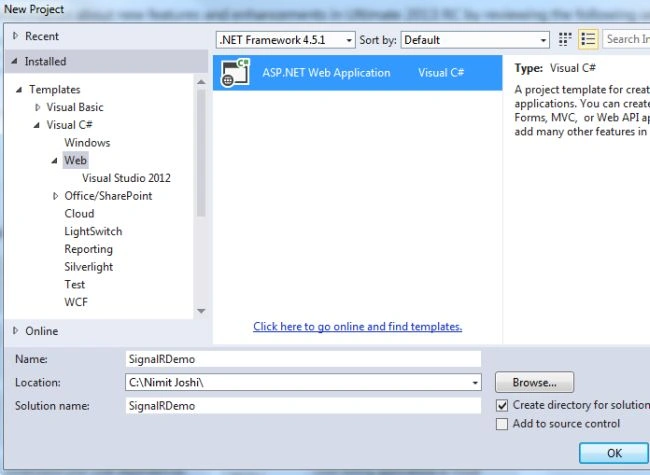
Step 1: Open Visual Studio 2013 and create a New Project.
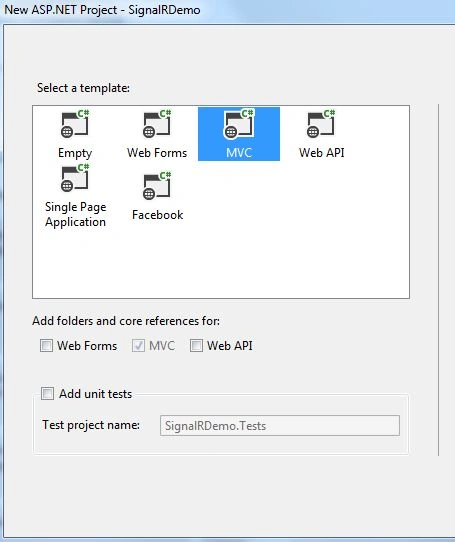
Step 2: Select MVC project template.
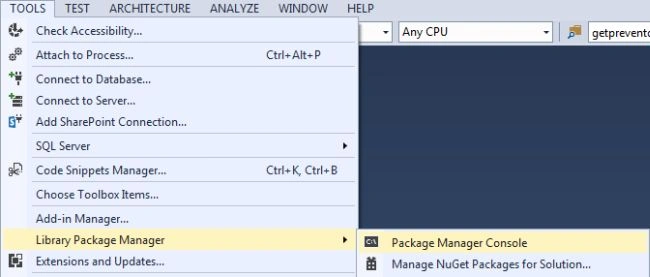
Step 3: Open the Package Manager Console.
And write the following command:
install-package Microsoft.AspNet.SignalR
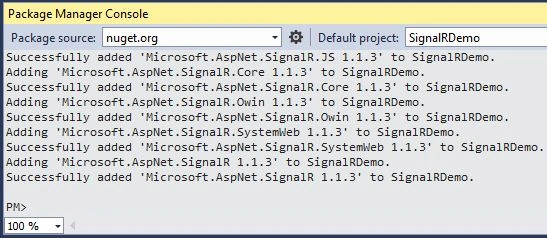
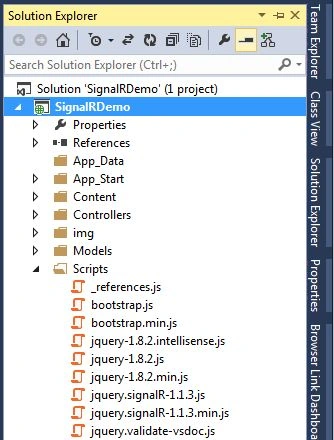
Step 4: You can see in your Solution Explorer that the SignalR was successfully added to your application.
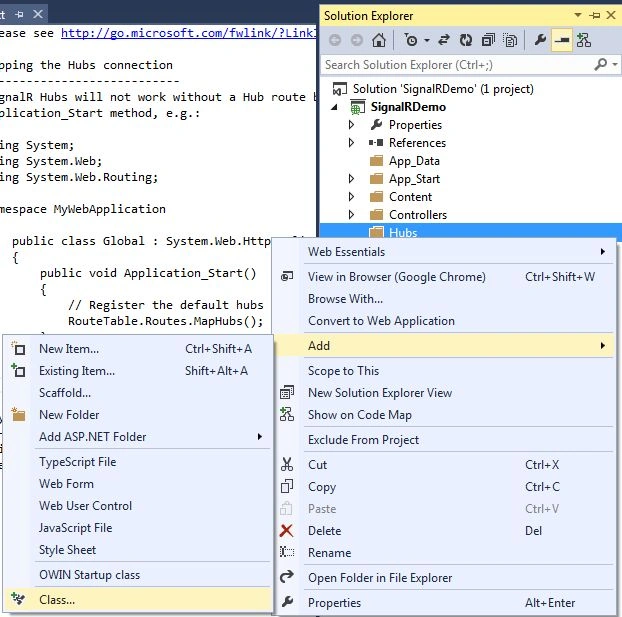
Step 5: Add a new folder named Hubs in your application and add a class in it.
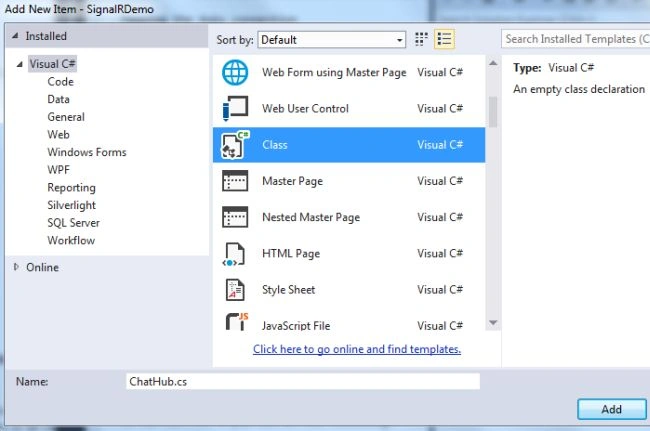
Give the name of your class ChatHub as shown below:
Step 5: Add the following code in the class:
using Microsoft.AspNet.SignalR;
namespace SignalRDemo.Hubs
{
public class ChatHub : Hub
{
public void LetsChat(string Cl_Name, string Cl_Message)
{
Clients.All.NewMessage(Cl_Name, Cl_Message);
}
}
}
Step 6: Open the Global.asax file and modify the Applicatio_Start() method as shown below:
public class MvcApplication : System.Web.HttpApplication
{
protected void Application_Start()
{
RouteTable.Routes.MapHubs();
AreaRegistration.RegisterAllAreas();
FilterConfig.RegisterGlobalFilters(GlobalFilters.Filters);
RouteConfig.RegisterRoutes(RouteTable.Routes);
BundleConfig.RegisterBundles(BundleTable.Bundles);
}
}
Step 7: Open your HomeController.cs file and modify it as shown below:
public ActionResult Contact()
{
ViewBag.Message = "Your contact page.";
return View();
}
public ActionResult Chat()
{
ViewBag.Message = "Your chat page";
return View();
}
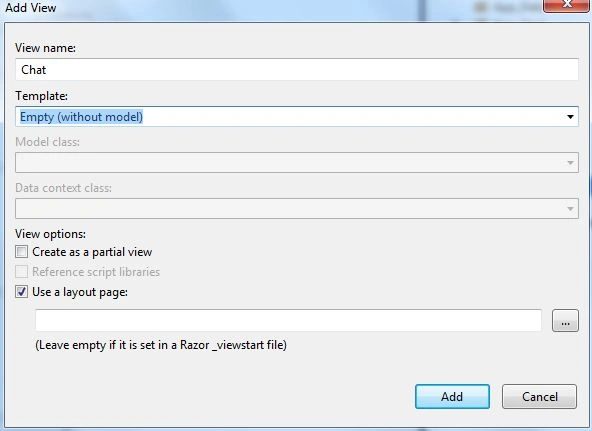
Step 8: Generate the view for the Chat method as shown in the following parts:
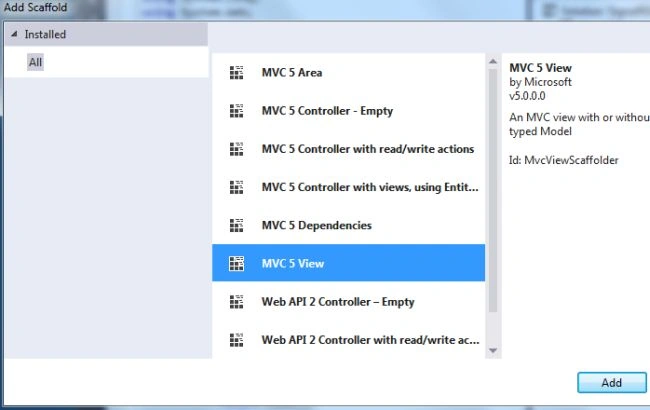
- Select Home folder and right-click to add Scaffold
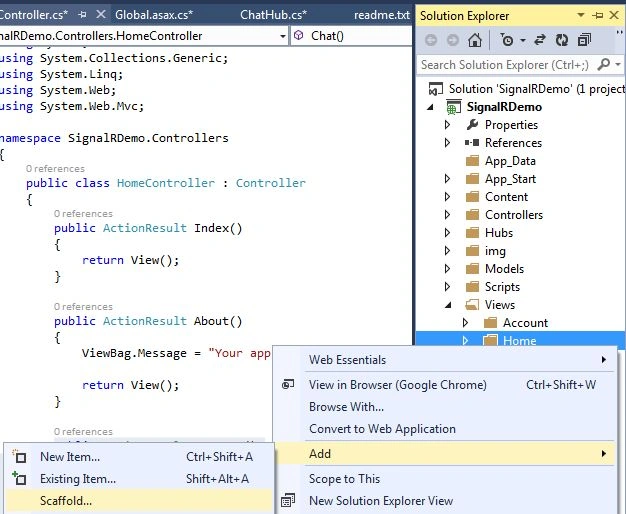
- Select MVC 5 View in the Add Scaffold wizard
- Do as directed in the following image:
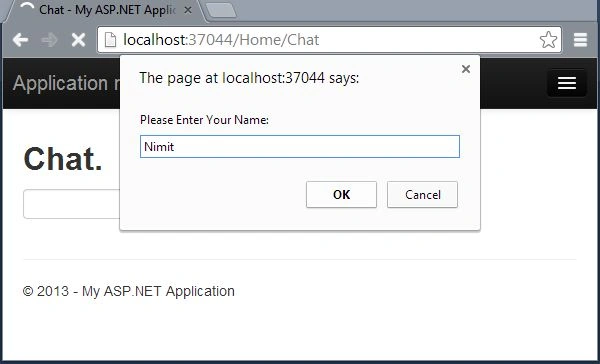
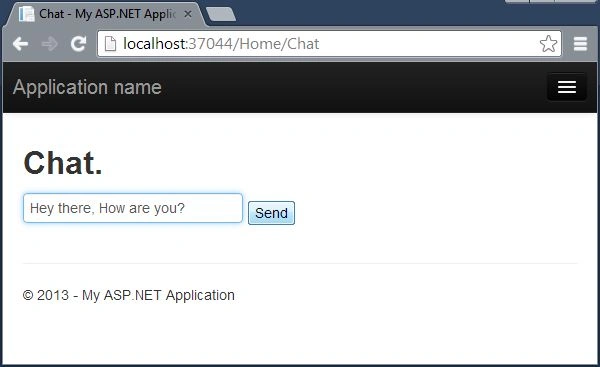
Step 9: Add the following code in the Chat.cshtml file:
ViewBag.Title = "Chat";
}
<hgroup>
<h2>@ViewBag.Title.</h2>
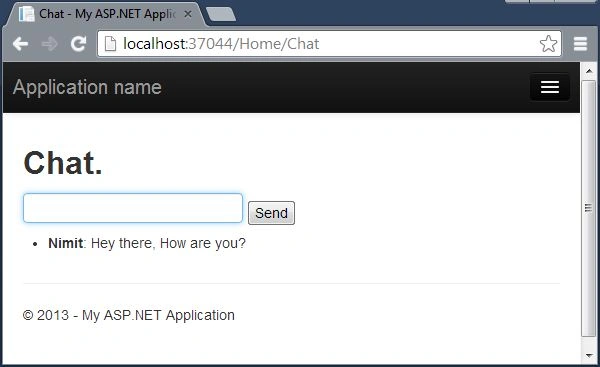
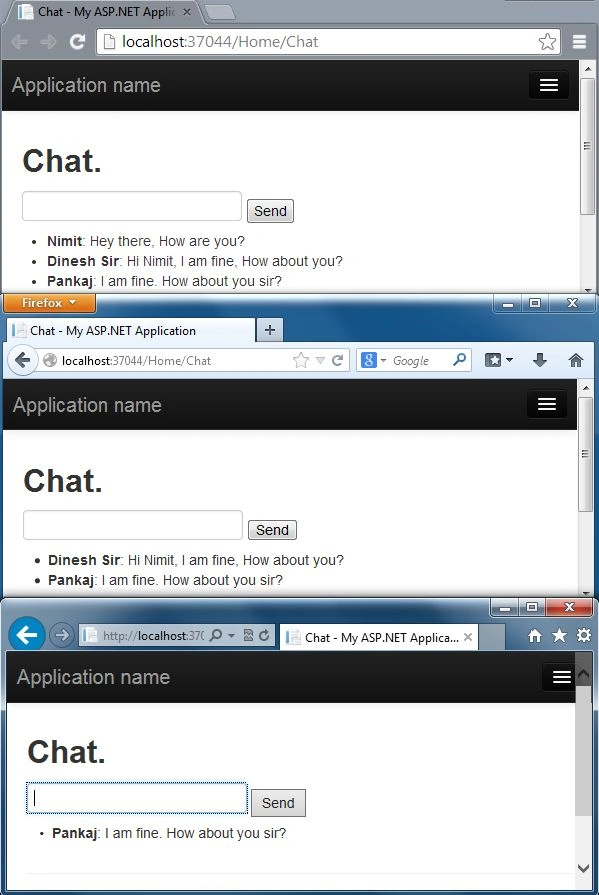
mujtaba faizanPosted Nov 6, 2018, 11:38 PM
This is same tutorial from microsoft, what is the difference? https://docs.microsoft.com/en-us/aspnet/signalr/overview/getting-started/tutorial-getting-started-with-signalr-and-mvc
B dhanunjayPosted Sep 14, 2018, 12:49 AM
<script src="~/signalr/Hubs"></script>
rajRana ThakurPosted Dec 25, 2017, 7:56 AM
RouteTable.Routes.MapHubs(); is obsolete and giving error.
rajRana ThakurPosted Dec 25, 2017, 7:56 AM
Dont use this, its totally absolute and only wasting of time. Search other airticle.
mansuri adnanPosted Jul 26, 2017, 11:18 AM
Hii sir,i cant add RouteTable.Routes.MapHubs(); in the global.asax file..Please reply me.what are the problem
sankarganesh sPosted Mar 15, 2017, 3:29 AM
Hi nimit, One error is shown like CS0619 C# 'SignalRRouteExtensions.MapHubs(RouteCollection)' is obsolete: 'Use IAppBuilder.MapSignalR in an Owin Startup class. See http://go.microsoft.com/fwlink/?LinkId=320578 for more details.'
mehdi heidariPosted Dec 23, 2015, 2:55 AM
hi Gregory S Ngidi. type 'LetsChat' with lower case like 'letsChat'. it solves your problem
Gregory S NgidiPosted Jul 1, 2015, 4:20 AM
Hi Nimit, I'm getting the error 0x800a01b6 - JavaScript error: Object doesn't support property or method 'LetsChat'
Suresh SundarPosted Feb 5, 2015, 3:38 AM
Hi Nimit Joshi, this method is Long pooling logic right??. its nice :)
Santosh KumarPosted Oct 4, 2013, 2:09 PM
Very nice article.
Pramod LawatePosted Oct 2, 2013, 4:28 AM
very nice
Amit SenwalPosted Oct 2, 2013, 1:49 AM
Hey it is very interesting to see the chat application. Great Article..