

Introduction
The following describes JSON:
- JSON is a lightweight data-interchange format.
- JSON is a self-describing and easy to understand and easier to use alternative to XML.
- JSON is language-independent.
The following are some rules of JSON Syntax:
- JSON data consists of name/value pairs.
- In JSON data is separated by commas.
- In JSON Curly Braces hold objects.
- In JSON Square Braces hold arrays.
JSON Data Syntax
JSON data consist of name and value pairs. It consists of a field name in double quotes (""), then a colon then a value.

JSON values can be a number, a string, a Boolean, an array, an object or null.
Syntax Of JSON Objects
JSON objects can contain multiple name/values pairs written inside Curly Braces.

Syntax Of JSON Arrays
A JSON array can contain multiple objects and are written inside Square Braces.

In this example, the object "students" is an array containing three objects. Each object is a record of a student.
Example: JSON Object Creation in JavaScript.
- <!DOCTYPE html>
- <html>
- <body>
- <h2>JSON Object Creation</h2>
- <p id="Result"></p>
- <script>
- var obj = JSON.parse('{"Company_Name":"C-SharpCorner","Address":"Noida","phone":"XXXXXX"}');
- document.getElementById("Result").innerHTML =
- obj.Company_Name+ "<br>" +
- obj.Address+ "<br>" +
- obj.phone;
- </script>
- </body>
- </html>
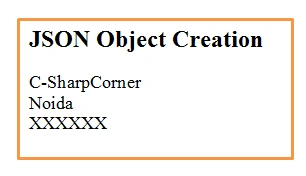
The following is the output of that:
XML has to be parsed with an XML parser, whereas JSON can be parsed by a standard JavaScript function.
The following is an XML example of student objects with 3 student records:
- <students>
- <student>
- <firstName>Shalin</firstName> <lastName>Dashora</lastName>
- </student>
- <student>
- <firstName>Milan</firstName> <lastName>Jain</lastName>
- </student>
- <student>
- <firstName>Priyanshi</firstName> <lastName>Dashora</lastName>
- </student>
- </students>
Similarities and Differences between JSON and XML
Similarity
- Both JSON and XML are self-describing.
- Both JSON and XML are hierarchical.
- Both JSON and XML can be parsed and used by many programming languages.
- Both JSON and XML can be fetched with an XMLHttpRequest.
- JSON doesn't use an end tag.
- JSON is shorter.
- JSON is quicker to read and write.
- JSON can use arrays.
- JSON is faster and easier, for AJAX applications.
- XML Extracts values and stores them in variables.
- JSON parses JSON strings.
Asfend YarPosted Mar 6, 2016, 7:28 AM
thanks again
Sibeesh VenuPosted Feb 27, 2015, 11:53 AM
Shaili Dashora You are welcome.
Shaili DashoraPosted Feb 27, 2015, 10:18 AM
thanks..
Sibeesh VenuPosted Feb 27, 2015, 3:25 AM
Nice one!!!
Parag KulthePosted Feb 26, 2015, 11:54 PM
Nice article Shaili
Shaili DashoraPosted Feb 26, 2015, 11:52 PM
Sourabh Somani thanks and now images are displaying...
Rahul Kumar SaxenaPosted Feb 26, 2015, 11:39 PM
Nice one..
Sourabh SomaniPosted Feb 26, 2015, 11:22 PM
Shaili Dashora Nice article but your images are not displaying... :)
Sourabh SomaniPosted Feb 26, 2015, 11:19 PM
Sam Hobbs: Sir you are right CSV is batter but still there are so many reasons so people don't like CSV and use JSON. Like CSV loses some data, and The standard CSV reader application (Excel) is terrible if excel loads 10,000 rows and 100+ column data then it is terrible. If we encoded characters then excel is failed and excel do not know how to read the data. If we talk about scale then JSON is easier to work with at scale because most of the modern APIs are RESTful, and therefore natively support JSON input and output and as well as significantly easier to work with within most programming languages if we use JSON and one of the best thing is that JSON is better at showing hierarchical / relational data. and still by Win32 API it is very difficult to featch data through CSV file.. I think JSON is more batter over CSV :)
Sam HobbsPosted Feb 26, 2015, 9:59 PM
I sure do not understand why CSV or some other delimited file format is not used more often. In many situations (not all by far) the advantages of a delimited format such as CSV compared to JSON are greater than the advantages of JSON compared to XML.