

In this article, we will see how to create a new Term Store in SharePoint Online. (Office 365). The Term Store for SharePoint Online is globally used terms in organization.
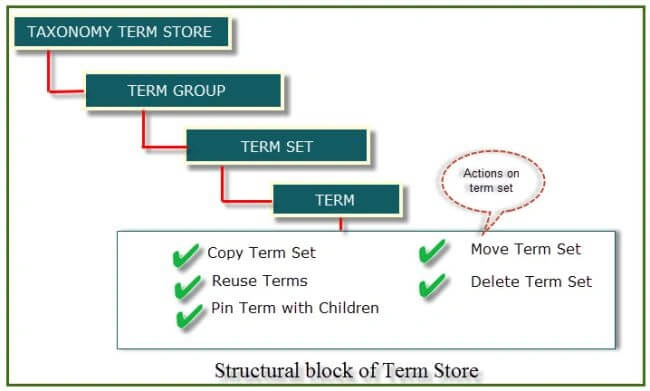
You can use the Term Store Management tool to create terms in a term set, or manage a term such as copy it or move it, reuse it. The purpose of Term Store is to maintain consistent data throughout our SharePoint online sites.
The SharePoint 2013 Term Store is a farm level repository of hierarchical term sets and terms used by SharePoint for both metadata and navigation.
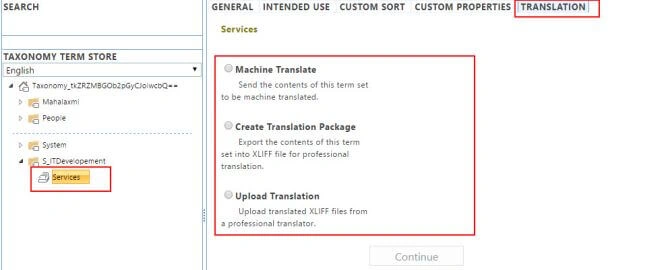
See the below structural image of SharePoint online Term Store management.Image 01
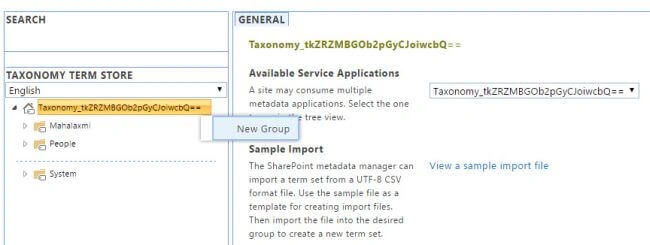
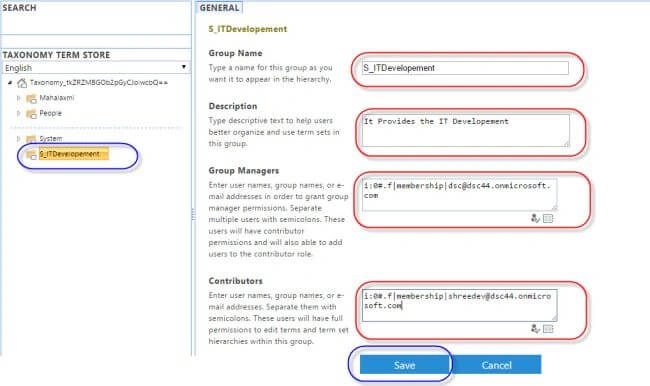
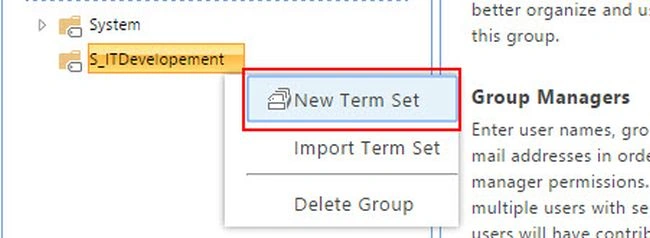
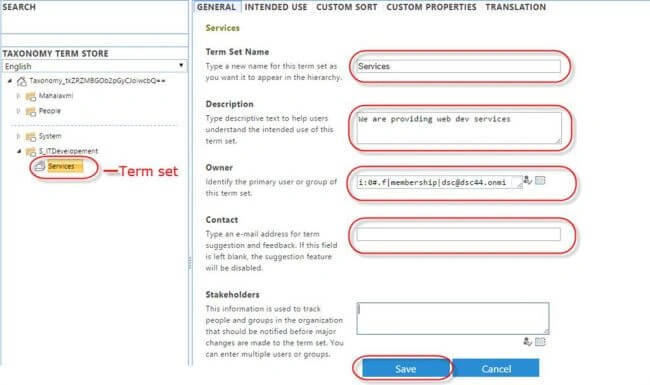
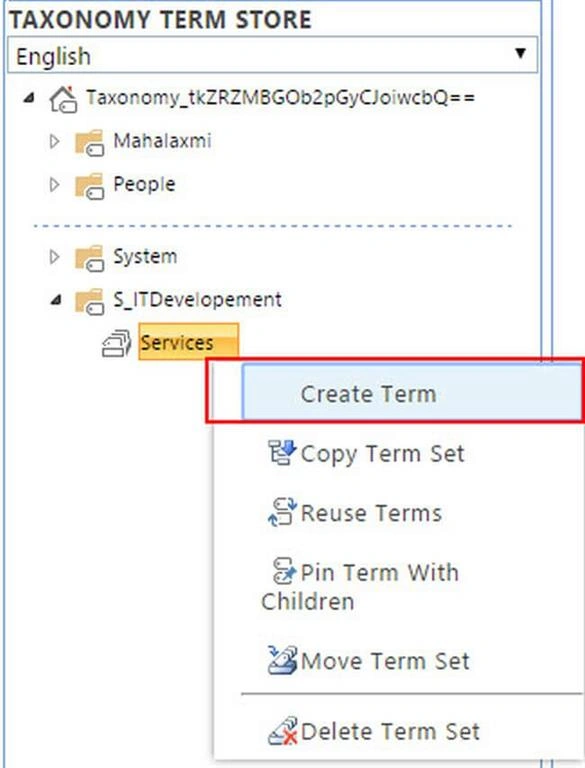
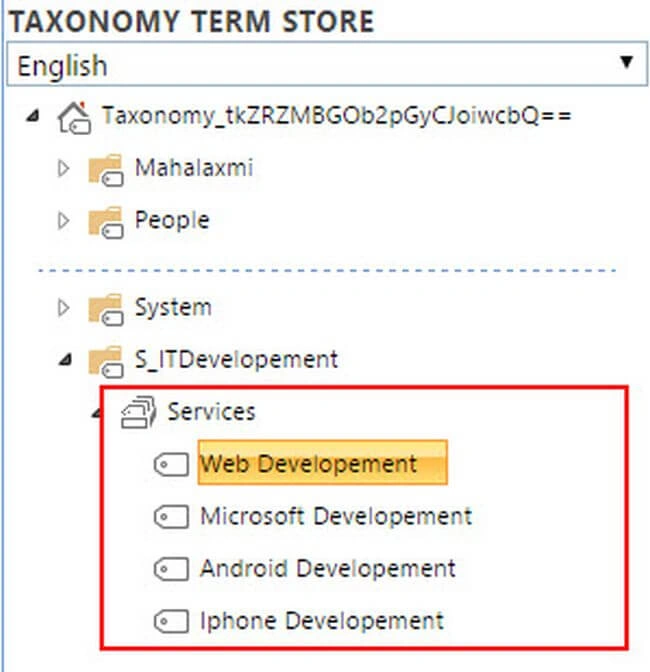
Let’s consider an example. Here we’re going to create a term set group S_ITDevelopement for using in a Services term set, which includes different terms such as Web Development, Microsoft Development, Android Development, iPhone Development.
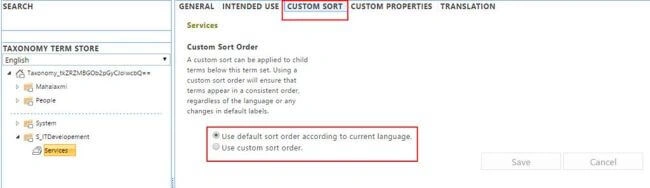
Following are the steps which will help to create Term Store in SharePoint Online.
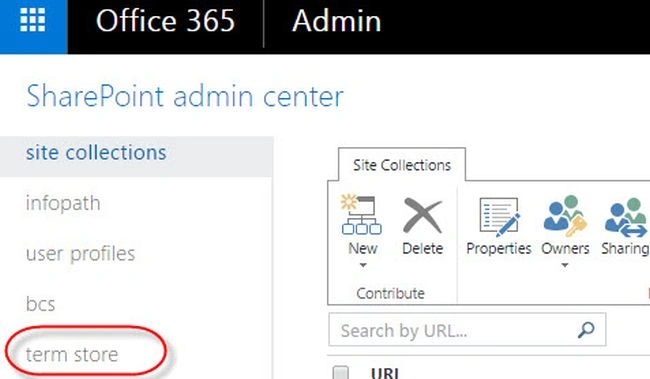
Login office 365 portal and go to SharePoint Admin Center. Then, click on term store.Image 02
Note
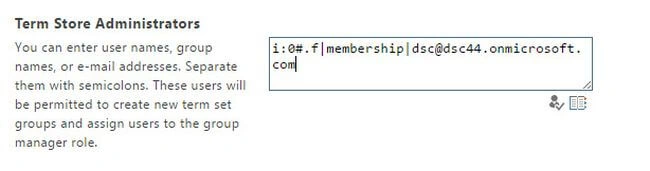
Before starting to create term store, a user must have permission to create a new term set groups. Enter usernames into term store administrators section, as shown in below image.
Image 03
Jordi BorràsPosted Oct 17, 2019, 9:53 AM
Hi. In this example you defined a colaborator. But how can this colaborator access and create new terms ?
GauTam RaJputPosted May 17, 2019, 2:14 AM
Hello Sir i appriciate your efforts but why we need termset we can use site column or content type or choice field instead of making termset. please provide answer at which condition we use termstore
Prasham SabadraPosted May 28, 2017, 12:01 PM
Great. Thanks for Sharing Sumit!!!