

Introduction
What Is Bootbox In Asp.net Mvc?
Bootbox.js is a small JavaScript library which allows you to create programmatic dialog boxes, using Bootstrap modals, creating, managing or removing any of the required DOM elements or JS event handlers.
Bootbox.js is designed to make using Bootstrap modals easier.
Description
Note the order of the script references
Since Bootbox is a wrapper around Bootstrap's modal functionality, you need to include the libraries in order:
- jQuery
- Bootstrap
- Bootbox
For getting Bootbox script file reference Visit My Article
http://www.c-sharpcorner.com/article/google-map-location-coordinates-using-bootbox-in-asp-net-mvc/
Steps To Be Followed
Step1
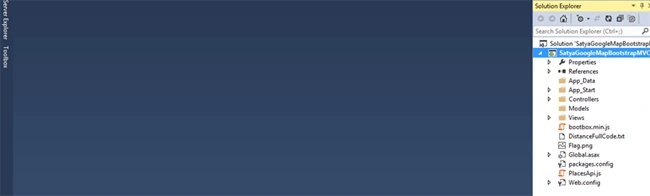
Create a Mvc 5 application named “SatyaGoogleMapBootstrapMVC”.
Step2
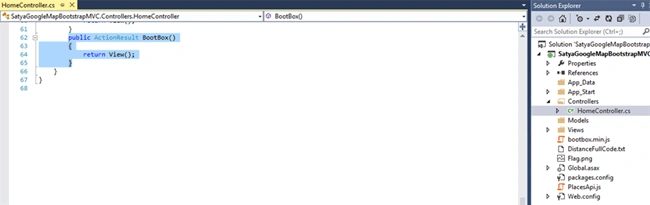
Create a controller class file named “HomeController.cs”.
Code Ref
- using System;
- using System.Collections.Generic;
- using System.Linq;
- using System.Web;
- using System.Web.Mvc;
- namespace SatyaGoogleMapBootstrapMVC.Controllers
- {
- public class HomeController : Controller
- {
- public ActionResult BootBox()
- {
- return View();
- }
- }
- }
Code Description
Here I created a controller action method named “BootBox()”.
- public ActionResult BootBox()
- {
- return View();
- }
Step3
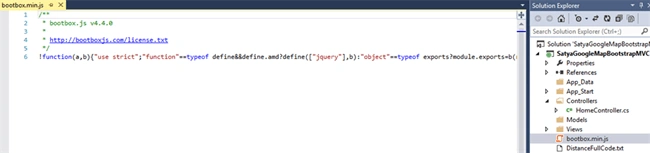
Add a Bootbox Javascript library of version v4.4.0. Named “bootbox.min.js”. This file I added to show alert pop up instead of traditional javascript alert box.
Also it is bootstrap supporting and multiplatform view support.
Step4
Create a view named “BootBox.cshtml”.
Code Ref
- @{
- ViewBag.Title = "Satyaprakash BootBox Intro";
- }
- <title>@ViewBag.Title</title>
- <h2 style="background-color: Yellow;color: Blue; text-align: center; font-style: oblique">Satyaprakash's BootBox Intro Using MVC and BOOTSTRAP</h2>
- <link rel="stylesheet" href="https://maxcdn.bootstrapcdn.com/bootstrap/3.3.7/css/bootstrap.min.css">
- <script src="https://ajax.googleapis.com/ajax/libs/jquery/3.2.1/jquery.min.js"></script>
- <script src="https://maxcdn.bootstrapcdn.com/bootstrap/3.3.7/js/bootstrap.min.js"></script>
- <script src="https://cdnjs.cloudflare.com/ajax/libs/bootbox.js/4.4.0/bootbox.min.js">
- </script>
- <script>
- bootbox.prompt({
- title: "This is a prompt with a textarea!",
- inputType: 'textarea',
- callback: function (result) {
- bootbox.alert(result);
- }
- });
- </script>
- <footer>
- <p style="background-color: Yellow; font-weight: bold; color:blue; text-align: center; font-style: oblique">© @DateTime.Now.ToLocalTime()</p> @*Add Date Time*@
- </footer>
To support bootstrap related support added below links.
- <link rel="stylesheet" href="https://maxcdn.bootstrapcdn.com/bootstrap/3.3.7/css/bootstrap.min.css">
- <script src="https://ajax.googleapis.com/ajax/libs/jquery/3.2.1/jquery.min.js"></script>
- <script src="https://maxcdn.bootstrapcdn.com/bootstrap/3.3.7/js/bootstrap.min.js"></script>
- <script src="https://cdnjs.cloudflare.com/ajax/libs/bootbox.js/4.4.0/bootbox.min.js">
- </script>
- <script src="bootbox.min.js"></script>
Instead of that I can use also below CDN link Wrappers for JavaScript alert(), confirm() and other flexible dialogs using the Bootstrap framework. CDN for web related libraries to speed up your websites!
- https://cdnjs.cloudflare.com/ajax/libs/bootbox.js/4.4.0/bootbox.min.js
- https://cdnjs.cloudflare.com/ajax/libs/bootbox.js/4.4.0/bootbox.js
- <script>
- bootbox.prompt({
- title: "This is a prompt with a textarea!",
- inputType: 'textarea',
- callback: function (result) {
- bootbox.alert(result);
- }
- });
- </script>
- bootbox.prompt
- bootbox.alert
- title: "This is a prompt with a textarea!",
- inputType: 'textarea',
A callback handles the user's selection. The callback function is passed a value of true or false, depending on which button the user pressed. Any code that depends on the user's selection must be placed in the callback function.
Prompt
A dialog prompts for user input. Pressing the ESC key or clicking close dismisses the dialog and invokes the callback as if the user had clicked the cancel button.
Prompt dialogs require a callback function.
A dialog prompts for user input. Pressing the ESC key or clicking close dismisses the dialog and invokes the callback as if the user had clicked the cancel button.
Prompt dialogs require a callback function.
All Bootstrap modals, unlike native alerts, confirms, or prompts, generate non-blocking events. Keep that in mind when using the prompt() dialog, as it is not a drop-in replacement for native prompt dialogs. Any code that depends on the user's input must be placed in the callback function.
Prompt requires the title option (when using the options object) and disallows the message option.
Prompt Dialog Options
Prompt dialogs are (by default) single-line text inputs. You can modify the type of prompt Bootbox generates using the prompt-only options below.
- Name - value , Description : You can set the initial value of the prompt using the
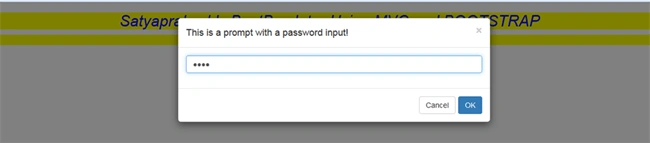
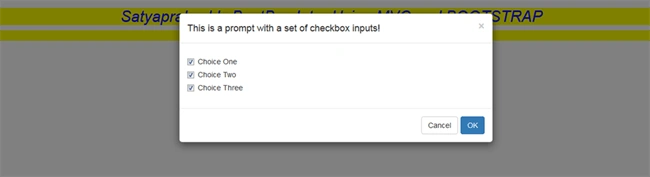
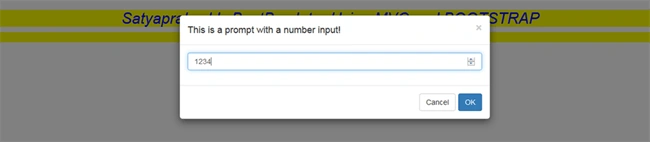
valueoption. - Name - inputType , Description : Changes the type of input generated for the prompt dialog. Valid values for inputType are: text (default), textarea, email, select, checkbox, date, time, number, and password.
- Name - inputOptions , Description : If you specify select or checkbox as the input type, you must also supply an array of valid values in the format of : {text: '', value: '', group: '' }
group is an optional property for populating the <select>; if specified, <optgroup> elements will be generated for each group value found in the inputOptions array.
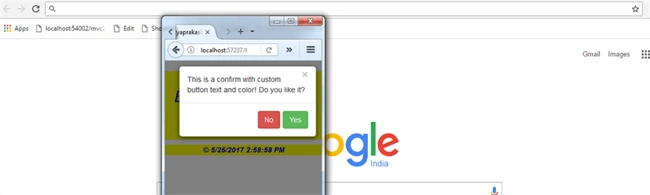
Example 1
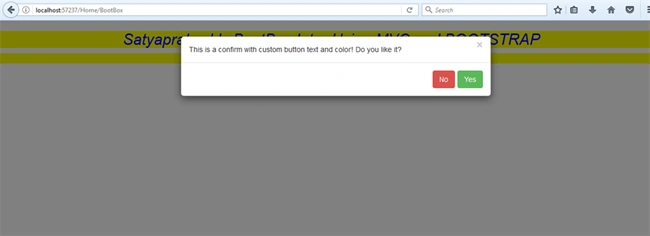
- bootbox.confirm({
- message: "This is a confirm with custom button text and color! Do you like it?",
- buttons: {
- confirm: {
- label: 'Yes',
- className: 'btn-success'
- },
- cancel: {
- label: 'No',
- className: 'btn-danger'
- }
- },
- callback: function (result) {
- bootbox.alert('This was logged in the callback: ' + result);
- }
- });
This Will Show you Yes /No Button and after click It will show you True / False.
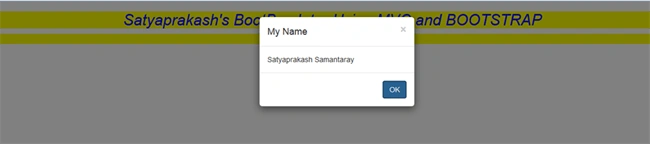


Desktop View








Former memberPosted Jun 22, 2017, 5:57 AM
I guess there would be syntax error "HTML : <div id="modalContainer">{{> modalTemplate}}</div> Bootbox.dialog message: $('#modalContainer') title: 'title' closeButton: true"
Former memberPosted Jun 22, 2017, 5:28 AM
Can i show or refer html template to bootbox lib suppose my html template is in same page or reside in separate page.