


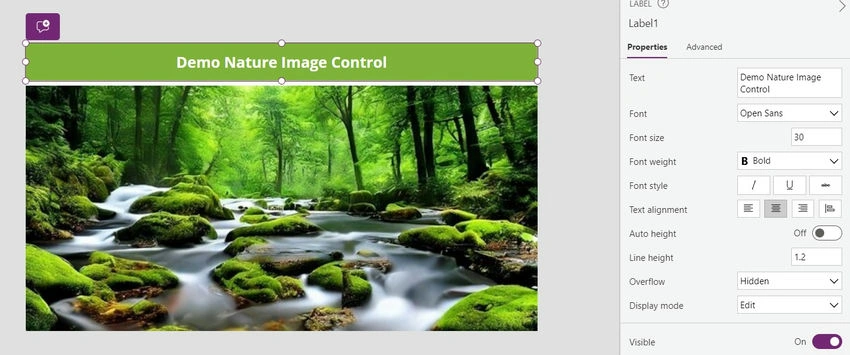
The Image control in Power Apps empowers users to incorporate images into their applications, enriching visual communication and user experience. This article delves into the benefits, features, and limitations of Image control in Power Apps, along with a step-by-step guide on how to add and customize images within app designs.
Benefits of Image Control
- Visual Communication: Images facilitate effective visual communication, conveying information, emotions, and messages more compellingly than text alone.
- Enhanced User Experience: The inclusion of images enhances user experience by making applications more visually appealing, engaging, and memorable.
- Brand Representation: Images enable users to showcase branding elements, such as logos, icons, and product images, reinforcing brand identity and recognition.
- Information Accessibility: Images can simplify complex concepts or data, making information more accessible and understandable to users of varying backgrounds and abilities.
- Personalization: Users can personalize applications by uploading or selecting images that resonate with their preferences, interests, or contexts.
Features of Image Control
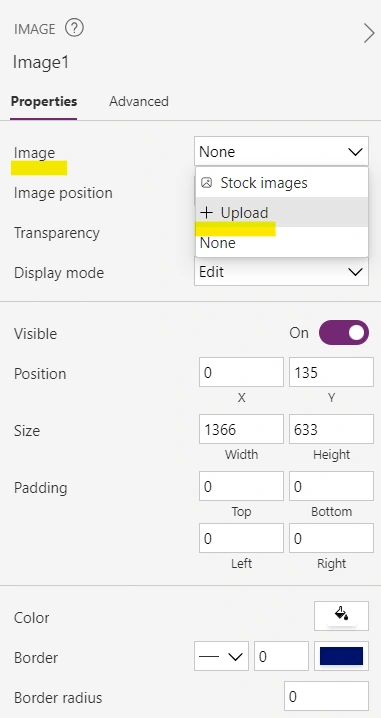
- Source Selection: Users can specify the source of images, including URLs, file uploads, SharePoint libraries, or media libraries, to display desired content within the Image control.
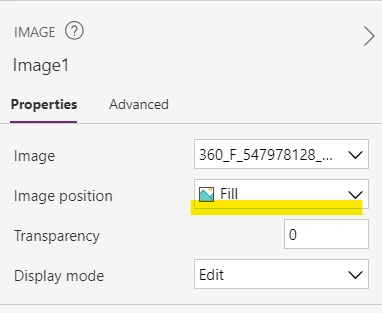
- Positioning Options: Image controls offer flexibility in positioning images within the app layout, enabling users to adjust alignment, size, and orientation for optimal presentation.
- Transparency Settings: Users can control the transparency of images, allowing for creative effects, overlays, or blending with background elements to achieve desired visual aesthetics.
- Visibility Settings: Image controls support visibility settings, enabling users to show or hide images based on conditions, user interactions, or data values, enhancing dynamic app behavior.
- Border Styling: Users can customize image borders with various styles, colors, and thickness settings to frame images and enhance their visual impact within app designs.
Limitations of Image Control
- File Size Restrictions: Large image files may impact app performance and loading times, particularly on devices with limited processing power or network bandwidth.
- Resolution Considerations: High-resolution images may consume significant storage space and resources, affecting app size and responsiveness, especially in mobile or low-bandwidth environments.
- Format Compatibility: Image controls support standard image formats (e.g., JPEG, PNG, GIF), but compatibility with advanced formats (e.g., SVG, TIFF) may vary depending on platform and device capabilities.
- Design Constraints: Users may encounter design limitations when incorporating images into app layouts, such as alignment issues, scaling artifacts, or distortion, requiring careful attention to layout and responsiveness.
- Accessibility Challenges: Images may pose accessibility challenges for users with visual impairments or screen readers, necessitating alternative text descriptions or supplementary content to convey information effectively.



Join the conversation! Your thoughts help the community grow.