

This article demonstrates how to use Item Control in Silverlight
Windows Phone 7. Item control and its derivatives show the collection of
records. Using selector user can select one or more records from the
collection.
Getting Started
Creating a Windows Phone Application:
- Open Visual Studio 2010.
- Go to File => New => Project
- Select Silverlight for Windows Phone from the
Installed templates and choose Windows Phone Application
- Enter the Name and choose the location.
Click OK
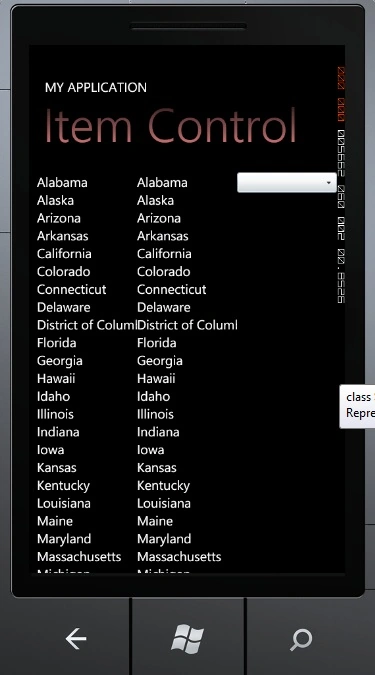
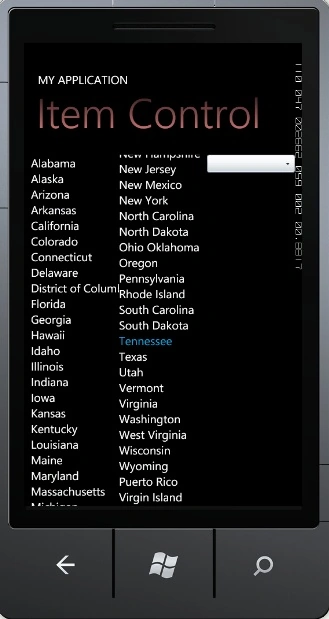
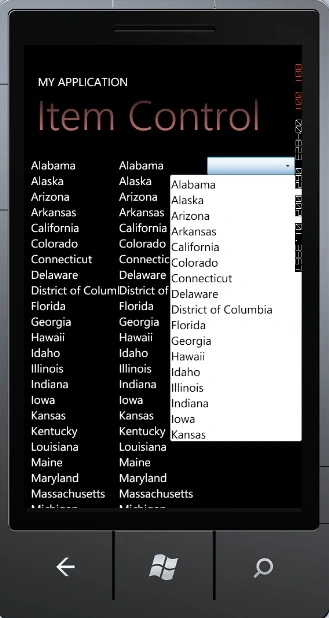
First of all drag and drop a ItemControl
,ListBox and a ComboBox.
MainPage.xaml
<Grid x:Name="ContentPanel" Grid.Row="1" Margin="12,0,12,0">
<Grid.ColumnDefinitions>
<ColumnDefinition Width="*"></ColumnDefinition>
<ColumnDefinition Width="*"></ColumnDefinition>
<ColumnDefinition Width="*"></ColumnDefinition>
</Grid.ColumnDefinitions>
<ItemsControl Name="StatesItemControl" Grid.Column="0"></ItemsControl>
<ListBox Name="StatesListBox" Grid.Column="1"></ListBox>
<ComboBox Name="StatesComboBox" Grid.Column="2" VerticalAlignment="Top" Foreground="Black"
</ComboBox>
</Grid>
Fennie LauPosted May 27, 2012, 9:09 AM
May I ask why my visual studio 2010 tool box do not have combo box? But I try the demo you post at here,the combo box is available. But if I create a new project, it is not works. May I ask how to solve this?