

JavaScript Building Blocks
I'm going to discuss JavaScript building-blocks for beginners.
JavaScript Write
JavaScript can write to a web document.
- If you are writing to a document using double-quote encapsulation, you must escape all double-quotes in your content with a backslash ( \ ) symbol.
- If you are writing to a document using single-quote encapsulation, you must escape all single-quotes in your content with a backslash ( \ ) symbol.
Write content using double-quote encapsulation
- <script type="text/javascript">
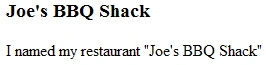
- document.write("<h3>Joe's BBQ Shack</h3>");
- document.write("<p>I named my restaurant \"Joe's BBQ Shack\"</p>");
- </script>
Write content using single-quote encapsulation
- <script type="text/javascript">
- document.write('<h3>Joe\'s BBQ Shack</h3>');
- document.write('<p>I named my restaurant "Joe\'s BBQ Shack"</p>');
- </script>
Combining strings using the "+" addition operator
- <script type="text/javascript">
- document.write("We can " + "combine strings " + "usimg the addition operator.");
- </script>

JavaScript Comments
- They are handy for leaving yourself notes in large scripts, or for disabling entire sections of code for troubleshooting faulty code.
- They can be placed anywhere in your JavaScript.
- <script type="text/javascript">
- // This is a single line comment
- /* This is a single line comment */
- /* This multiline comment will not be processed by the browser software when the script runs*/
- </script>
JavaScript Variables
The variable value can be changed or have operations performed on them. Every variable you create in JavaScript is associated to an object or data type that you can access the properties and methods of.
- <script type="text/javascript">
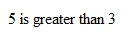
- var a = 5;
- var b = 3;
- var c = a + b;
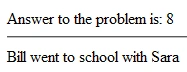
- document.write("Answer to the problem is: " + c);
- document.write("<hr / >");
- var person1 = "Bill";
- var person2 = "Sara";
- var myText = person1 + " went to school with " + person2;
- document.write(myText);
- </script>
Alter a variable's value at any point in your script:
- <script type="text/javascript">
- var a = 5; // initialize the variable near the top of script
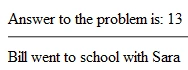
- a = 10; // alter the variable value any time you need to in script
- var b = 3;
- var c = a + b;
- document.write("Answer to the problem is: " + c);
- document.write("<hr / >");
- var person1 = "Bill";
- var person2 = "Sara";
- var myText = person1 + " went to school with " + person2;
- document.write(myText);
- </script>
Variables can also represent JavaScript objects you might work with.
- <script type="text/javascript">
- var now = new Date();
- document.write(now);
- </script>
JavaScript Objects
JavaScript also allows a script author to create custom objects to extend the language. JavaScript supports automatic data type casting for objects. This simply means that we do not have to explicitly define each variable's data type as we create them unless our script demands it.
JavaScript will interpret the value and assign it a data type (data object) automatically if one is not specified by you.
Objects, Properties, and Methods Explained
Once the object is created in your script (which we have tons of examples for), you can then access or manipulate its properties and perform any methods associated with that object's data type.
Here is a good way to view Objects, accessing their Properties, and perform their Methods.
JavaScript Standard Objects
- Object = Gun
- Properties | color = "Black" | maker = "Bushmaster" | type = "Assault Rifle"
- Methods = shoot(), safety(), reload()
- String Object- For working with string data in JavaScript.
- Array Object- For compartmentalized data processing.
- Date Object- For date and time programming.
- Math Object- For mathematical calculations in JavaScript.
- Number Object- For working with numeric data in JavaScript.
- RegExp Object- For matching the text against a pattern.
- Boolean Object- For representing false and true values.
- Function Object- For calling dormant segments of your code to run.
- object Object- Extend JavaScript by creating your own custom objects
JavaScript Functions
- They can be executed by HTML events or JavaScript events, and they will only run when that event fires off.
- The various examples below lend good insight into the aspects of function creation.
Any user-initiated event can make your function run
- <script type="text/javascript">
- function myFunction()
- {
- var status = document.getElementById("status");
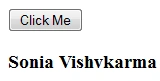
- status.innerHTML = "Sonia Vishvkarma";
- }
- </script>
- <p>
- <input type="button" value="Click Me" onclick="myFunction()">
- </p>
- <h3 id="status"></h3>
An event of the window or document can make your function run
- <script type="text/javascript">
- function myFunction()
- {
- var status = document.getElementById("status");
- status.innerHTML = "The page finishing loading made my function run.";
- }
- window.onload = myFunction;
- </script>
- <h3 id="status"></h3>

Make your functions more powerful by adding arguments
Arguments are an aspect of function creation that makes your functions much more dynamic, useful and reusable.




Join the conversation! Your thoughts help the community grow.