

Introduction
This article demonstrates how to query an entity using FetchXML, JavaScript (XRMServiceToolKit), and how to update the form fields on form load or on change event.
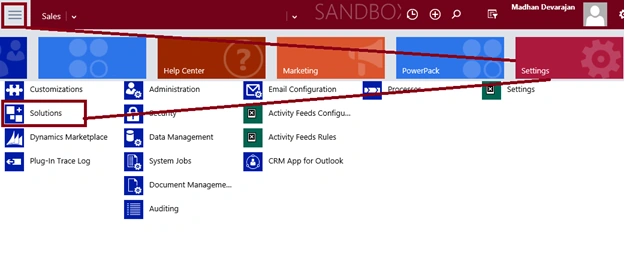
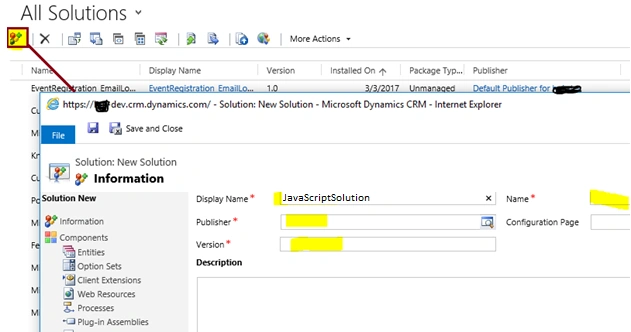
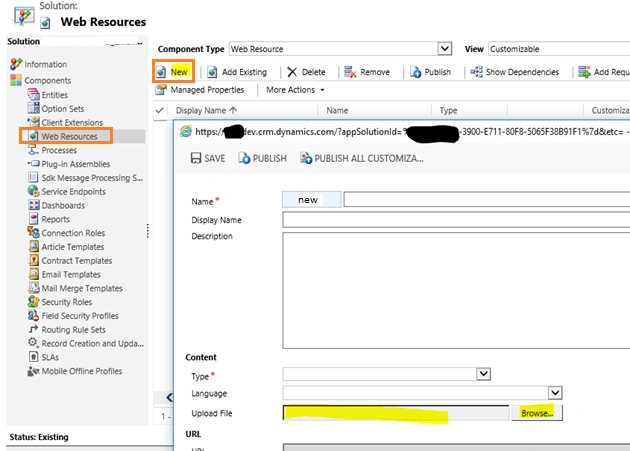
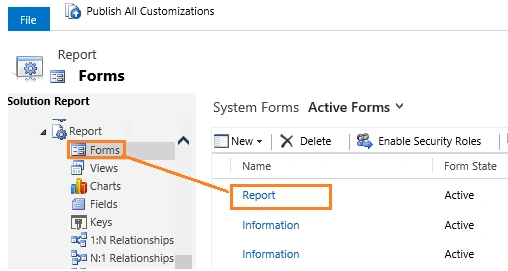
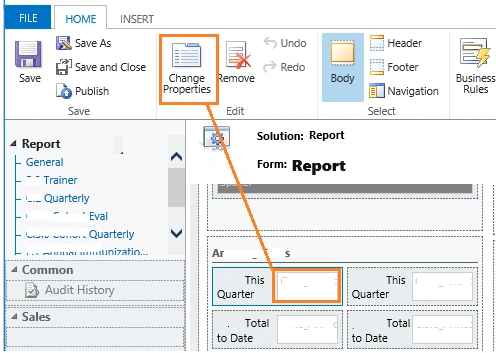
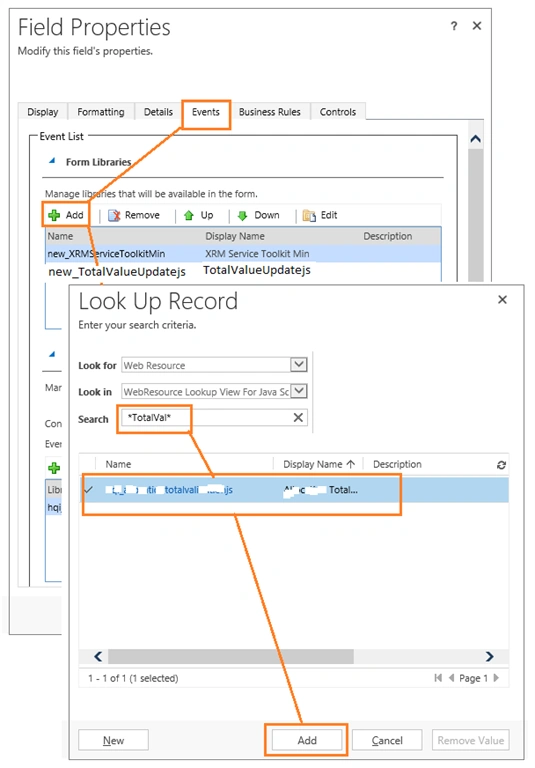
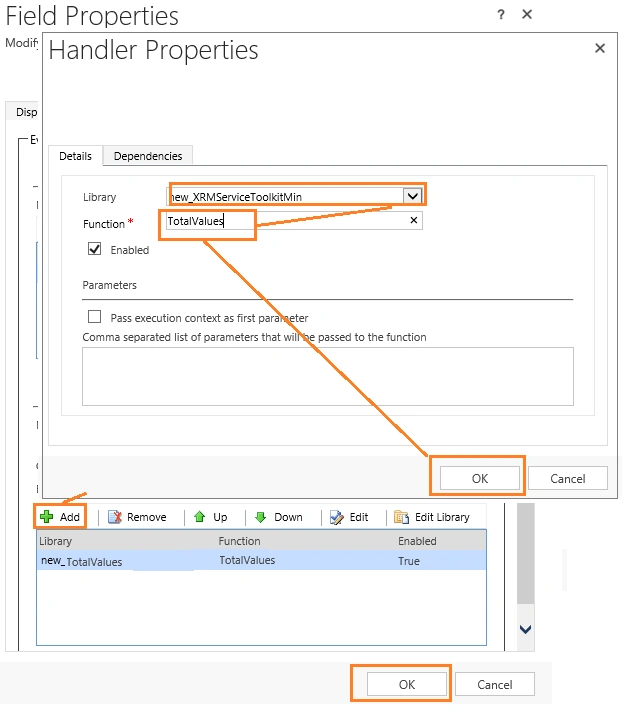
Steps to implement JavaScript function in Dynamics CRM Form
JavaScript filename - TotalValueUpdate.js
- function TotalValues(FieldName, TotalFieldName) {
- var countval = Xrm.Page.getAttribute("new_count").getValue(); // To get the field value of count – used in FetchXML query
- var quarter = Xrm.Page.getAttribute("new_quarter").getValue(); // To get the field value of quarter – used in FetchXML query
- quarter = quarter - 1;
- var FieldValue = Xrm.Page.getAttribute(FieldName).getValue();
- var fetchXML = "<fetch version='1.0' output-format='xml-platform' mapping='logical' distinct='false'>" + " <entity name='new_report'>" + " <attribute name='new_reportid' />" + " <attribute name='new_name' />" + " <attribute name='" + TotalFieldName + "' />" + " <attribute name='createdon' />" + " <order attribute='new_name' descending='false' />" + " <filter type='and'>" + " <condition attribute='new_count' operator='eq' value='" + countval + "' />" + " <condition attribute='new_quarter' operator='eq' value='" + quarter + "' />" + " </filter>" + " </entity>" + "</fetch>"
- var Records = XrmServiceToolkit.Soap.Fetch(fetchXML);
- if (Records.length > 0) {
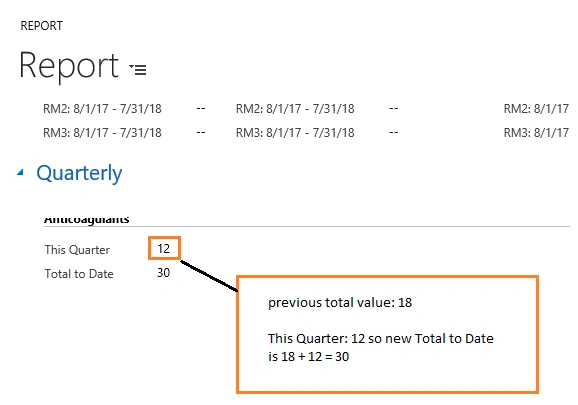
- var prevTotalValue = Records[0].attributes[TotalFieldName].value;
- var curTotalValue = prevTotalValue + FieldValue
- Xrm.Page.getAttribute(TotalFieldName).setValue(curTotalValue);
- return true;
- } else {
- Xrm.Page.getAttribute(TotalFieldName).setValue(FieldValue);
- return false;
- }
- }
Join the conversation! Your thoughts help the community grow.