

Introduction
In this article, we are going to describe how we use the Internal Frame with a Jdesktop pane in Java. And we also describe what an jinternal frame is and jdesktop and where they are used. JDesktop Pane is a container used to create a multiple-document interface or a virtual desktop. And this container is used to add jinternal frame objects. JInternal Frame is a class for displaying a frame like a window. Generally, you add internal frames to the desktop pane. The desktop pane, in turn, might be used as the content pane of a JFrame. The desktop pane is an instance of JDesktopPane, which is a subclass of JLayeredPane that has added API for managing multiple overlapping internal frames.
For easily creating an InternalFarme you have to use the following steps.
Step 1 - Importing the necessary package
- import javax.swing.JInternalFrame;
- import javax.swing.JDesktopPane;
- import javax.swing.JMenu;
- import javax.swing.JMenuItem;
- import javax.swing.JMenuBar;
- import javax.swing.JFrame;
- import java.awt.event.*;
- import java.awt.*;
- public class TestJInternalFrame extends JFrame
- {
- JDesktopPane jdp;
- static int fcount = 0;
- public TestJInternalFrame()
- {
- //By using super keyword we pass my sting "JInternalFrame Test" passing the to parent class constructor
- super("JInternalFrame Test");
- int inset = 50;
- // here we try to getting your actual screen size by using toolKit class and its method getScreenSize()
- Dimension screenSize = Toolkit.getDefaultToolkit().getScreenSize();
- setBounds(inset, inset, screenSize.width - inset * 2, screenSize.height - inset * 2);
- // Add a Window Exit Listener and we create a anonymous class to perform window close operation
- addWindowListener(new WindowAdapter()
- {
- public void windowClosing(WindowEvent e)
- {
- System.exit(0);
- }
- });
- // creating the object of Desktop pane because its need to adding internal frame
- jdp = new JDesktopPane();
- createFrame();
- setContentPane(jdp);
- setJMenuBar(createMenuBar());
- jdp.putClientProperty("JDesktopPane.with internal frame", "outline");
- }
- protected JMenuBar createMenuBar()
- {
- JMenuBar menuBar = new JMenuBar();
- JMenu menu = new JMenu("MyFrame");
- menu.setMnemonic(KeyEvent.VK_N);
- JMenuItem menuItem = new JMenuItem("New IFrame");
- menuItem.setMnemonic(KeyEvent.VK_N);
- menuItem.addActionListener(new ActionListener()
- {
- public void actionPerformed(ActionEvent e)
- {
- createFrame();
- }
- });
- menu.add(menuItem);
- menuBar.add(menu);
- return menuBar;
- }
- protected void createFrame() {
- MyInternalFrame frame = new MyInternalFrame();
- frame.setVisible(true);
- jdp.add(frame);
- try
- {
- frame.setSelected(true);
- } catch (java.beans.PropertyVetoException e)
- {
- System.out.println(e);
- }
- }
- public static void main(String[] args) {
- TestJInternalFrame frame = new TestJInternalFrame();
- frame.setVisible(true);
- }
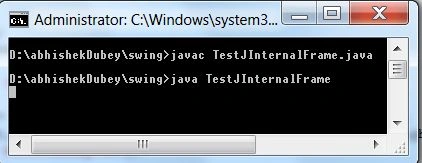
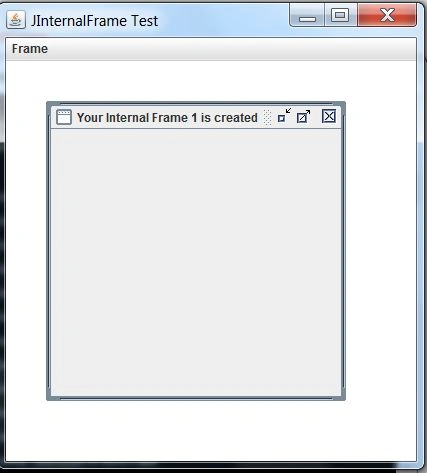
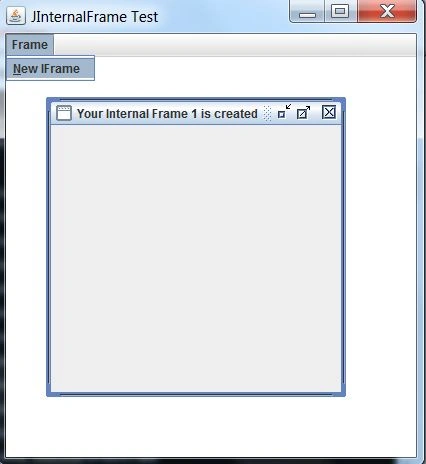
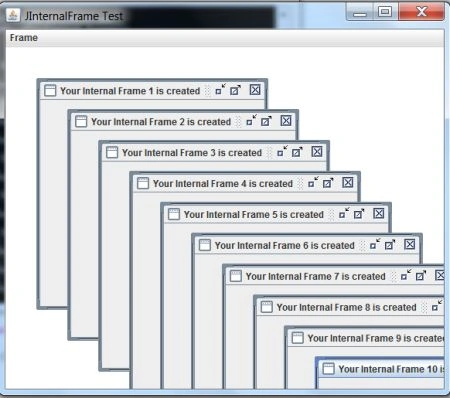
Join the conversation! Your thoughts help the community grow.