Before you let AI near your API, you need to know who is asking. In this article we take an ASP.NET Core Web API (.NET 10, EF Core and PostgreSQL) that has no login at all and lock it down with ASP.NET Core Identity and JWT: a login endpoint, a 15-minute access token, refresh tokens that work only once, and a delete that only an Admin can call. Then we lock the MCP endpoint too, so an AI assistant like Claude Code can use the API only with a token.
Why this matters
In part 1 we turned a products API into an MCP server, so AI tools could read it. But the API never asks who is calling. With that code, this request deletes product 8, with no login and no token:
curl -i -X DELETE localhost:5080/api/products/8     # HTTP/1.1 204 No Content
curl -i localhost:5080/api/products/8               # HTTP/1.1 404 Not Found
Anyone who finds the URL can do the same, and so can any AI tool pointed at it. By the end of this article the same delete returns 401 without a token, 403 for a normal user, and 204 only for an Admin.
What we will build
Endpoint | Who can call it | Result |
|---|
POST /api/auth/register
| anyone | creates a user with the User role |
POST /api/auth/login
| anyone | { accessToken, expiresAt, refreshToken }, or 401
|
POST /api/auth/refresh
| holder of a refresh token | a new pair; the old refresh token is revoked |
GET, POST, PUT on /api/products
| any logged-in user | as before |
DELETE /api/products/{id}
| Admin only
| 204; a normal user gets 403 |
/mcp
| any logged-in user | the three read-only MCP tools from part 1 |
ASP.NET Core Identity keeps users, roles and password hashes in the same PostgreSQL database. Logging in returns two tokens: a short access token (15 minutes) that goes with every request, and a refresh token (7 days) that only buys a new pair. The JwtBearer middleware checks every request: the signature, the issuer, the audience and the expiry.
JWT in one paragraph
A JSON Web Token has three parts: a header, a payload and a signature. The token our API issues has this header and these claims in its payload:
{ "alg": "HS256", "typ": "JWT" }

aud, iss, exp, sub, email ("[email protected]"), role ("User"), iat, nbf
The signature is an HMAC SHA-256 made with our secret key. If anyone changes the role from User to Admin, the signature no longer matches and the API rejects the token. But the token is signed, not encrypted: anyone can decode the payload. So never put a secret in a token.
Prerequisites
.NET 10 SDK and PostgreSQL
The ProductsApi from part 1, or any ASP.NET Core Web API with EF Core
Git Bash (or any shell with curl) for testing
Claude Code for the MCP part
Versions used in this article: .NET 10, Microsoft.AspNetCore.Identity.EntityFrameworkCore 10.0.13, Microsoft.AspNetCore.Authentication.JwtBearer 10.0.13, ModelContextProtocol.AspNetCore 2.2.0, Npgsql.EntityFrameworkCore.PostgreSQL 10.0.0.
Step 1. Add two packages
dotnet add package Microsoft.AspNetCore.Identity.EntityFrameworkCore
dotnet add package Microsoft.AspNetCore.Authentication.JwtBearer
The first gives us users, roles and password hashing, stored with EF Core. The second checks the JWT on every request.
Step 2. A table for refresh tokens
Add a RefreshToken class in the Models folder: an id, the user it belongs to, a hash of the token, when it expires, and when it was revoked.
namespace ProductsApi.Models;

public class RefreshToken
{
    public int Id { get; set; }
    public string UserId { get; set; } = "";
    public string TokenHash { get; set; } = "";
    public DateTime ExpiresAt { get; set; }
    public DateTime? RevokedAt { get; set; }
}
We store a hash, not the token itself, for the same reason we hash passwords: if someone reads this table, they cannot use what they find.
Step 3. Identity in the DbContext
The AppDbContext from part 1 now inherits from IdentityDbContext<IdentityUser>, which brings the users, roles and claims tables. We add the RefreshTokens set and call base.OnModelCreating first, because that is where Identity configures its tables. The product seed data stays exactly as it was in part 1.
using Microsoft.AspNetCore.Identity;
using Microsoft.AspNetCore.Identity.EntityFrameworkCore;
using Microsoft.EntityFrameworkCore;
using ProductsApi.Models;

namespace ProductsApi.Data;

public class AppDbContext(DbContextOptions<AppDbContext> options)
    : IdentityDbContext<IdentityUser>(options)
{
    public DbSet<Product> Products => Set<Product>();
    public DbSet<RefreshToken> RefreshTokens => Set<RefreshToken>();

    protected override void OnModelCreating(ModelBuilder modelBuilder)
    {
        base.OnModelCreating(modelBuilder);

        modelBuilder.Entity<Product>().HasData(
            new Product { Id = 1, Name = "Wireless Mouse",       Price = 799,  Stock = 42, CostPrice = 410,  Supplier = "Apex Traders" },
            new Product { Id = 2, Name = "Mechanical Keyboard",  Price = 3499, Stock = 6,  CostPrice = 2100, Supplier = "KeyWorks" },
            new Product { Id = 3, Name = "USB-C Hub",            Price = 1899, Stock = 3,  CostPrice = 950,  Supplier = "Apex Traders" },
            new Product { Id = 4, Name = "27-inch Monitor",      Price = 15999, Stock = 11, CostPrice = 11800, Supplier = "ViewLine" },
            new Product { Id = 5, Name = "Laptop Stand",         Price = 1299, Stock = 2,  CostPrice = 520,  Supplier = "DeskPro" },
            new Product { Id = 6, Name = "Noise-Cancelling Headphones", Price = 6999, Stock = 18, CostPrice = 4300, Supplier = "SoundHub" },
            new Product { Id = 7, Name = "Webcam 1080p",         Price = 2499, Stock = 9,  CostPrice = 1350, Supplier = "ViewLine" },
            new Product { Id = 8, Name = "Mouse Pad XL",         Price = 499,  Stock = 75, CostPrice = 160,  Supplier = "DeskPro" }
        );
    }
}
Step 4. JWT settings and user secrets
The Jwt section holds the issuer, the audience and the two lifetimes. There is no key in it, on purpose:
{
  "ConnectionStrings": {
    "Default": "Host=localhost;Port=5432;Database=productsauthdb;Username=postgres;Password=postgres"
  },
  "Jwt": {
    "Issuer": "ProductsApi",
    "Audience": "ProductsApi",
    "AccessTokenMinutes": 15,
    "RefreshTokenDays": 7
  },
  "Logging": {
    "LogLevel": {
      "Default": "Information",
      "Microsoft.AspNetCore": "Warning"
    }
  },
  "AllowedHosts": "*"
}
The signing key and the seeded admin password go into user secrets, which live outside the project folder and never reach Git:
dotnet user-secrets init
dotnet user-secrets set "Jwt:Key" "$(openssl rand -base64 48)"
dotnet user-secrets set "Seed:AdminPassword" "$ADMIN_PASSWORD"
openssl rand -base64 48 gives 48 random bytes, which is longer than the 32 bytes HMAC SHA-256 needs. The admin password must pass Identity's default rules: at least 6 characters, with upper case, lower case, a digit and a symbol. The connection string in appsettings.json only has a placeholder password; pass the real one through an environment variable:
export ConnectionStrings__Default="Host=localhost;Port=5432;Database=productsauthdb;Username=postgres;Password=<your password>"
Step 5. Program.cs: Identity, JWT and ClockSkew
using System.Text;
using Microsoft.AspNetCore.Authentication.JwtBearer;
using Microsoft.AspNetCore.Identity;
using Microsoft.EntityFrameworkCore;
using Microsoft.IdentityModel.Tokens;
using ProductsApi.Auth;
using ProductsApi.Data;
using ProductsApi.Tools;

var builder = WebApplication.CreateBuilder(args);

builder.Services.AddDbContext<AppDbContext>(options =>
    options.UseNpgsql(builder.Configuration.GetConnectionString("Default")));

builder.Services.AddIdentityCore<IdentityUser>()
    .AddRoles<IdentityRole>()
    .AddEntityFrameworkStores<AppDbContext>()
    .AddSignInManager();

var jwt = builder.Configuration.GetSection("Jwt");
builder.Services.AddAuthentication(JwtBearerDefaults.AuthenticationScheme)
    .AddJwtBearer(options =>
    {
        options.TokenValidationParameters = new TokenValidationParameters
        {
            ValidIssuer = jwt["Issuer"],
            ValidAudience = jwt["Audience"],
            IssuerSigningKey = new SymmetricSecurityKey(Encoding.UTF8.GetBytes(jwt["Key"]!)),
            ClockSkew = TimeSpan.FromSeconds(30)
        };
    });
builder.Services.AddAuthorization();
builder.Services.AddScoped<TokenService>();

builder.Services.AddControllers();

builder.Services
    .AddMcpServer()
    .WithHttpTransport()
    .WithTools<ProductTools>();

var app = builder.Build();

// Demo only: create the database and seed data on startup
using (var scope = app.Services.CreateScope())
{
    scope.ServiceProvider.GetRequiredService<AppDbContext>().Database.EnsureCreated();
    await DemoSeed.RunAsync(scope.ServiceProvider, app.Configuration);
}

app.UseAuthentication();
app.UseAuthorization();

app.MapControllers();
app.MapMcp("/mcp").RequireAuthorization();

app.Run();
What each part does:
AddIdentityCore<IdentityUser>() with AddRoles, AddEntityFrameworkStores and AddSignInManager: Identity for an API, without the cookie and UI parts.
AddJwtBearer with TokenValidationParameters: the issuer, audience and key every token must match.
ClockSkew: one setting that is easy to miss. By default ASP.NET Core accepts a token for five more minutes after it expires. We set it to 30 seconds, so a 15-minute token really ends after 15 minutes.
UseAuthentication() before UseAuthorization(): first find out who is calling, then decide what they may do.
app.MapMcp("/mcp").RequireAuthorization(): the line that locks the AI door. We come back to it in step 10.
The startup block creates the database and seeds the roles and an admin account. This is demo code; a real project uses migrations. It needs a new database (productsauthdb): EnsureCreated does nothing if the database already exists, so the Identity tables would never appear in part 1's database.
using Microsoft.AspNetCore.Identity;

namespace ProductsApi.Data;

// Demo only: creates the roles and one admin account on startup.
// The admin password comes from configuration (user secrets), never from code.
public static class DemoSeed
{
    public static async Task RunAsync(IServiceProvider services, IConfiguration config)
    {
        var roles = services.GetRequiredService<RoleManager<IdentityRole>>();
        foreach (var role in new[] { "Admin", "User" })
        {
            if (!await roles.RoleExistsAsync(role))
                await roles.CreateAsync(new IdentityRole(role));
        }

        var users = services.GetRequiredService<UserManager<IdentityUser>>();
        const string email = "[email protected]";
        if (await users.FindByEmailAsync(email) is null)
        {
            var admin = new IdentityUser { UserName = email, Email = email };
            await users.CreateAsync(admin, config["Seed:AdminPassword"]!);
            await users.AddToRoleAsync(admin, "Admin");
        }
    }
}
Step 6. TokenService: access and refresh tokens
using System.Security.Claims;
using System.Security.Cryptography;
using System.Text;
using Microsoft.AspNetCore.Identity;
using Microsoft.IdentityModel.JsonWebTokens;
using Microsoft.IdentityModel.Tokens;
using ProductsApi.Data;
using ProductsApi.Models;

namespace ProductsApi.Auth;

public record TokenResponse(string AccessToken, DateTime ExpiresAt, string RefreshToken);

public class TokenService(
    IConfiguration config,
    AppDbContext db,
    UserManager<IdentityUser> users)
{
    public async Task<TokenResponse> CreateTokensAsync(IdentityUser user)
    {
        var jwt = config.GetSection("Jwt");

        var claims = new List<Claim>
        {
            new("sub", user.Id),
            new("email", user.Email!)
        };
        foreach (var role in await users.GetRolesAsync(user))
            claims.Add(new Claim("role", role));

        var key = new SymmetricSecurityKey(Encoding.UTF8.GetBytes(jwt["Key"]!));
        var expires = DateTime.UtcNow.AddMinutes(jwt.GetValue<int>("AccessTokenMinutes"));

        var accessToken = new JsonWebTokenHandler().CreateToken(new SecurityTokenDescriptor
        {
            Issuer = jwt["Issuer"],
            Audience = jwt["Audience"],
            Subject = new ClaimsIdentity(claims),
            Expires = expires,
            SigningCredentials = new SigningCredentials(key, SecurityAlgorithms.HmacSha256)
        });

        var refreshToken = Convert.ToBase64String(RandomNumberGenerator.GetBytes(64));
        db.RefreshTokens.Add(new RefreshToken
        {
            UserId = user.Id,
            TokenHash = Hash(refreshToken),
            ExpiresAt = DateTime.UtcNow.AddDays(jwt.GetValue<int>("RefreshTokenDays"))
        });
        await db.SaveChangesAsync();

        return new TokenResponse(accessToken, expires, refreshToken);
    }

    public static string Hash(string token)
        => Convert.ToHexString(SHA256.HashData(Encoding.UTF8.GetBytes(token)));
}
The claims are the user id (sub), the email and every role the user has.
JsonWebTokenHandler signs the token with HMAC SHA-256 and our key, and sets the issuer, audience and expiry from configuration.
The refresh token is 64 random bytes from RandomNumberGenerator, not a JWT. We save only its SHA-256 hash, with an expiry seven days out, and return the plain token to the client once.
Register it in Program.cs with builder.Services.AddScoped<TokenService>() (already in the listing above).
Step 7. Register, login and refresh endpoints
using Microsoft.AspNetCore.Identity;
using Microsoft.AspNetCore.Mvc;
using Microsoft.EntityFrameworkCore;
using ProductsApi.Auth;
using ProductsApi.Data;

namespace ProductsApi.Controllers;

public record AuthRequest(string Email, string Password);
public record RefreshRequest(string RefreshToken);

[ApiController]
[Route("api/auth")]
public class AuthController(
    UserManager<IdentityUser> users,
    SignInManager<IdentityUser> signIn,
    TokenService tokens,
    AppDbContext db) : ControllerBase
{
    [HttpPost("register")]
    public async Task<IActionResult> Register(AuthRequest request)
    {
        var user = new IdentityUser { UserName = request.Email, Email = request.Email };
        var result = await users.CreateAsync(user, request.Password);
        if (!result.Succeeded) return BadRequest(result.Errors);

        await users.AddToRoleAsync(user, "User");
        return Ok();
    }

    [HttpPost("login")]
    public async Task<ActionResult<TokenResponse>> Login(AuthRequest request)
    {
        var user = await users.FindByEmailAsync(request.Email);
        if (user is null) return Unauthorized();

        var check = await signIn.CheckPasswordSignInAsync(
            user, request.Password, lockoutOnFailure: true);
        if (!check.Succeeded) return Unauthorized();

        return await tokens.CreateTokensAsync(user);
    }

    [HttpPost("refresh")]
    public async Task<ActionResult<TokenResponse>> Refresh(RefreshRequest request)
    {
        var hash = TokenService.Hash(request.RefreshToken);
        var stored = await db.RefreshTokens.FirstOrDefaultAsync(t =>
            t.TokenHash == hash && t.RevokedAt == null && t.ExpiresAt > DateTime.UtcNow);
        if (stored is null) return Unauthorized();

        stored.RevokedAt = DateTime.UtcNow;

        var user = await users.FindByIdAsync(stored.UserId);
        if (user is null) return Unauthorized();

        return await tokens.CreateTokensAsync(user);
    }
}
Register: CreateAsync saves the user and hashes the password. A weak password returns 400 with Identity's own error messages. New users get the User role.
Login: a wrong password and an unknown email both return a plain 401, so an attacker cannot tell which emails exist.
lockoutOnFailure: true: after five wrong passwords, Identity locks the account for five minutes (the defaults). It slows down anyone guessing passwords.
Refresh: explained in step 9.
Step 8. [Authorize] and an Admin-only delete
using Microsoft.AspNetCore.Authorization;
using Microsoft.AspNetCore.Mvc;
using Microsoft.EntityFrameworkCore;
using ProductsApi.Data;
using ProductsApi.Models;

namespace ProductsApi.Controllers;

[Authorize]
[ApiController]
[Route("api/[controller]")]
public class ProductsController(AppDbContext db) : ControllerBase
{
    [HttpGet]
    public async Task<List<Product>> GetAll() => await db.Products.ToListAsync();

    [HttpGet("{id}")]
    public async Task<ActionResult<Product>> Get(int id)
        => await db.Products.FindAsync(id) is { } p ? p : NotFound();

    [HttpPost]
    public async Task<ActionResult<Product>> Create(Product product)
    {
        db.Products.Add(product);
        await db.SaveChangesAsync();
        return CreatedAtAction(nameof(Get), new { id = product.Id }, product);
    }

    [HttpPut("{id}")]
    public async Task<IActionResult> Update(int id, Product product)
    {
        if (id != product.Id) return BadRequest();
        db.Entry(product).State = EntityState.Modified;
        await db.SaveChangesAsync();
        return NoContent();
    }

    [Authorize(Roles = "Admin")]
    [HttpDelete("{id}")]
    public async Task<IActionResult> Delete(int id)
    {
        var product = await db.Products.FindAsync(id);
        if (product is null) return NotFound();
        db.Products.Remove(product);
        await db.SaveChangesAsync();
        return NoContent();
    }
}
[Authorize] on the class means every action needs a valid token. [Authorize(Roles = "Admin")] on Delete means a valid token is not enough: the token must carry the Admin role.
Test it with curl
Run the API with dotnet run; it listens on http://localhost:5080. In a second terminal (Git Bash), define the AI's account and a two-line helper that picks one value out of the JSON (use jq if you have it). The passwords come from environment variables, never typed in plain text:
AI_USER="{\"email\":\"[email protected]\",\"password\":\"$AI_PASSWORD\"}"
pick() { grep -o "\"$1\":\"[^\"]*" | cut -d'"' -f4; }

curl -i localhost:5080/api/products                          # 401 Unauthorized
curl -i localhost:5080/api/auth/register --json "$AI_USER"   # 200 OK

LOGIN=$(curl -s localhost:5080/api/auth/login --json "$AI_USER"); echo $LOGIN
TOKEN=$(echo $LOGIN | pick accessToken)

curl -s localhost:5080/api/products -H "Authorization: Bearer $TOKEN"                 # all 8 products
curl -i -X DELETE localhost:5080/api/products/8 -H "Authorization: Bearer $TOKEN"     # 403 Forbidden
The AI's account can read, but its delete is refused with 403: it is logged in, but it is not an Admin. Now the same delete as the admin:
ADMIN_USER="{\"email\":\"[email protected]\",\"password\":\"$ADMIN_PASSWORD\"}"
ADMIN_TOKEN=$(curl -s localhost:5080/api/auth/login --json "$ADMIN_USER" | pick accessToken)
curl -i -X DELETE localhost:5080/api/products/8 -H "Authorization: Bearer $ADMIN_TOKEN"   # 204 No Content
401 without a token, 403 for a normal user, 204 for an Admin.
Step 9. Why short access tokens, and refresh with rotation
A JWT cannot be taken back. The server checks the signature and the expiry, and it keeps no list of issued tokens. So if a token is stolen, it works until it expires. Seven days is a long time; fifteen minutes limits the damage. The refresh token is what lets the user stay logged in without a long-lived access token.
Look at the Refresh action in AuthController above:
Hash the token the client sent and look for that hash in RefreshTokens. The lookup uses the hash, never the raw token. It must not be revoked and not expired.
Set RevokedAt on the stored row. This is the rotation: the old refresh token is now dead.
Find the user and issue a brand-new pair.
So a stolen refresh token works only once. To watch it live without waiting 15 minutes, start the API with a one-minute access token:
Jwt__AccessTokenMinutes=1 dotnet run
LOGIN=$(curl -s localhost:5080/api/auth/login --json "$AI_USER")
TOKEN=$(echo $LOGIN | pick accessToken); REFRESH=$(echo $LOGIN | pick refreshToken)
curl -s -o /dev/null -w "%{http_code}\n" localhost:5080/api/products -H "Authorization: Bearer $TOKEN"   # 200

# about 90 seconds later (1 minute + 30 seconds ClockSkew)
curl -i localhost:5080/api/products -H "Authorization: Bearer $TOKEN"
# HTTP/1.1 401 Unauthorized
# WWW-Authenticate: Bearer error="invalid_token", error_description="The token expired at '10/15/2026 16:51:46'"

NEW=$(curl -s localhost:5080/api/auth/refresh --json "{\"refreshToken\":\"$REFRESH\"}"); echo $NEW
TOKEN=$(echo $NEW | pick accessToken)
curl -s -o /dev/null -w "%{http_code}\n" localhost:5080/api/products -H "Authorization: Bearer $TOKEN"   # 200

curl -i localhost:5080/api/auth/refresh --json "{\"refreshToken\":\"$REFRESH\"}"   # the OLD one: 401 Unauthorized
The expired token is rejected with a clear reason, the refresh token buys a new pair, and the same refresh token used a second time is refused.
Step 10. Lock the MCP endpoint
In part 1, MapMcp put our three read-only tools on /mcp, open to anyone. One call locks it with the same JWT rules as the controllers:
app.MapMcp("/mcp").RequireAuthorization();
curl -i -X POST localhost:5080/mcp
# HTTP/1.1 401 Unauthorized
# WWW-Authenticate: Bearer
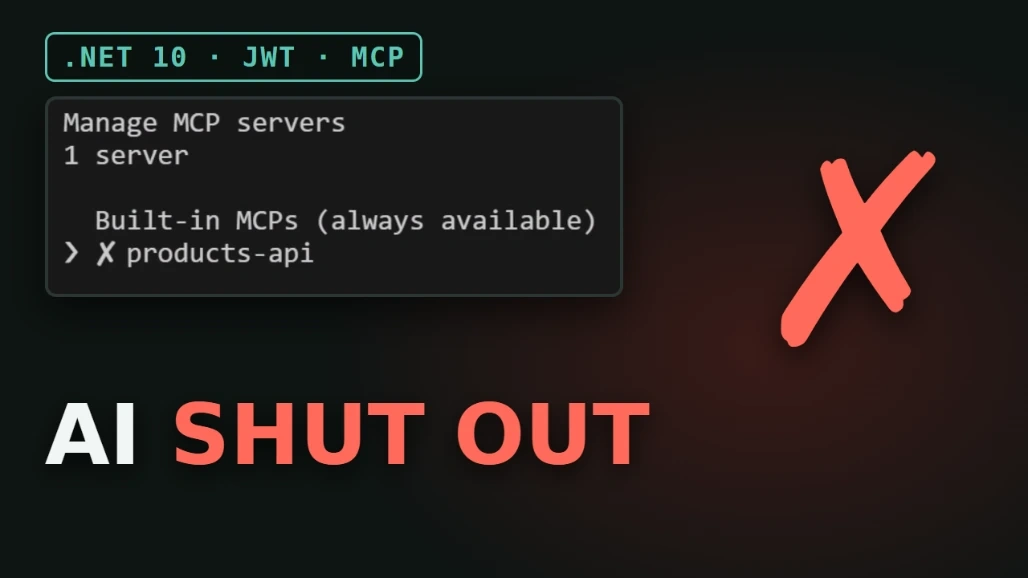
And Claude Code, started with part 1's .mcp.json (no token), can no longer connect: /mcp shows ✘ products-api.
Step 11. Claude Code with a bearer token
In .mcp.json we add a headers object. The value comes from an environment variable, so the token is never saved in the file:
{
  "mcpServers": {
    "products-api": {
      "type": "http",
      "url": "http://localhost:5080/mcp",
      "headers": {
        "Authorization": "Bearer ${PRODUCTS_API_TOKEN}"
      }
    }
  }
}
Log in as the AI's account, put the access token in the variable, and start Claude Code without its built-in tools:
export PRODUCTS_API_TOKEN=$(curl -s localhost:5080/api/auth/login --json "$AI_USER" | pick accessToken)
claude --tools ""
/mcp now shows ✔ products-api with its 3 tools. Asked "which products are running low on stock?", Claude calls the API and answers with Laptop Stand (2), USB-C Hub (3), Mechanical Keyboard (6) and Webcam 1080p (9).
Give AI a User token, never an Admin token. The AI's account has the User role, so even through the REST API it cannot delete.
The access token lasts 15 minutes. After that, log in again and restart Claude Code.
--tools "" needs a shell that passes an empty argument: Git Bash, cmd or PowerShell 7. Windows PowerShell 5.1 drops it.
Using GitHub Copilot in VS Code
VS Code reads .vscode/mcp.json. Instead of an environment variable, it uses an inputs entry with "password": true, so VS Code asks for the token when the server starts, hides it while you type and stores it:
{
  "inputs": [
    {
      "type": "promptString",
      "id": "products-token",
      "description": "Access token for products-api",
      "password": true
    }
  ],
  "servers": {
    "products-api": {
      "type": "http",
      "url": "http://localhost:5080/mcp",
      "headers": {
        "Authorization": "Bearer ${input:products-token}"
      }
    }
  }
}
Demo vs production
What we built is a bearer token in a header: log in, send the token, it expires in 15 minutes. That is the simple path, good for learning, local tools and scripts.
For production, the MCP specification defines a full OAuth-based authorization flow. The server publishes Protected Resource Metadata that tells the client where to log in, the user logs in in the browser, and the client stores and refreshes the tokens by itself. It needs an authorization server, and it deserves its own article.
Summary
ASP.NET Core Identity on EF Core keeps users, roles and password hashes in PostgreSQL.
Login returns a 15-minute JWT access token and a 7-day refresh token. ClockSkew is 30 seconds, not the default 5 minutes.
Refresh tokens are stored as SHA-256 hashes and rotated, so a stolen one works only once.
[Authorize] protects the API; [Authorize(Roles = "Admin")] protects delete: 401, 403, 204.
MapMcp("/mcp").RequireAuthorization() locks the AI door, and Claude Code sends a User token in a header.
The signing key and admin password live in user secrets, and passwords come from environment variables.
Next step, if you want it: the AI suggests a change, and a human approves it. Let me know in the comments.


Jasen FiciPosted Nov 5, 2026, 1:58 PM
We picked this up for DotNetNews. Here's the issue: https://dotnetnews.co/archive/the-net-news-daily-issue-578/