

Introduction
This article will help you learn Hadoop using HDInsight on Windows. Hadoop helps you draw some meaningful information from a set of unstructured data, using Hive query.
What is Hadoop?
Hadoop is a framework that helps for distributed storage and distributed processing of very large data sets on computer clusters, built from commodity hardware.
What is HDInsight?
HDInsight provides data storage concepts like HDFS (Hadoop Distributed File System) and a simple MapReduce programming model to process and analyse the data.
Here, as a first module, we will be working with creating Hadoop Clusters:
Pre-requisites
- An Azure Subscription.
Note: Click here to get a free trial account of Azure.
Follow the below steps, now, to create Hadoop Clusters.
Step 1 - Login to the Azure Portal, using www.portal.azure.com, and sign in with your credentials.
Step 2 - Here comes the Azure Portal.
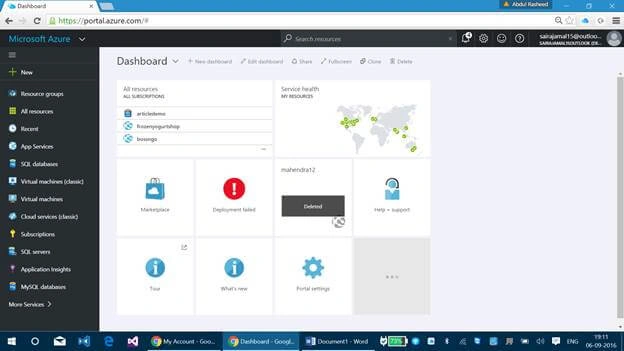
Click on New - Data + Analytics.

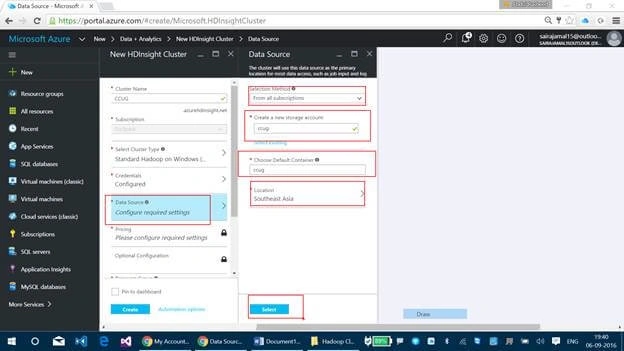
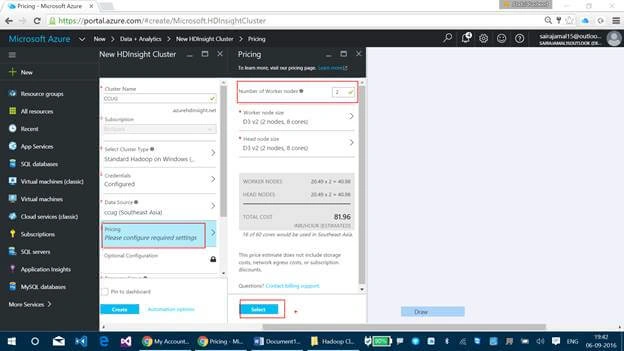
Step 3 - Enter the following details needed.
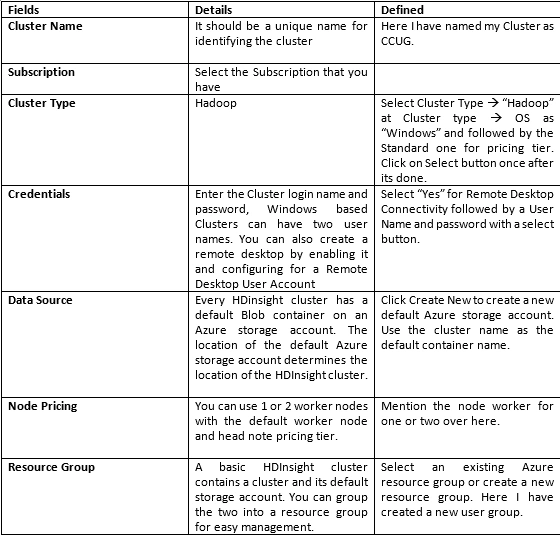
Surf the below images for reference and the below image for Cluster Type.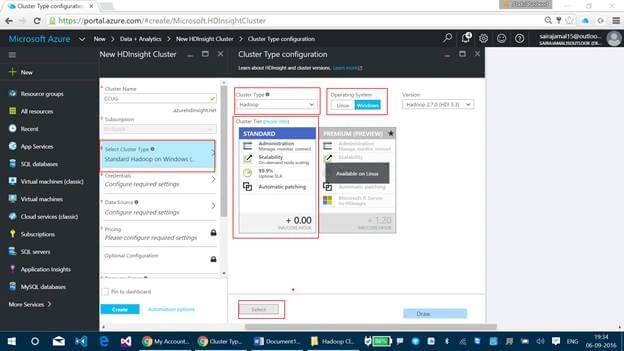
Below image is for credentials.
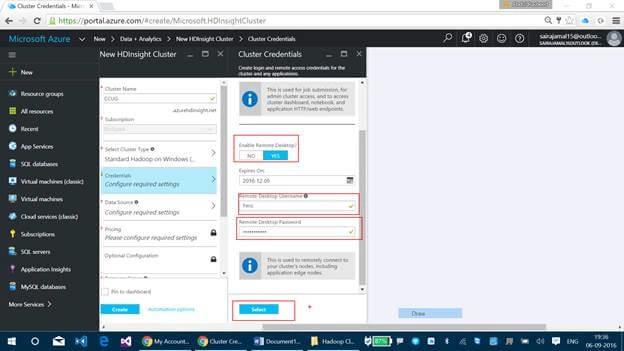
For Data Source
For Pricing
For Resource Group

Click on Create button now. It will take somewhere between 15 to 20 minutes to create a Cluster.
Hadshana KamalanathanPosted Jul 19, 2018, 1:08 AM
Thanks for your appreciation.
Reshwanth SPosted Oct 15, 2017, 9:56 AM
Good information about hadoop sir
Vignesh ManiPosted Sep 12, 2016, 8:42 AM
Nice one