

This is a very short and quick article to demonstrate various uses of lambda expressions in C#. I believe lambda expressions is one of the nicest features introduced in C# 3.0.
So let's start with a little theory, and then we will get to a practical session.
What Are lambda expressions?
A lambda expression is an anonymous function, and it is usually used to create delegates in LINQ. Simply put, it's a method without a declaration; in other words, an access modifier, a return value declaration, and a name.
Fine, so a lambda expression is nothing but an anonymous function that doesn't have a name, just an input, and output, that's all.
If it is not reusable, why use it?
Generally, the question may arise if the function doesn't have a name, then it's not reusable anywhere, which is not a good idea in terms of good development practices. Yes, I agree, but there are specific situations where lambda expressions can perform a smart role. We will figure out the situation where lambda expressions can perform better.
How did it work?
To create a lambda expression, you specify input parameters (if any) on the left side of the lambda operator =>, and you put the expression or statement block on the other side. For example, the lambda expression x => x * x specifies a parameter that's named x and returns the value of x squared, and the number of inputs may be any number.
Show me one example.
Yes, I, too, want an example. Here is a simple example of a lambda expression. You may think, why do I have (and many) an attached lambda expression with delegates? The reason is simple, as we know, a lambda expression is nothing but an anonymous function, and delegates know how to handle a function since it is nothing but a function pointer. So, generally, when we want to implement an anonymous function, we need to ensure someone is pointing to the function.
class Program
{
    delegate Boolean mydel(int data1, int data2);
    static void Main(string[] args)
    {
        mydel d = (x, y) => x > y;
        Console.WriteLine(d(10, 20));
        Console.ReadLine();
    }
}
Otherwise, we cannot invoke the function in the future. So, let's understand the example. As we said, a lambda expression has only an input and output, as in the following.
- mydel d = (x,y) => x>y;
- Console.WriteLine(d(10, 20));
X and Y are the input and output boolean values. The expression pattern is such that we have attached it with the same type of delegate.
Here is a sample output.
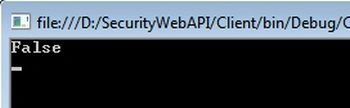
Expression lambda
If the right side of a lambda expression carries an expression tree, then this kind of lambda expression is called an expression lambda. Yes, the example that we have seen just now is one example of an expression lambda. Here is another one.
class Program
{
    delegate int mydel(int data1, int data2, int data3);
    static void Main(string[] args)
    {
        mydel d = (x, y, z) => (x > y == true) ? (x > z == true) ? x : z : (y > z == true) ? y : z;
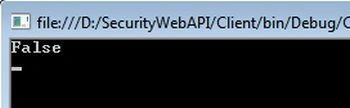
        Console.WriteLine(d(50, 60, 30));
        Console.ReadLine();
    }
}
Yes, we should not write this kind of logic in a real application. It may cause frustration for someone else. In this example, we have implemented the three number comparison algorithms in a single-line lambda expression. So, have a look at the right side, and you will find a big expression.
Statement lambda
A statement lambda will contain a statement in the right-hand side of the lambda expression. Have a look at the following example.
class Program
{
    delegate void mydel();
    static void Main(string[] args)
    {
        mydel d = () => Console.WriteLine("Statement lambda");
        d.Invoke();
        Console.ReadLine();
    }
}
Here we have invoked the Console.WriteLine() function by a delegate using a lambda expression. Here is the output.
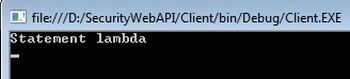
It's not that a statement lambda can execute one and only one statement. We can execute multiple statements too. Have a look at the following example.
public class test
{
    public static void hello()
    {
        Console.WriteLine("I am hello function");
    }
}
class Program
{
    delegate void mydel();
    static void Main(string[] args)
    {
        mydel d = () =>
        {
            Console.WriteLine("I am first statement");
            test.hello();
        };
        d.Invoke();
        Console.ReadLine();
    }
}
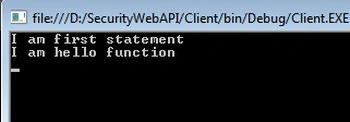
Here is the pattern of both Console.WriteLine() and fun() are the same, so we have attached both in the same delegate and invoked it. Here is a sample output.
Lambda expression with Func
A Lambda expression fits sweetly with a Func. We know that a Func is an anonymous delegate, and we can attach an anonymous function to it. Since a lambda expression is nothing but a function, we can attach it to the Func. In the following example, we will attach a lambda expression with fun anonymous delegates.
class Program
{
    static void Main(string[] args)
    {
        Func<int, int, bool> fun = (x, y) => x > y;
        Console.WriteLine(fun(10, 10));
        Console.ReadLine();
    }
}
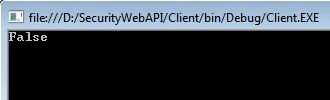
Here is a sample output.
Lambda expression fits nicely with the collection
Yes, the real use of a lambda expression is with a collection. It's very handy to sort and/or shuffle a collection using a lambda expression. Here are a few examples.
class Person
{
    public string name { get; set; }
}

class Program
{
    static void Main(string[] args)
    {
        int[] data = { 1, 2, 4, 5, 6, 10 };
        // Find all even numbers from the array
        int[] even = data.Where(fn => fn % 2 == 0).ToArray();
        // Find all odd numbers from the array
        int[] odd = data.Where(fn => fn % 2 != 0).ToArray();
        List<Person> persons = new List<Person>
        {
            new Person { name = "Sourav" },
            new Person { name = "Sudip" },
            new Person { name = "Ram" }
        };
        // List of persons whose name starts with "S"
        List<Person> nameWithS = persons.Where(fn => fn.name.StartsWith("S")).ToList();
        Console.ReadLine();
    }
}
Lambda expression in async
I hope you know the concept of Asynchronous programming in C# 5.0. Asynchronous programming is the updated version of multithreading in C#, anyway let's see how to use a lambda expression to execute a task asynchronously. Have a look at the following example.
using System;
using System.Threading.Tasks;
namespace Client
{
    public class AsyncClass
    {
        public async Task<string> Hello()
        {
            return await Task<string>.Run(() =>
            {
                return "Return From Hello";
            });
        }
        public async void Fun()
        {
            Console.WriteLine(await Hello());
        }
    }
    class Program
    {
        static void Main(string[] args)
        {
            new AsyncClass().Fun();
            Console.ReadLine();
        }
    }
}
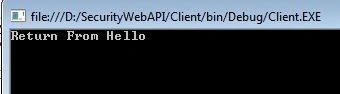
And here is the output. In this example, we are returning a string, but if needed, we can return any type of data.
Let's use an anonymous function and async together
Here we will modify the previous example a little bit. We will now execute the function using a lambda expression asynchronously. Have a look at the following example.
using System;
using System.Threading.Tasks;
namespace Client
{
    public class AsyncClass
    {
        public string Hello(string name)
        {
            return name;
        }
        public async Task<string> Hello()
        {
            return await Task<string>.Run(() =>
            {
                // Lambda expression to execute function using Func anonymous delegate
                Func<string, string> del = x => x;
                return del.Invoke("sourav");
            });
        }
        public async void Fun()
        {
            Console.WriteLine(await Hello());
        }
    }
    class Program
    {
        static void Main(string[] args)
        {
            new AsyncClass().Fun();
            Console.ReadLine();
        }
    }
}
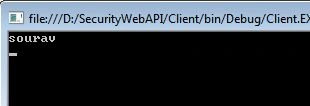
Here is the output.
Conclusion
Now, let's understand why to use a lambda expression and in which scenario they fit. We have seen that a lambda expression can replace anonymous functions and make the code size short, but it's always recommended to use a lambda expression in a simple way because it reduces code readability.
So, use a lambda expression when it's necessary to implement something simple and it is not necessary to use it more than once in the application.
Abhi DevPosted Oct 20, 2020, 9:42 AM
In the last example who is invoking the method public string Hello(string name)? Can you please clarify how that is working? I am new to C# so this is very useful to me. Thank you.
Muhammad Asif ShahzadPosted Mar 1, 2018, 11:17 PM
Good effort , helpful for bigger
Carmelo La MonicaPosted Sep 21, 2014, 6:57 AM
great sample :)
Chris EarglePosted Jul 15, 2014, 8:28 AM
Hello Sourav, I am passionate about lambda expressions, and I always enjoy reading how others view and express those neat little bits of anonymous functionality. Thank you for writing this article! One thing I'm confused about is the term 'expression lambda'. Is this a reference to Expression.Lambda? One suggestion I would like to make is to show the code for a simple expression tree in that particular section. Something like Expression<Func<int, int>> square = x => x * x; square.Compile(); Console.WriteLine(square(2)); Perhaps in a future article you can manipulate expression trees in interesting ways. Just a though. Keep it up!
Jason PalmerPosted Jul 14, 2014, 2:46 AM
Good article, readability key
Sourav KayalPosted Jul 13, 2014, 2:25 PM
Thanks sir, for your valuable comment..
Mahesh ChandPosted Jul 13, 2014, 10:31 AM
Not bad. Basic .. step by step and does the trick. Complex topic in simple steps. One major advantage is reducing the line of code. For example, one line of code can find out even or odd number in an array. Cheers!
Lakshmanan Sethu SankaranarayanPosted Jun 16, 2014, 11:15 PM
Nice one friend