

Introduction
In my first article, I gave you an overview of the ASP.NET MVC5 framework and described it as Microsoft's implementation of the Model-View-Controller (MVC) pattern. The MVC pattern is an architectural pattern that divides the application into three interconnected parts based on the "Separation of Concerns" principle. These three parts are called Model, View and Controller. This article focus on the Controller part of the pattern and provides you a detailed description of the role and importance of controllers in ASP.NET MVC5.
Roadmap
This is the second article of the series “Learn ASP.NET in MVC Style” and discusses controllers in ASP.NET MVC5. The following is the roadmap of the series so far:
- Learn ASP.NET in MVC Style - Part 1 [Introduction to ASP.NET MVC5]
- Learn ASP.NET in MVC Style - Part 2 [Controller in ASP.NET MVC5]
Getting Started
A controller is the most important part of the ASP.NET MVC5 framework and is responsible for the overall flow of a web application. If we look at the Request/Response pattern of an ASP.NET MVC application, it works slightly differently from the traditional Web Forms applications where the requests are mapped directly to the (.aspx) files placed on the web server.
To simplify it, consider a web application named "Developer Cafe" that has been developed using ASP.NET Web Forms and is deployed over the web server. If a user wants to access the Contact Page of the application, he should type the URL as [www.developercafe.com/contact.aspx]. The "contact.aspx" refers to the web page placed at the root directory of the web server and contains the contact information about the application. This is the traditional approach used for web applications developed using ASP.NET Web Forms.
If we develop the same application using the ASP.NET MVC5 framework, its Request/Response pattern is completely different. Instead of targeting files placed on the root directory of the web server, it maps the URLs to special classes referred to as Controllers. These classes contain the targeting methods termed "Action Methods" or simply "Actions" that are responsible for processing the incoming requests. So, if the same user must access the contact information of the "Developer Cafe" application developed in ASP.NET MVC5, he should type something like this: [www.developercafe.com/Contact/Index].
Here, "Contact" refers to the Controller class that processes the user requests and Index refers to the Action Method present inside the controller class that contains the contact information about the application.This mapping of URL requests to Controller classes is done using the Routing Mechanism of the ASP.NET MVC5 Framework. The major benefit of this URL approach is better Search Engine Optimization (SEO). I'll not discuss the routing mechanism in this article, instead focus on the anatomy of a Controller class.
Controller in ASP.NET MVC5
Controller
A Controller is a special class that inherits from an abstract ControllerBase class and is responsible for the overall flow of an ASP.NET MVC application. Every request that comes to an ASP.NET MVC5 application is handled by the controller. It handles the HTTP requests, retrieves and stores the data, returns the appropriate responses and executes the application logic.
Action Methods
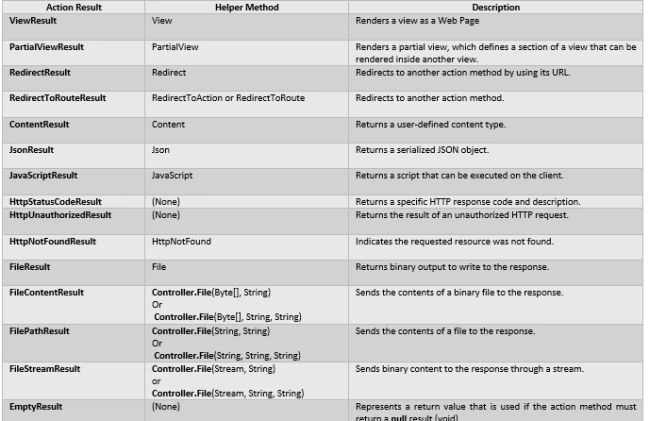
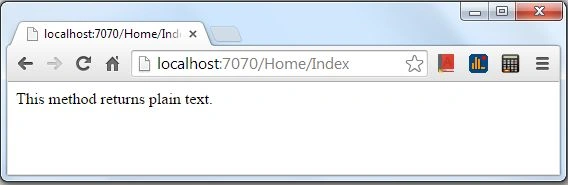
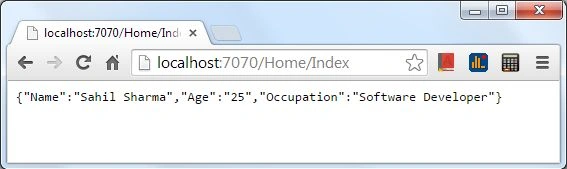
A controller provides public methods that respond to the incoming HTTP requests made to an ASP.NET MVC application. These methods are known as Action Methods and generally return the ActionResult objects. ActionResult is an abstract class and these action methods can return various types of objects to incoming requests that all inherit from the ActionResult class. The results could be a simple file to download, a plain text, JSON to process or an HTML page depending upon the request of the user.
Action Results
The various types of action results that can be returned from an action method are described in the following table. The table is taken from the official MSDN documentation of ActionResult class [^] :
How to Create a Controller
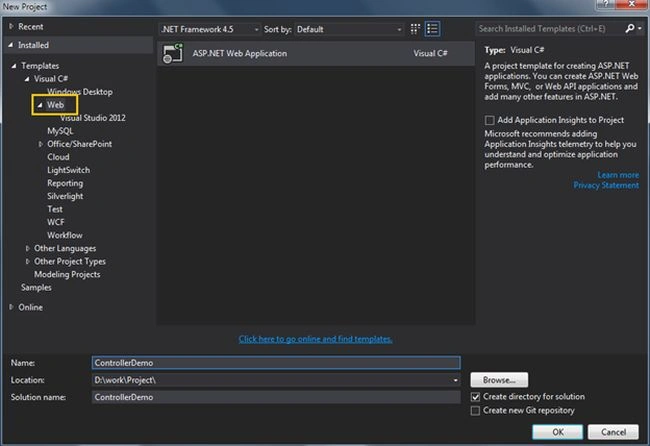
Step 1: In order to dig deep into Controllers, let's create an ASP.NET MVC5 application. Open Visual Studio and create a new project by going to File => New => Project.
A dialog window appears that asks for the type of the project. Click "Web" on the left side of the dialog window for ASP.NET Web Application. Give it a suitable name and Click OK.
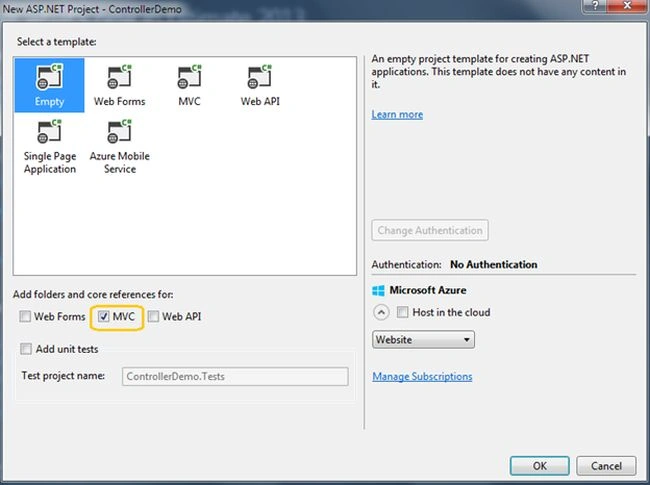
Step 2: A new dialog window asks you to select the template for your web application. Since we are creating a web application using the ASP.NET MVC framework and must learn everything from scratch, choose the Empty template.
Also, for the basic essential files for our application, check the MVC checkbox and click OK.
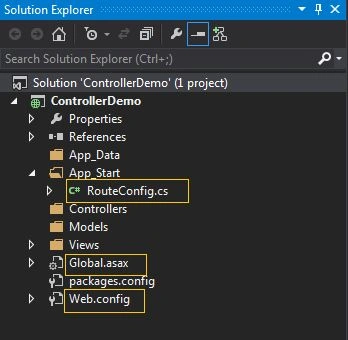
Step 3: The Visual Studio creates a project for us with minimal layout having directories like Models, Views and Controllers along with Web.config and Global.asax files.
One of the interesting things to be noticed here is the App_Start folder that was also created having a RouteConfig.cs file in it. This file contains the routing configuration of the entire application. It defines the classes and methods to start looking for, when the incoming requests came to the server. I'll explain in complete detail about the routing mechanism of an ASP.NET MVC application in future articles in the series. The only thing to remember right now is that the file contains routing configuration needed by the application to execute the Request/Response pattern.
Step 4: The ASP.NET MVC5 framework works heavily on the "Convention over Configuration" principle. By default, every controller class should be suffixed with the Controller keyword and placed inside the Controllers folder of the ASP.NET MVC application. We'll follow the same principle in this article.
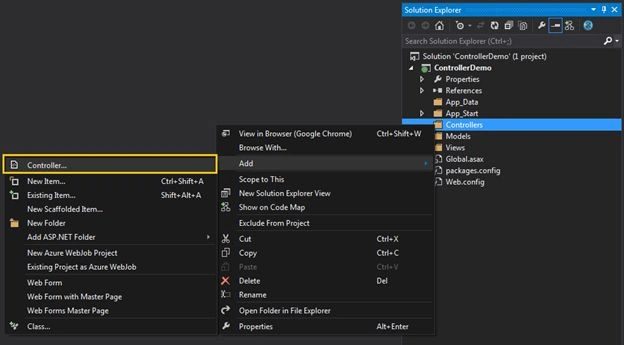
To create a Controller, right-click on the Controllers Folder and select Add and then Controller.
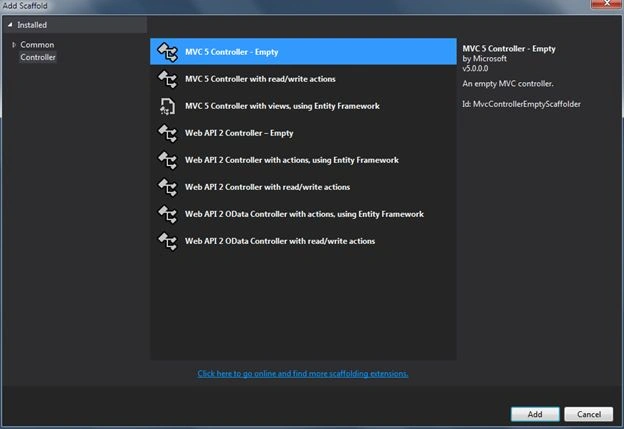
Step 5: A dialog window appears with several options to choose from. Select the "MVC 5 Controller - Empty" option and click Add.
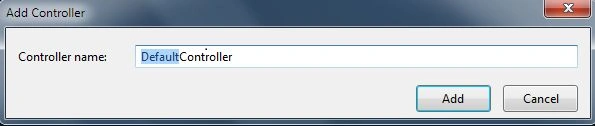
Step 6: Since I already told you that ASP.NET MVC5 follows the "Convention over Configuration" principle, it gives you a dialog window to name your controller. You should note that the Controller keyword should be suffixed with the name.
Initially, I told you about the RouteConfig.cs file. This class is used by the ASP.NET MVC framework to route incoming user requests to controllers. It has a default route configuration that is followed by the ASP.NET MVC application. If we open the RouteConfig.cs file, you'll notice a static method RegisterRoutes() that contains the routing information.
- public class RouteConfig
- {
- public static void RegisterRoutes(RouteCollection routes)
- {
- routes.IgnoreRoute("{resource}.axd/{*pathInfo}");
- routes.MapRoute(
- name: "Default",
- url: "{controller}/{action}/{id}",
- defaults: new { controller = "Home", action = "Index", id = UrlParameter.Optional }
- );
- }
- }
It contains the two properties routes.IgnoreRoute and routes.MapRoute. If this scares you, don't worry. You don't need to understand this right now. For now, just remember that the routes.MapRoute property contains the routing information of the application.
The three parameters of routes.MapRoute are described as follows.
- name: It describes the name of the Route
- url: It describes the syntax of the requested URL that user should type in the browser.
- defaults: It contains the default configurations for the incoming URLs. The defaults are:
{
controller = "Home",
action = "Index",
id = UrlParameter.Optional
}
It means that the default controller to be mapped for all incoming requests is Home, the default action method to be targeted inside the controller class should be Index and the parameter is optional to be passed with the URL.
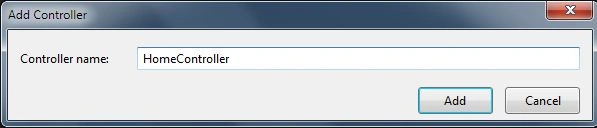
After looking at the default routing configuration for an ASP.NET MVC application, we should name our controller as HomeController. However, this is only the default configuration and can be changed depending upon the requirements of your application. But for the sake of simplicity, we will stick with the defaults and type the name as Home suffixed with the Controller keyword and click Add.
Step 7: Voila, the HomeController is created inside the Controllers folder. An interesting point to be noted is that a folder with the same name of controller is created inside the Views folder. This is because the Controller is responsible for responding to incoming requests and generally the user wants HTML pages to be rendered down to the browser. To respond with HTML pages to the user, we make use of views.
A View is nothing but an HTML file returned to the user as a response and by the "Convention over Configuration" principle, for every controller, a View folder should be created with the same name in the Views folder.
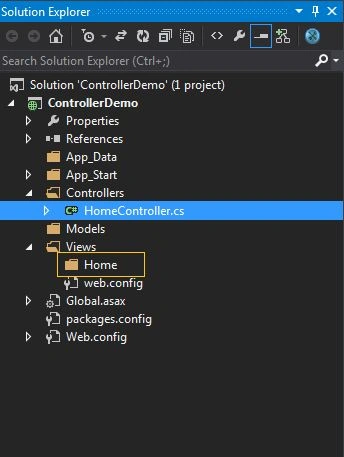
Step 8: Open the HomeController.cs file and get ready to work with it:
- using System;
- using System.Collections.Generic;
- using System.Linq;
- using System.Web;
- using System.Web.Mvc;
- namespace ControllerDemo.Controllers
- {
- public class HomeController : Controller
- {
- // GET: Home
- public ActionResult Index()
- {
- return View();
- }
- }
- }
Working with Controller
Until now, we have learned what a controller is exactly and how to create one. Let's look inside the controller class and play with the methods provided by the controller that responds to the incoming requests.
- public class HomeController : Controller
- {
- public ActionResult Index()
- {
- return View();
- }
- }
When we create a controller class, it inherits the System.Web.Mvc.Controller class and gives us a public method named "Index". I mentioned the word "public" because in C#, by default all the methods in a class are private. So, if we must manually create a method inside a controller to be treated as an action method, we should declare it as public.
Types of Action Results
The public methods inside a controller class are termed Action Methods. By default, these methods return the ActionResult objects to incoming requests of the user. The ActionResult is an abstract class and the instance of this class represents the result of an action method in response to a user request. There are several types of results an action method can return. The following describes some of the common results.
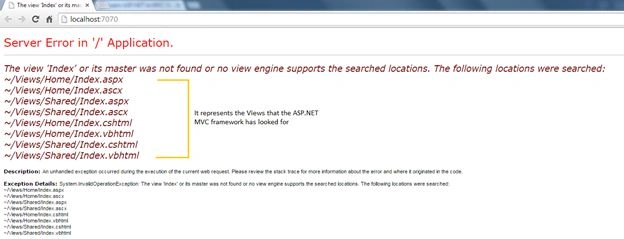
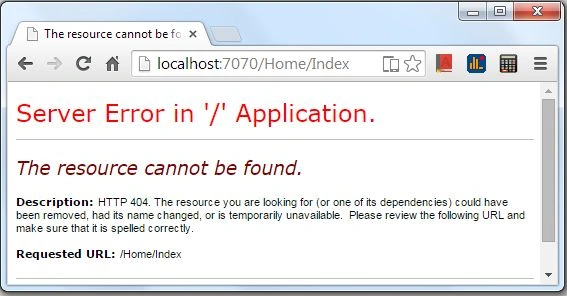
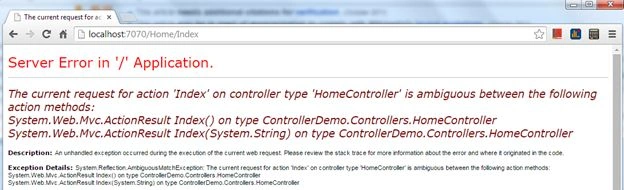
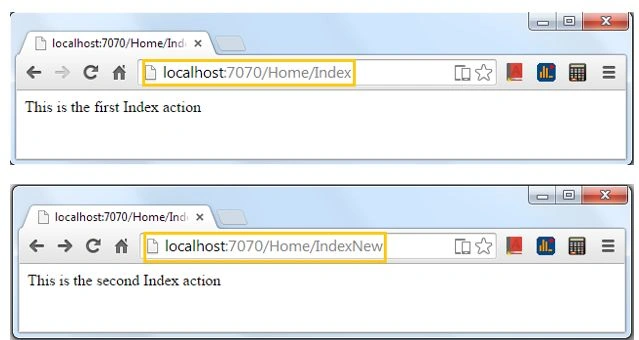
1. ViewResult: This is the most common and default result returned to the user. It renders a web page to the user from the Views folder. If we look at the HomeController class, it calls the helper method View() that looks for the associated "Index" view to be rendered on the browser.
conrad mbaPosted Sep 21, 2017, 3:04 AM
Great! Keep it coming Sir! More things are getting clearer. Pls, where is the next article sir?
Segev DaganPosted Jun 12, 2015, 10:28 AM
nice article thank you
Sibeesh VenuPosted Jun 11, 2015, 1:23 AM
Article of the day Thursday, June 11, 2015. Congrats
ehsan aliPosted Jan 1, 2015, 1:07 PM
nice article
sabarimalai iyyappanPosted Dec 31, 2014, 4:47 AM
Good one .This article clearly explains the problems as well as the solutions to overcome.
Sahil SharmaPosted Dec 31, 2014, 12:43 AM
Thanks guys and a Happy new year to all of you in advance
Vithal WadjePosted Dec 30, 2014, 10:46 PM
great work,
Dinesh BeniwalPosted Dec 30, 2014, 10:35 AM
Again great work Sahil.
Manish Kumar ChoudharyPosted Dec 30, 2014, 9:34 AM
Nice one...