

Introduction
In this article, we will see how to create Azure blob storage and how to upload files to it.
- Concept
- Implementation – Installation of Microsoft Azure Storage Explorer.
- Implementation – Create Storage Account in Azure.
- Implementation – Connect Azure Storage with Microsoft Azure Storage Explorer to add and view blob in the storage account.
Concept:
About
Basically, it represents the durable storage in the Azure cloud. As well, it allows storing blobs, tables, messages, and queues. Also, the Windows Azure SDK provides great help for accessing the storage.
Implementation – Installation of Microsoft Azure Storage Explorer.
- Download Azure Explorer from the link mentioned below and install it onto your system.
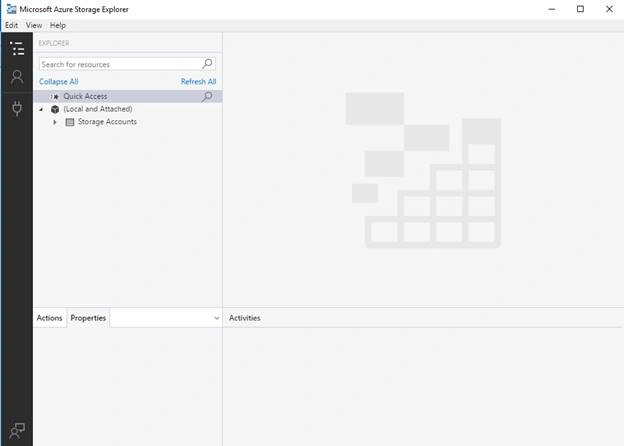
http://storageexplorer.com/ - When you open the Microsoft Azure Storage Explorer, you will see the interface mentioned below.
Implementation – Create Storage Account in Azure
- Open Azure portal and click the "+" sign in the left top corner.
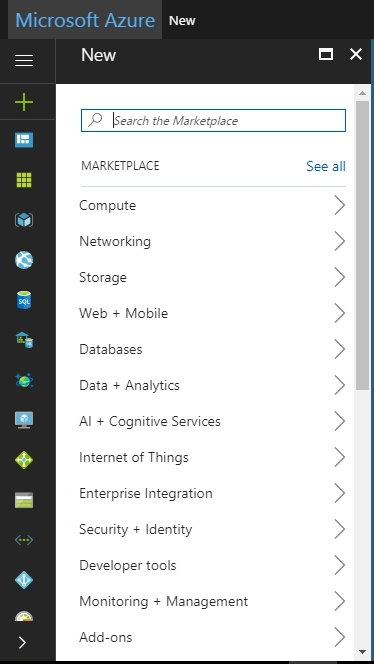
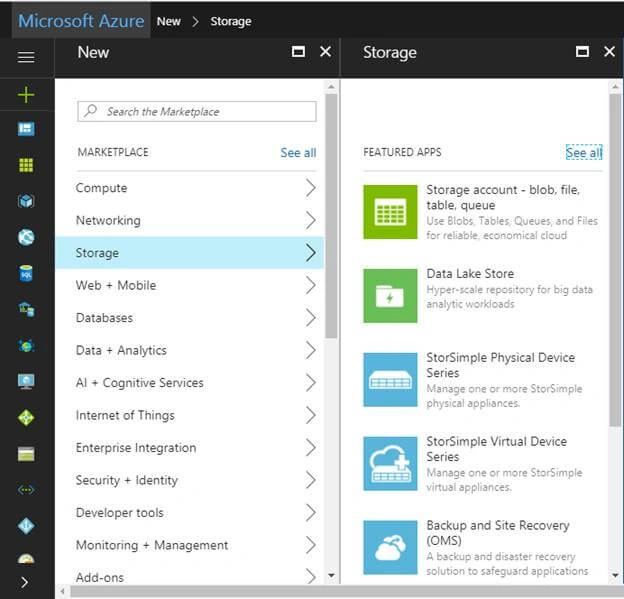
- Then click on Storage >> Storage account – blob file, table, queue.
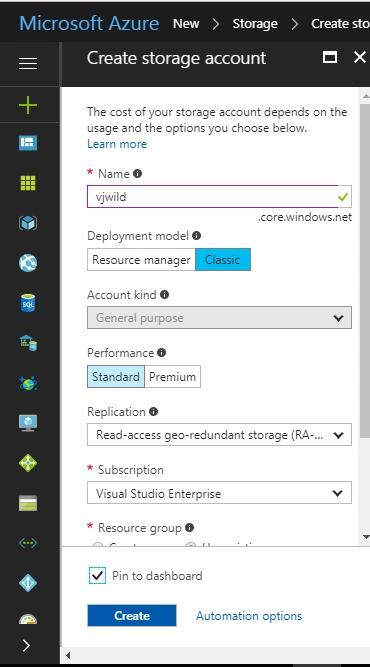
- Now, give the following details such as Name, Resource group, and location as shown below.
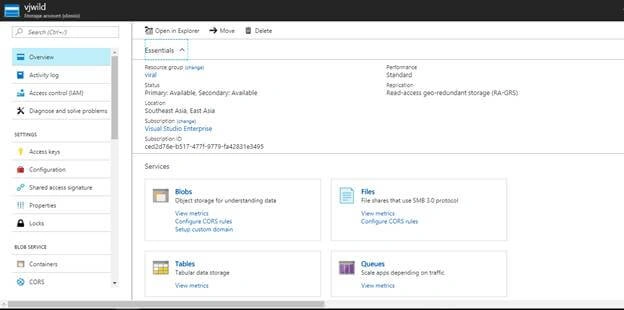
- Now, you will see the newly created storage account as shown in the below image.
Implementation – Connect Azure Storage with Microsoft Azure Storage Explorer to add and view blob in the storage account
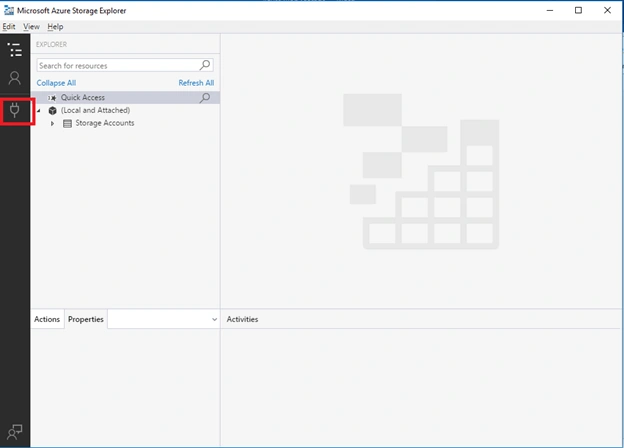
- Go to Azure Storage Explorer which you downloaded in the previous step. Then, click on "Add account" as shown below.
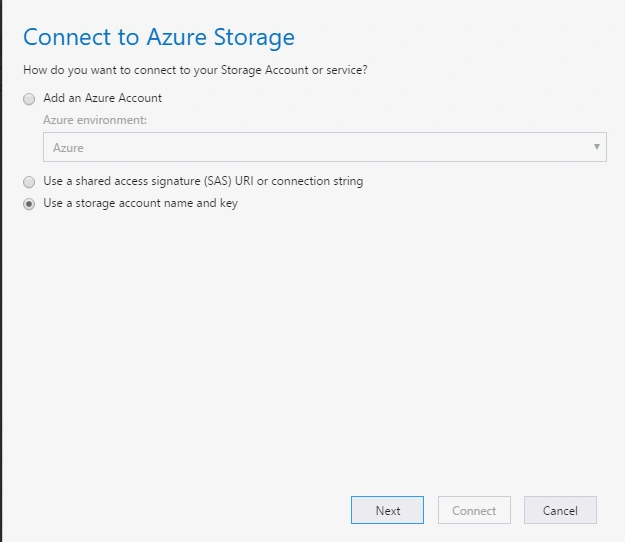
- Then, click on the third radio button. Use a storage account name and key and click Next.
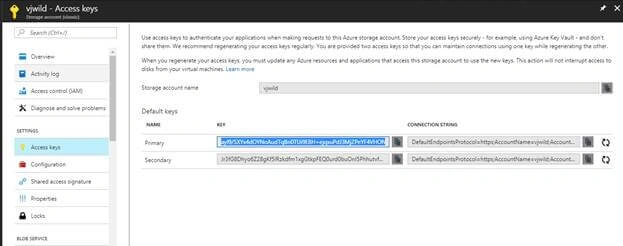
- Copy Account Name and Account Key from your Azure portal where you created the storage.
- Go to Azure portal, open the storage you created, then click on Access Keys in the “Settings” section. Now, copy Storage account name and default keys.
- Paste in Azure Storage Explorer.
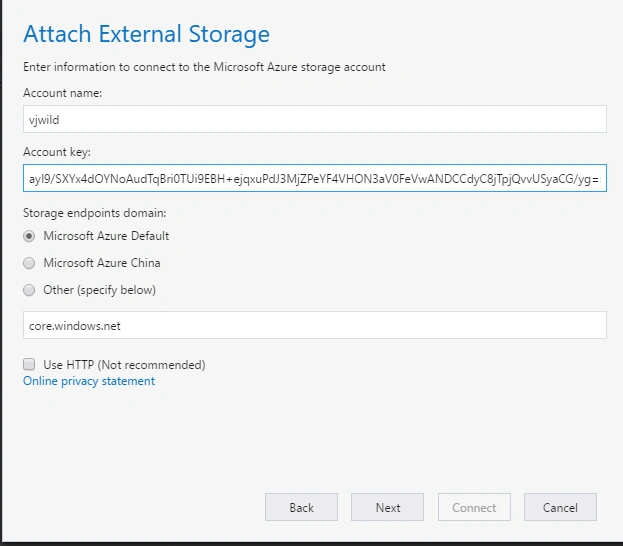
- Click on Next and then finally "Connect".
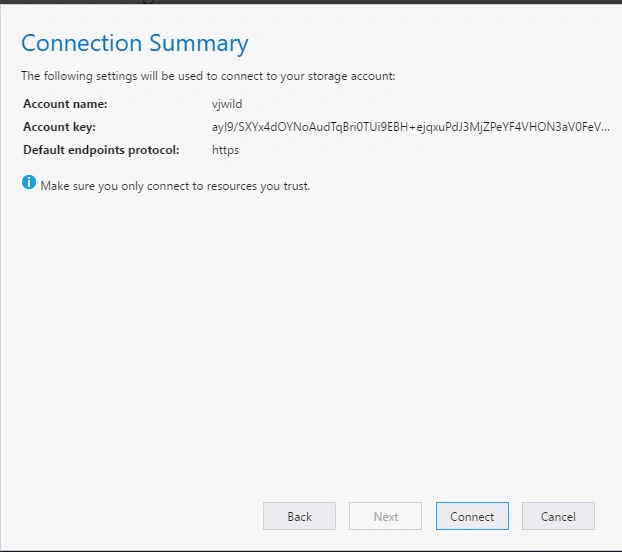
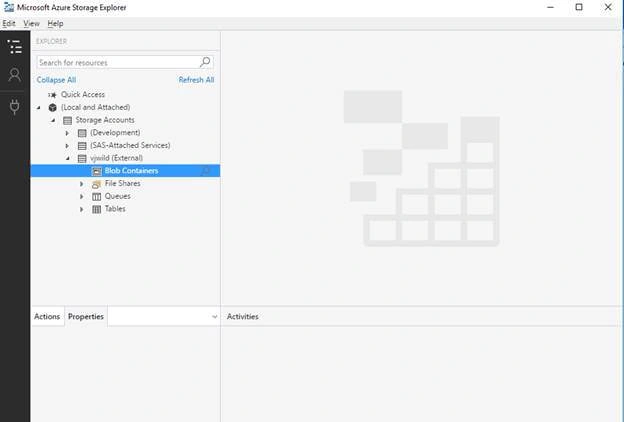
- Now, right click on blob container, create a blob container, and name it something such as ‘Source’.
- Feel free to upload files, images etc.
- Let's try uploading an image. For that, double click on your blob name and click on Upload.
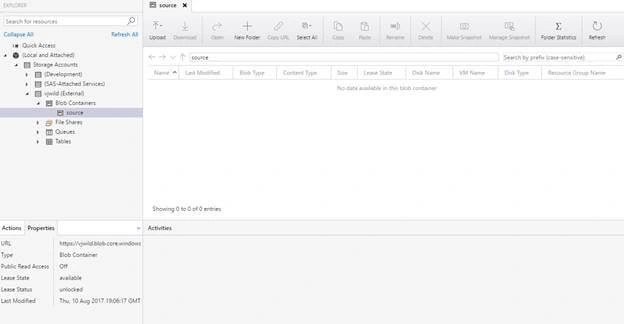
- Then, select/browse files from your folder and upload your image to the blob, as shown below.
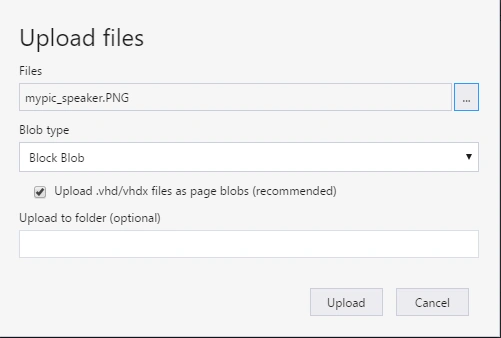
- Once you browse files from your system, click on the Upload button.
- Here is your image.
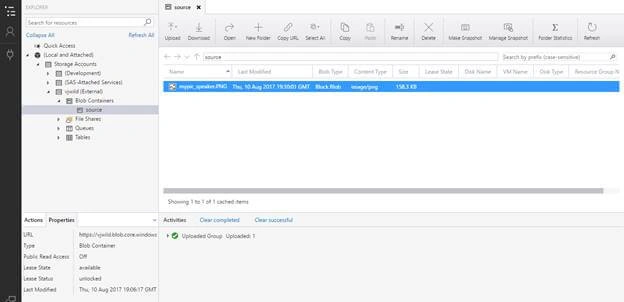
- Then, click on “Copy URL” written at the top and paste it in your available browser. You can see your image that you have just uploaded.

Summary
This is how you can upload images and files to blob storage and get a public or private URL of them.
Join the conversation! Your thoughts help the community grow.