

Introduction
It is possible to add new methods to a class without altering the class's source code, thanks to a new feature that was added to C# 3.0. For example, if a class has a set of members, you can add more methods to it in the future without having to change the class's source code.
If the class's source code is unavailable or we lack authorization to make changes to it, we may utilize extension methods to expand its capabilities in the future.
Inheritance is a method for expanding a class's functionality prior to extension methods. For example, to add new members to an existing class without changing the class itself, we define a child class to the existing class and then add new members to the child class.
When we use an extension method, we will increase a class's capabilities. In this instance, we will make a new class and use it to increase the capabilities of an already existing class.
In contrast to inheritance, which calls methods defined in both the old and new classes using the object of the new class, extension methods call methods defined in both the old and new classes using the object of the old class. Both approaches can be used to expand the functionality of an existing class.
Note. Inherited rights are not always guaranteed. This implies that we are unable to create a derived class from the sealed if the class is declared with the sealed modifier. However, we can use the Extension Method to increase the sealed class's capabilities.
Create the extension methods in C#
public static class StringExtensions
{
    public static bool IsValidName(this string value)
    {
        if (string.IsNullOrWhiteSpace(value))
        {
            return false;
        }
        // Basic regex for a name, assuming it consists of letters, spaces, hyphens, and apostrophes
        // You may need to adjust this based on your specific requirements
        string pattern = @"^[a-zA-Z]+(?:[-' ][a-zA-Z]+)*$";
        // Using Regex.IsMatch to check if the name matches the pattern
        return Regex.IsMatch(value, pattern);
    }
    public static bool CheckLength(this string value, int length = 20)
    {
        // Check if the length of the name is less than or equal to the provided length
        return value.Length <= length;
    }
}
public static class NumberExtensions
{
    public static bool IsValidNumber(this string number)
    {
        // Regex pattern for validating phone numbers
        string pattern = @"^\+?\d{10,15}$";
        // Using Regex.IsMatch to check if the phone number matches the pattern
        return Regex.IsMatch(number, pattern);
    }
}
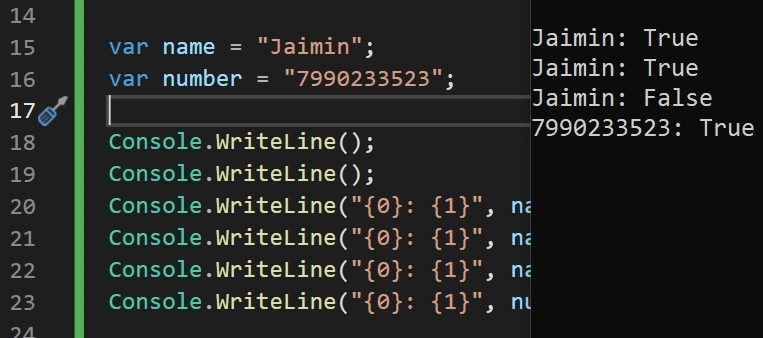
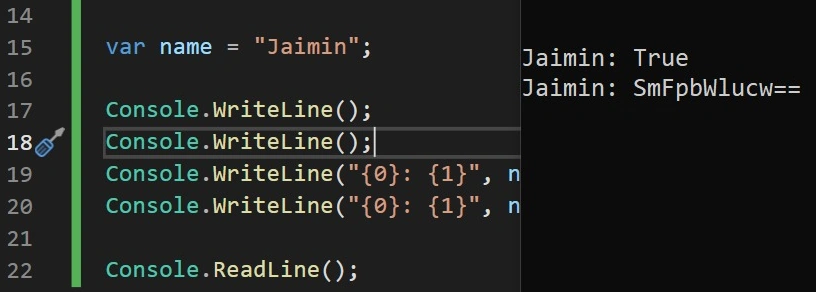
In the above example, I have used a couple of scenarios, like the string extension method and number validation.

Join the conversation! Your thoughts help the community grow.