Before reading this article, I will suggest you read “
DataFrames in Python”. In that article, I have explained about the DataFrames and different ways of creating DataFrames in Python. Now, in this article, I am going to explain all the attributes of a DataFrame.
DataFrame Attributes
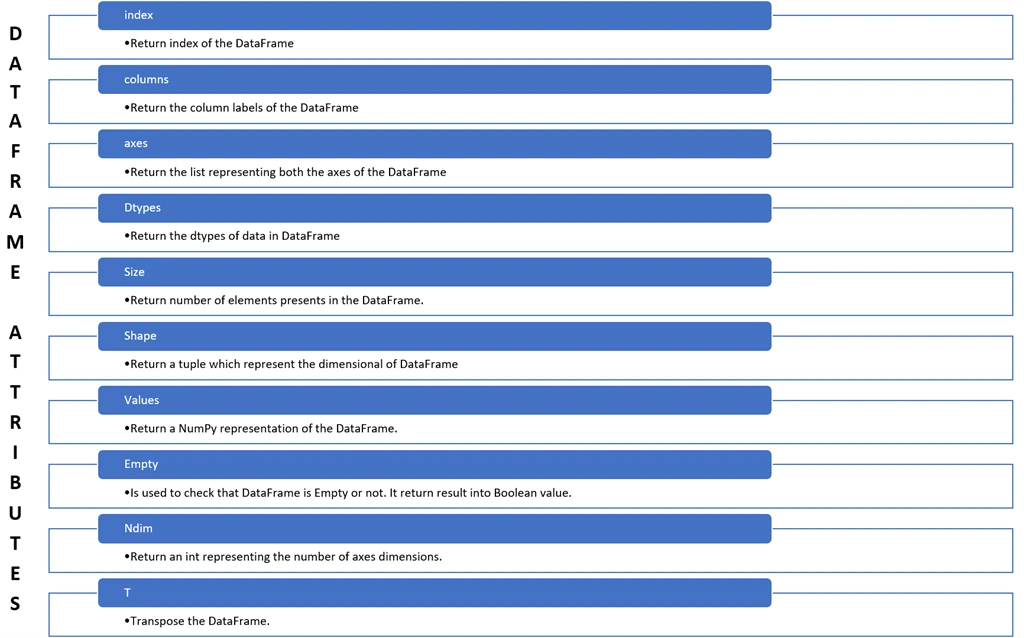
All information related to a DataFrame is available in its attributes. Python provides a lot of dataframe attributes to access the information of a dataframe.
Some attributes are mentioned below.
We can access all the information as below.
- <DataFrame Object> . <Attribute Name>
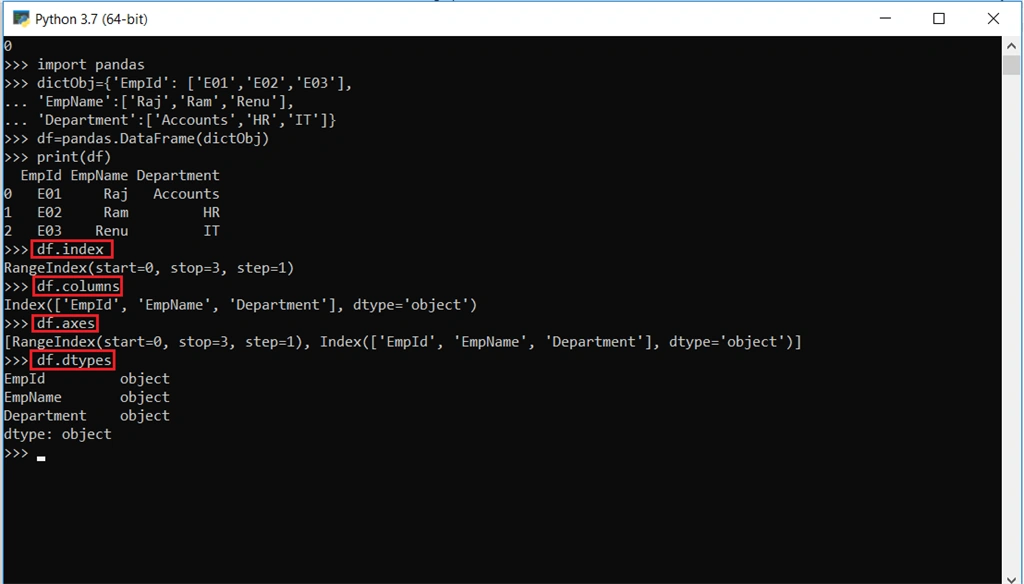
Let's understand with an example. For this, first of all, we are creating a DataFrame. For creating a DataFrame, use the below code.
- import pandas
- dictObj={‘EmpId’:[‘E01’,’E02’,’E03’],
- ‘EmpName’:[‘Raj,’Ram’,’Renu’],
- ‘Department’:[‘Accounts’,’HR’,’IT’]
- }
- df=pandas.DataFrame(dictObj)
We can create a DataFrame having the name df. To get all the information related to that data frame, we use dataframe attributes. Now, let’s go through all the dataframe attributes.
Get information related to Index, Columns, Axes and Data Types
index
Returns the starting value, ending value, and the difference(step) of row index.
columns
Returns the column name of the dataframe.
Returns a list which contains the rowindex as well as the column name of the dataframe.
dtypes
Returns datatypes of each column of a dataframe.
See the output of all the above attributes in running mode,
Retrieving size (no. of elements), shape, number of dimensions
size
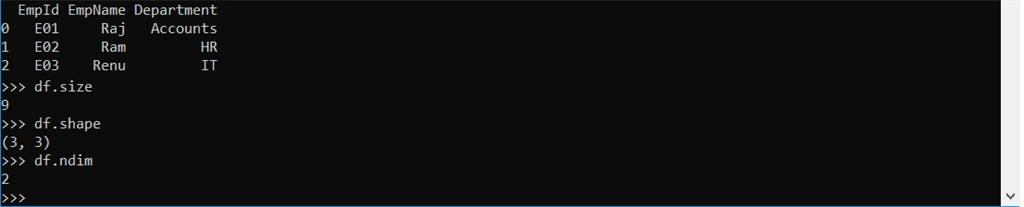
Returns a total number of elements present in dataframe.
shape
Returns a tuple which gives the present number of rows and number of columns of a dataframe as an element.
ndim
Returns an integer value which represents the number of dimensions of a dataframe.
See the output of all the above attributes in running mode.
Retrieving values
values
Returns a NumPy array which contains all rows as a value.
Checking for emptiness
empty
Returns a Boolean value which represents if the dataframe is empty or not. If it will return “True”, then dataframe is empty, otherwise, it is not empty.
Transposing a DataFrame
T
It transposes a dataframe, i.e., rows become columns and columns become rows.
Getting Count of non-NA values in dataframe
count()
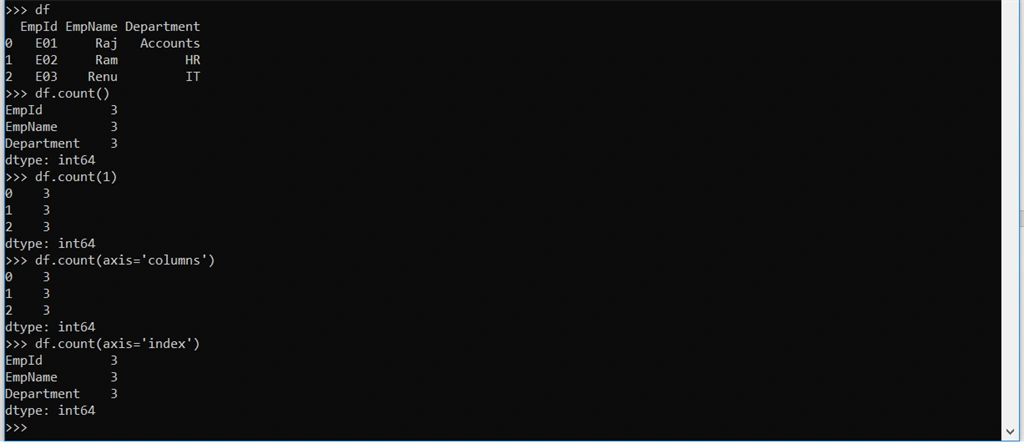
It will return non-NA values for each COLUMNS. By default, it will take 0 as an argument.
count(1)
If we pass 1 as an argument, then instead of returning number of columns, it will return number of each rows along with index number,
Count with axis parameter
We can also explicitly specify an argument to count() as axis.
If we want to count columns value then pass argument like
If we want to count rows value then pass argument like
See the output of all the above count attribute in running mode,
CONCLUSION
Now, we have learned about the DataFrames attributes in Python and how we can easily access any information of DataFrame.
All the queries related to this article and sample files are always welcome. Thanks for reading.!!!





Join the conversation! Your thoughts help the community grow.