

So, what's the agenda?
This article is continuation to Learn MVC step by step
in 7 days. You can read the first day from
http://www.c-sharpcorner.com/UploadFile/shivprasadk/7858/
In day 2 we will look in do the following 4 labs.
- Writing unit tests on MVC projects.
- Configure MVC routings.
- Validating MVC routes.
- Configure MVC outbound routes.
In case you are completely a fresher I will suggest to start with the below 4 videos which are 10 minutes approximately so that you can come to MVC quickly.
| Lab No. |
Lab description |
Youtube Video demonstration for the same |
| 1 | A simple Hello world ASP.NET MVC application. | http://youtu.be/KAKxm4eQP24?hd=1 |
| 2 | In this Lab we will see how we can share data between controller and the view using view data. | http://youtu.be/Fu9v2MIDlTA?hd=1 |
| 3 | In this lab we will create a simple customer model, flourish the same with some data and display the same in a view. | http://youtu.be/0-UdqWy9lVc?hd=1 |
| 4 | In this lab we will create a simple customer data entry screen with some validation on the view. | http://youtu.be/1dlxtHuRw34?hd=1 |
So let's start with the above 4 labs one by one.
Lab 6:- Unit test MVC projects
When we started this whole MVC series ( Day 1 ) we started with two concerns regarding behind code:-
- How can we do unit testing on the ASP.NET behind code?
- How can we reuse the ASP.NET behind code with different user interfaces?
In this section let's concentrate on the first point i.e. Unit testing.
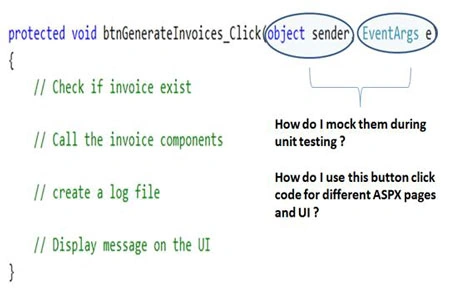
Just a quick recap if we need to unit test the below method
"btngenerateinvoices_click" in ASP.NET behind code , we have the following
problems :-
- How do we create the sender and eventargs object?
- The below complete code runs under HttpContext object, how do I mimic them?
- What about ASP.NET UI controls , how do I access them ?
- What about other ASP.NET object like session object, application, how do I access them?.
FYI: - Many developers would talk about mock test, rhino mocks etc but still its cryptic and the complication increases with session variables, view data objects, ASP.NET UI controls creating further confusion.
So what we will do in this section is we will create a simple MVC application
and we will do unit test on the ASP.NET application using VSTS unit test
framework.
Step1:- Create the simple display customer screen project
The first step is to create a simple MVC project. We
will use the same project which we have discussed in MVC (Model view controller)
day 1
http://www.c-sharpcorner.com/UploadFile/shivprasadk/7858/ . So in case you
do not have any sample project please create one using the link above.
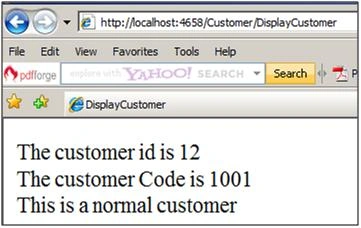
The controller class at the end of the day is a simple
.NET class. For instance if you watch your project code closely, you can easily
see the customer controller class as shown below.
public
class
CustomerController : Controller
{
public
ViewResult DisplayCustomer()
{
Customer objCustomer = new Customer();
objCustomer.Id = 12;
objCustomer.CustomerCode = "1001";
objCustomer.Amount = 90.34;
return
View("DisplayCustomer", objCustomer);
}
}
In simple words because this is a simple .NET class we can easily instantiate the class and create automated unit tests for the same. That's what exactly we are going to do in our next steps.
Step 2:- Add a simple unit test project
Let's use our VSTS unit test framework to test the
controller class. In case you are a complete fresher to VSTS unit testing we
would request to see this article to get a hang of unit testing
http://www.c-sharpcorner.com/UploadFile/shivprasadk/VSTSTesting12042009060041AM/VSTSTesting.asp.
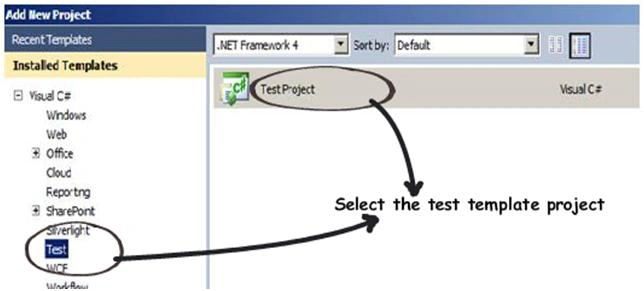
Add a new project to your solution using the test project solution template
Step 3:- Add appropriate
project references
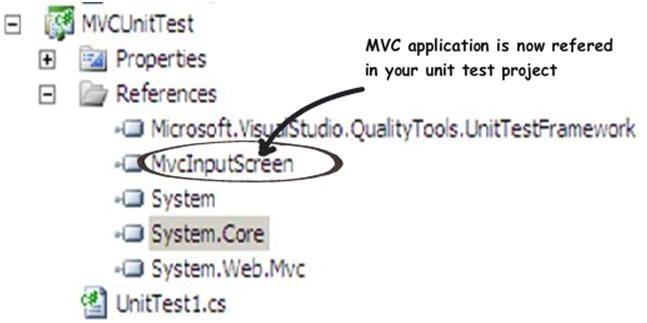
We need to add reference to the MVC application in our
unit test project so that we can get hold of the controller class.
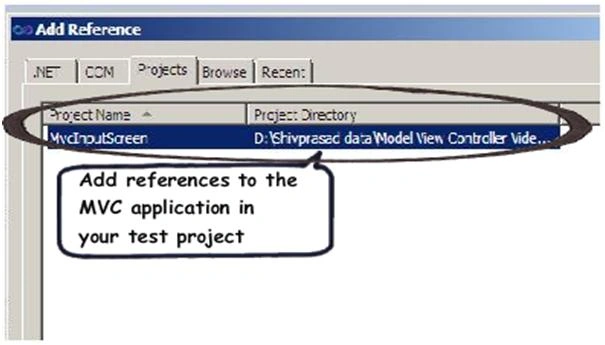
Once you add the references you should see the MVC application in your project
references as shown in the below figure.
Step 4:- Write the unit test
Once you have added the references open the unit test
class i.e. 'UnitTest1.cs'. In this class create a simple test method called as
'DisplayCustomer' which is attributed by 'TestMethod' attribute as shown in the
below code snippet.
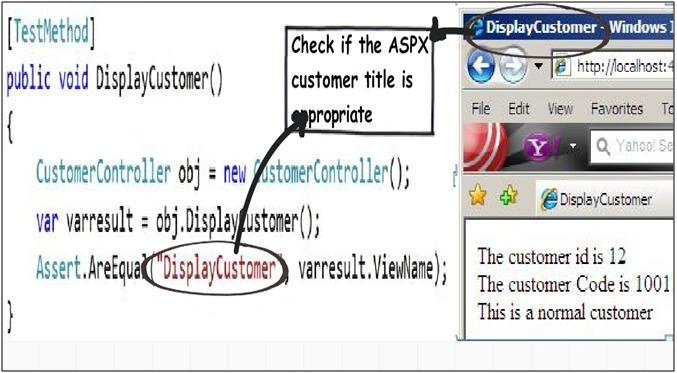
If you see the below code snippet we are creating object of the controller
class, invoking the controller action i.e. 'DisplayCustomer' and then checking
if the view name is 'DisplayCustomer'. If they are equal that means the test
passes or else it fails.
[TestMethod]
public
void DisplayCustomer()
{
CustomerController obj = new
CustomerController();
var varresult = obj.DisplayCustomer();
Assert.AreEqual("DisplayCustomer",
varresult.ViewName);
}
Step 5 :- Finally run the unit
test
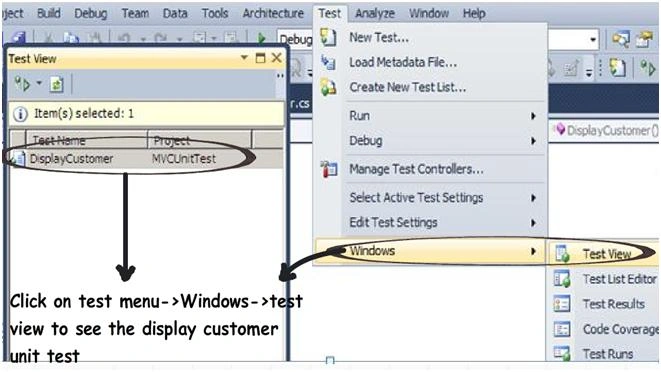
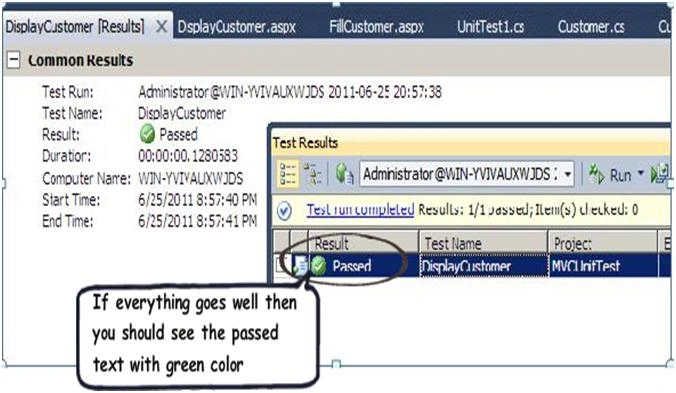
Once you have written your test case it's time to run the test case by clicking on test , windows and then clicking test view.
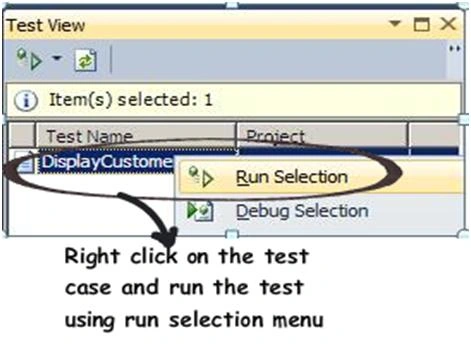
On the test view right click on the test and run the selected test case as shown
below.
If everything goes well you should see green color indicating that the test has
passed or else you should see a red color with details regarding why the test
failed.
So what's in the next Lab
In the next lab we will discuss about MVC routing. MVC is all about connecting the actions to the controllers and MVC routing helps us to achieve the same. So be ready to get routed in our next tutorial.
Lab 7:- Understanding MVC routing
Introduction
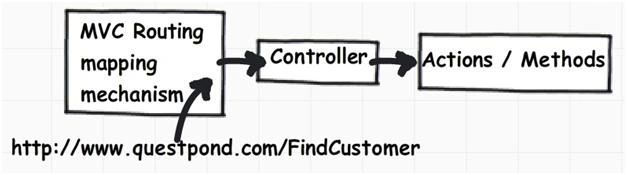
At the end of the day MVC is nothing but URL mapped to
controllers and controllers mapped to actions.
For example when a user sends a request URL like
www.questpond.com/locateproduct
from the browser, these actions are mapped with MVC controllers and MVC
controllers finally invokes those functions.
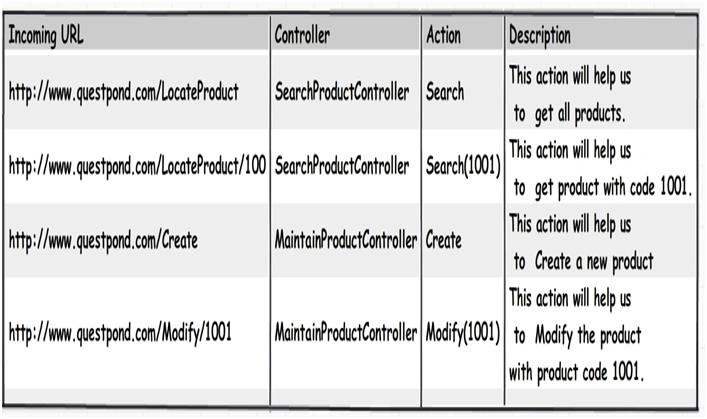
Below is a simple table which shows how the whole thing looks like.
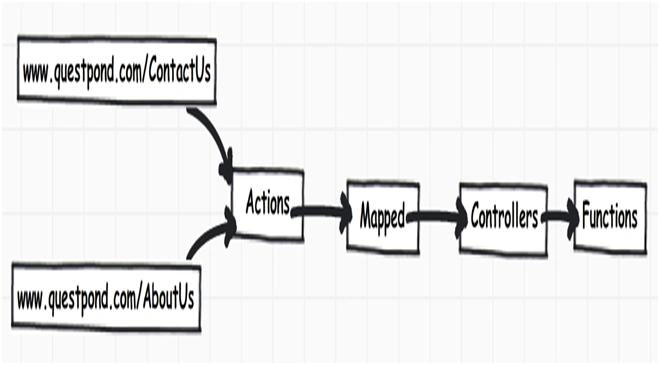
Adding further to the complication we can have multiple URL's mapped to one
controller or you can have more than one controller mapped to a single URL. For
instance you can have
www.questpond.com/contactus and
www.questpond.com/aboutus mapped to a single controller called as
"AboutUsController".
It would be great if we have some kind of mechanism by which we can configure
these mappings. That's what exactly MVC routing is meant for. MVC routing helps
to easily configure and map the URL with the controllers.
Step 1:- Take the MVC
project created in Day 1.
Let's take the same customer project we had discussed in the previous section.
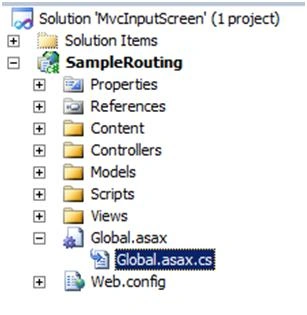
Step 2 :- Change global.asax.cs
All route mappings are stored in the "global.asax.cs" behind code file. So the first step is we need to go and change this file.
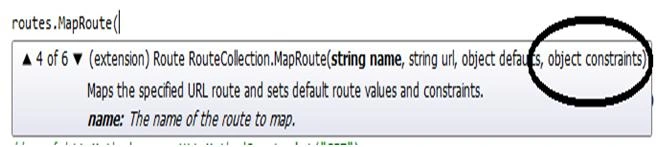
All routing mapping are stored in to a collection called as 'routes'. This
collection belongs to the namespace "System.Web.Routing". To add a route you
need to call the 'MapRoute' method and pass three parameters "name","url" and
"defaults".
Below is a print screen of the snippet of the 'maproute' function.

"Name" is the key name by which the route will be identified from the
collection.
"Url" defines what kind of URL format we want to connect with the controllers.
For instance in the below code snippet we are saying that "View/ViewCustomer" is
the URL format.
"Defaults" defines the controller class and action functions which will be
invoked when the URL is called. For instance in the below code we are saying
that when "View/ViewCustomer" is called it will invoke the "Customer" controller
class and the action function invoked will be "DisplayCustomer".
In case your controller takes parameters you can use the "{"brackets. For
instance in the below code snippet we have used "{"to specify that we can have
"id" parameter.
If you want to define the parameter as optional you can use the
"UrlParameter.Optional" enum.
The first thing is comment the default mapping code. We will explain the default
mapping code later.
//routes.MapRoute(
// "Default", // Route name
// "{controller}/{action}/{id}", // URL with parameters
// new { controller = "Home", action = "Index", id =
UrlParameter.Optional }); // Parameter defaults
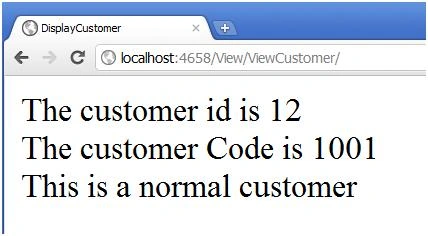
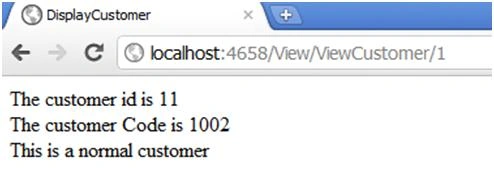
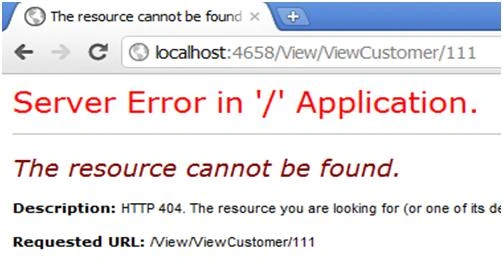
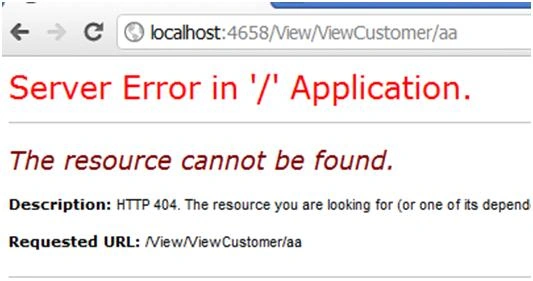
Put the below code , which means when we call http://localhost/View/ViewCustomer/ it will invoke the customer controller and will call displaycustomer function.
Vijay GuptaPosted Dec 21, 2017, 1:49 PM
Is this working in visualstudio 2010
Munesh SharmaPosted May 28, 2016, 4:41 AM
nice
Mukesh KumarPosted Oct 25, 2015, 2:56 PM
Great work !
Mike JonsonPosted Feb 24, 2012, 3:59 AM
Hello. Nice article. And whe 3 day?