

Introduction
Hope you all are doing well, first of all, thank you so much for reading my previous articles:
- Learning Android Application Development - Day 1
- Learning Android Application Development - Day 2
- Learning Android Application Development - Day 3
And thank you so much for guiding me for writing more and more through your nice comments.
Android supports many operating systems, such as you can start your programming or development of android applications in either of the following operating systems:
- Microsoft Windows XP or later Versions like Windows 7,8,8.1,10
- Mac OS X or later versions With Intel Chip.
- Linux Operating Systems
- Unix Operating Systems
These are the software that you need to be installed in your system before you start your Android application development:
- Java JDK7 or later version
- Android SDK
- Java Runtime Environment (JRE) 6
- Android Studio
- Eclipse IDE for Java Developers (optional)
- Android Development Tools (ADT) Eclipse Plug-in (optional).
- After that you have to set the PATH of java for your system, for this, you can follow these easy steps in your system (I am telling here for Microsoft Windows 10 or earlier versions).
Now Java is integrated into your system, now you can install SDK tools and Android studio on your system and start programming on Android Studio.
For writing your first program on eclipse please refer to the following link for instructions.
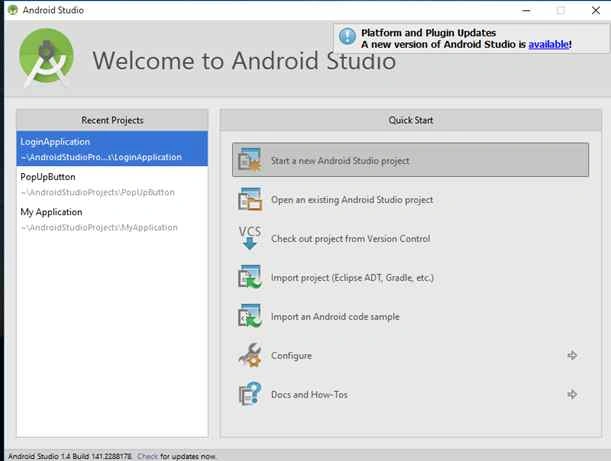
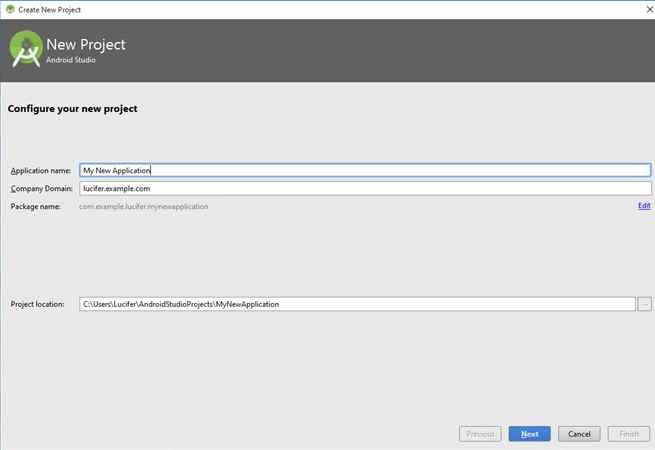
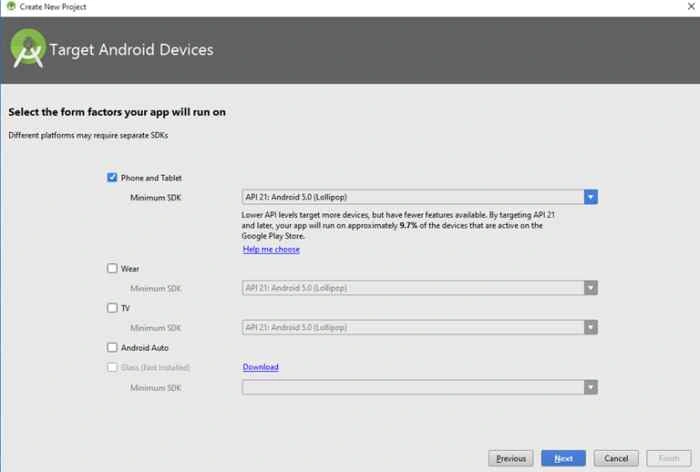
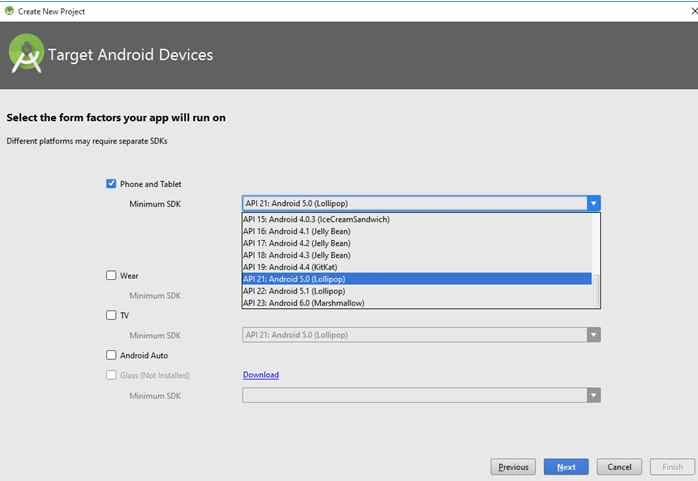
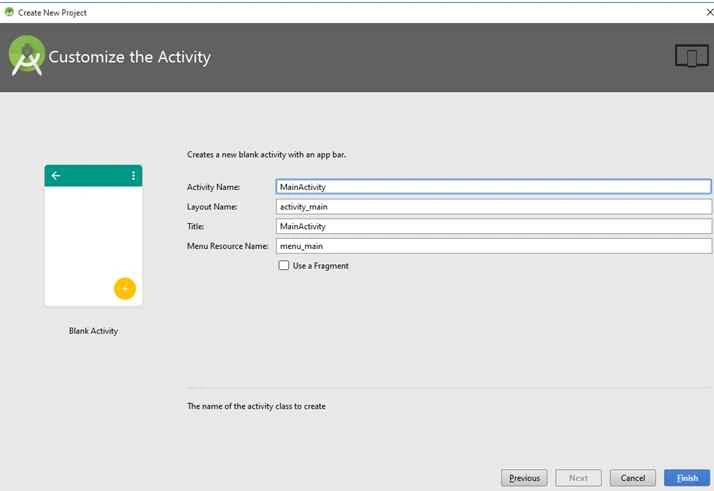
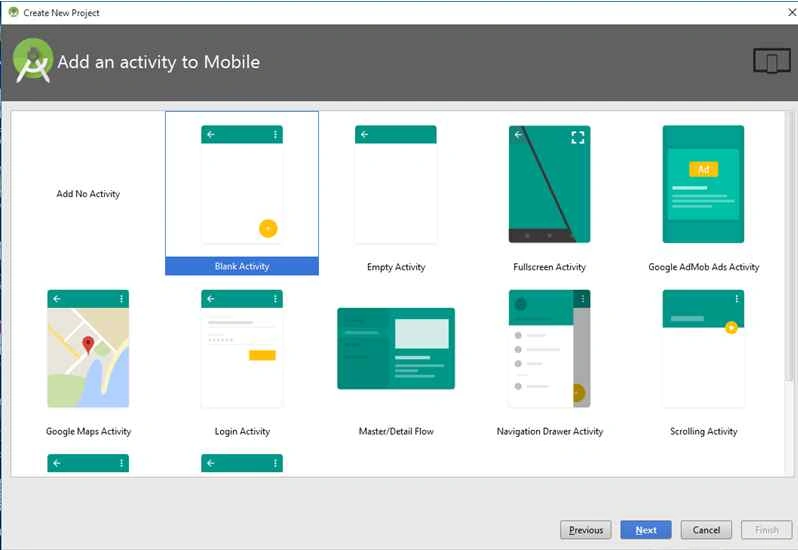
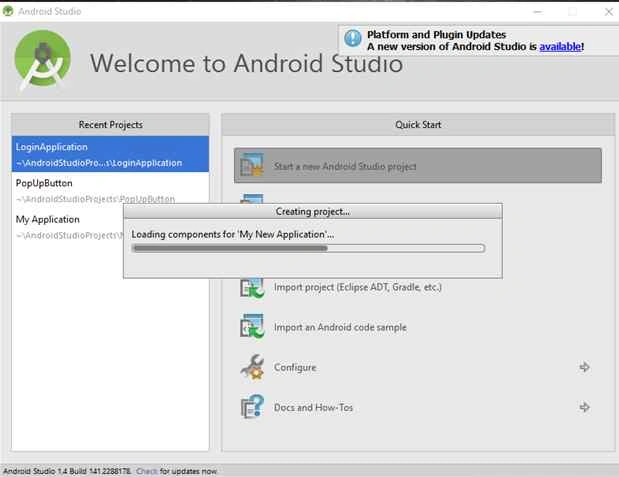
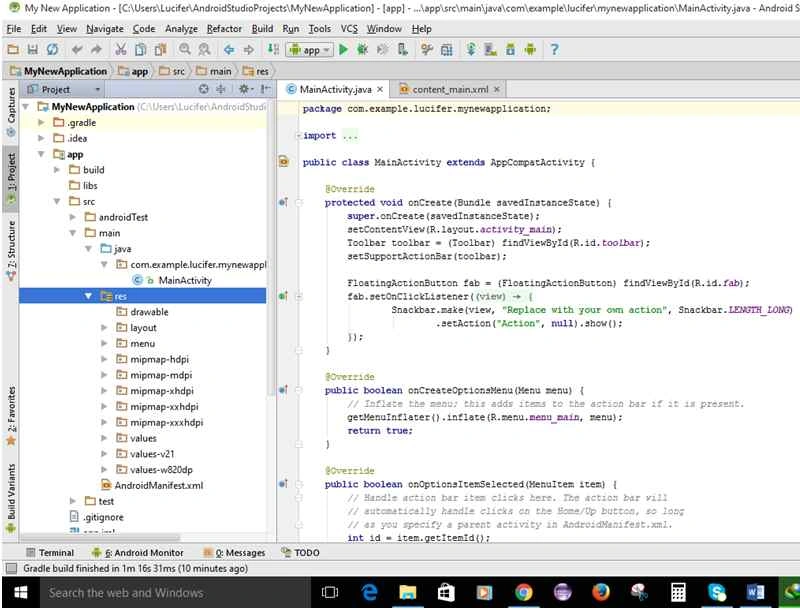
And for starting with Android Studio follow these steps:
kalu singh raoPosted Mar 8, 2016, 11:23 AM
Nice...
Madhuram SrivastavaPosted Nov 16, 2015, 4:03 AM
thnx :)
Anish AnsariPosted Nov 12, 2015, 8:43 AM
Nice Article
Santhakumar MunuswamyPosted Nov 11, 2015, 8:47 AM
Good one
Madhuram SrivastavaPosted Nov 8, 2015, 8:45 AM
thnx Ratnesh Singh
Ratnesh SinghPosted Nov 8, 2015, 6:22 AM
Nice...
Madhuram SrivastavaPosted Nov 6, 2015, 11:28 PM
thanku Upendra Pratap Shahi sir :)
Madhuram SrivastavaPosted Nov 6, 2015, 11:28 PM
thnx Sibeesh Venu sir
Upendra Pratap ShahiPosted Nov 6, 2015, 4:05 AM
nice ...
Sibeesh VenuPosted Nov 6, 2015, 12:16 AM
Nice Share
Madhuram SrivastavaPosted Nov 5, 2015, 11:37 PM
thnx Harshad Pansuriya sir , i have also explained for eclipse ..... please see the link http://www.c-sharpcorner.com/Blogs/50366/create-your-first-hello-word-android-application.aspx and i have also mentioned for eclipes :)
Madhuram SrivastavaPosted Nov 5, 2015, 11:35 PM
thnx Talha Bin Afzal sir
Harshad PansuriyaPosted Nov 5, 2015, 11:31 PM
In this You are only Create the project in Android studio
Talha Bin AfzalPosted Nov 5, 2015, 1:29 PM
Good work