
Introduction
In this post, we will demonstrate how we will use the LinqToExcel library to query data from Excel.
Previously, I didn’t have any idea about creating queries using LINQ from Excel spreadsheets, but when I searched, I found the LinqToExcel library which is available at paulyoder GitHub repository. This library, as we will see later, presents so many mechanisms that enable us to use LINQ to build the queries and get the data from Excel spreadsheets.
I'd like to point out that the LinqToExcel library is available in both 32 bits and 64 bits. You can select one of them that matches your application settings. I hope you will like it.
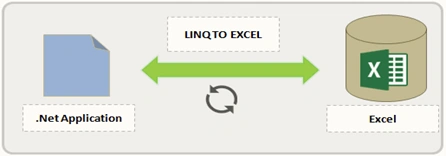
In this post, we are going to
- Create a Console application.
- Install LinqToExcel Packages.
- Create ConnexionExcel class.
- Queries with LinqToExcel.
Create a console application
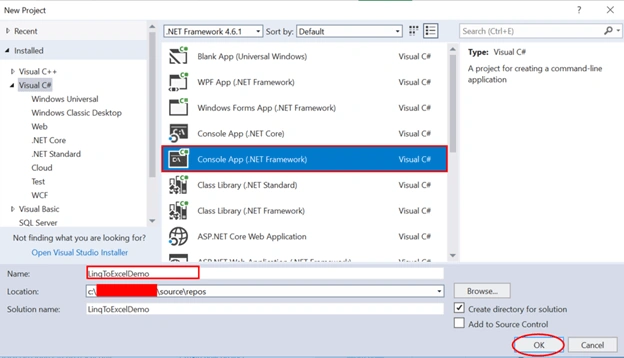
Open Visual Studio and select File >> New Project. The "New Project" window will pop up. Select Console App (.NET Framework), name your project and click OK.
Install LinqToExcel packages
At this level, we have 3 possibilities to install Linq to Excel packages.
- Using NuGet Manager In Solution Explorer, right-click on References >> Manage NuGet Packages.
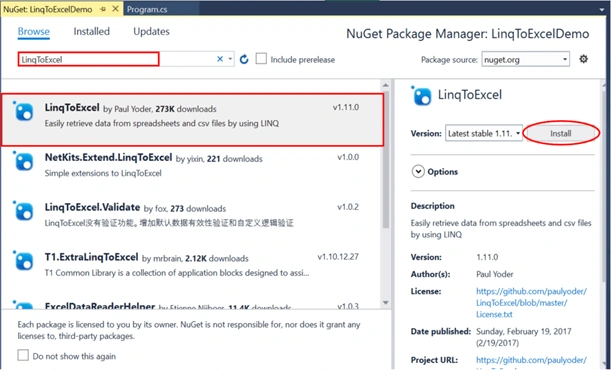
- Next, type LinqToExcel in the search text box, select the first line as shown above, and click on the "Install" button.
- Using the Package Manager Console Enter the following command in the package manager console.
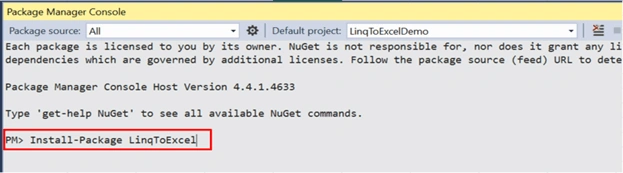
- The last solution is to add LinqToExcel references directly to your project. You can download them from the following here.
Let’s start discovering some features of the LinqToExcel library.
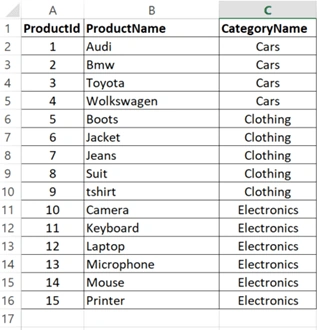
Before of all, create a new Excel file in your local machine, and name it as you like.
Next, you can add the following data rows into the first sheet as shared below.
Create ConnexionExcel class
Here, we created the ConnexionExcel class which contains two properties.
- PathExcelFile: contains the location path of the Excel file.
- UrlConnexion: gets an instance of ExcelQueryFactory.
public class ConnexionExcel
{
    public string _pathExcelFile;
    public ExcelQueryFactory _urlConnexion;
    public ConnexionExcel(string path)
    {
        this._pathExcelFile = path;
        this._urlConnexion = new ExcelQueryFactory(_pathExcelFile);
    }
    public string PathExcelFile
    {
        get
        {
            return _pathExcelFile;
        }
    }
    public ExcelQueryFactory UrlConnexion
    {
        get
        {
            return _urlConnexion;
        }
    }
}
Query a worksheet with a header row
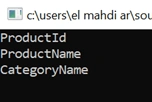
We are creating a query that returns data from the worksheet by using the header row. We should be using a class that has the following properties that match with column names of the worksheet. The compiler expects the worksheet must be named “Sheet1”.
So let’s create a product class with the following properties.
public class Product
{
    public int ProductId
    {
        get;
        set;
    }
    public string ProductName
    {
        get;
        set;
    }
    public string CategoryName
    {
        get;
        set;
    }
}
Query 1
string pathToExcelFile = @"D:\ExcelData.xlsx";
ConnexionExcel ConxObject = new ConnexionExcel(pathToExcelFile);
// Query a worksheet with a header row
var query1 = from a in ConxObject.UrlConnexion.Worksheet<Product>()
             select a;
foreach(var result in query1) {
    string products = "ProductId : {0}, ProductName: {1}";
    Console.WriteLine(string.Format(products, result.ProductId, result.ProductName));
}
Console.ReadKey();
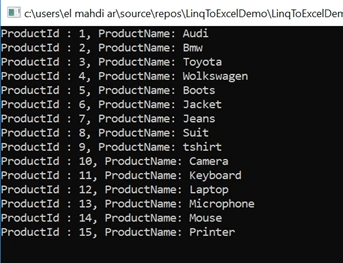
Result
Query a specific worksheet by name
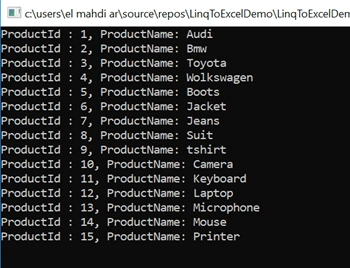
By default, the worksheet is named “Sheet1” but if you want to name it with a different name, you can proceed as mentioned below.
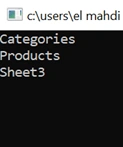
In this example, our worksheet is named “Products” and we want to select all data from the Products sheet using LINQ.
Query 2.
var query2 = from a in ConxObject.UrlConnexion.Worksheet<Product>("Products") // Products worksheet
             select a;
foreach(var result in query2) {
    string products = "ProductId : {0}, ProductName: {1}";
    Console.WriteLine(string.Format(products, result.ProductId, result.ProductName));
}
Console.ReadKey();
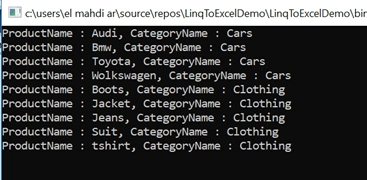
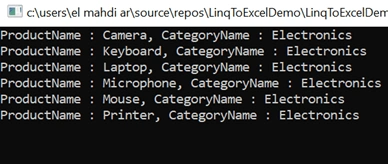

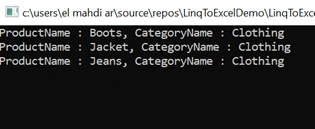
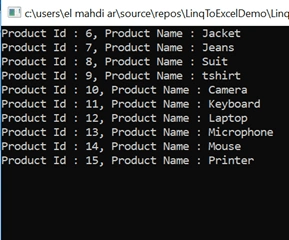
Sharmila KalaimaniPosted Feb 12, 2020, 1:32 AM
System.InvalidOperationException: 'The 'Microsoft.ACE.OLEDB.12.0' provider is not registered on the local machine.' got above error
Andrew DennisonPosted May 7, 2019, 12:53 PM
Really nice article overall. Got me to stop using my own pathetic complicated attempts right away. Not sure that ConnexionExcel class adds much though to a simple tutorial. Also some of the query examples are trivial variants of where clauses, which seem redundant. It is worth mentioning that the spreadsheet index is 0-based. (The interop later has some 1-based values.) Overall a real help. Thanks.