

LINQ provides extensive flexiblity in the implementation of queries across objects with thrilling ease and readibility of code.
The following simple project shows use of linq to object for extracting and showing data whenever needed.
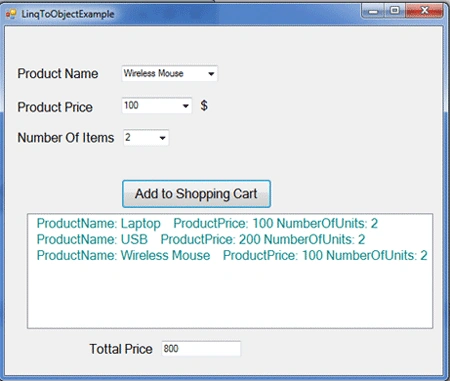
First we created ShoppingCartUsingLinq class with three automatic properties; ProductName, ProductPrice and NumberOfUnits. Secondly, we decalre List<> object of type ShoppingCartDemo1 class, whenever the addToShoppingCart Button clicked the list will be populated with associated properties from every ComboBox that host the specific values related to these properties.
At last, linq comes to play here to provide its stunning functionality to extract all properties to every object to be shown in listBox1, in addition the aggregate extension method of linq will present the total sum of money has to be paid.
using System;
using System.Collections.Generic;
using System.Linq;
using System.Windows.Forms;
namespace LinqToObjectExample
{
public partial class Form1 : Form
{
// decalre List<> object of type ShoppingCartDemo1 class
List<ShoppingCartUsingLinq> ShoppingCartDemo1 = new List<ShoppingCartUsingLinq>();
public Form1()
{
InitializeComponent();
}
private void Form1_Load(object sender, EventArgs e)
{
}
private void addToShoppingCart_Click(object sender, EventArgs e)
{
Hussein AhmedPosted Jan 7, 2011, 6:43 AM
Thanks for your comment and by the willing of ALLAH I am going to post another article related to this topic
javed khanPosted Jan 7, 2011, 5:32 AM
Plese put more of this kind of artical's