

Introduction
In Part
- 2 article of this series, we
have discussed how to bind the database to list controls but we have not still
checked how to determine which list item is selected. In this article we will
discuss how to determine selected list item.
Determining the Selected List Item
Displaying options with the List controls is all very nice, but at some point we
need to be able to determine which option a user has selected. The List controls
support three properties that we can use to determine the selected list item:
- SelectedIndex: Gets or sets the index of the selected list item.
- SelectedItem: Gets the first selected list item.
- SelectedValue: Gets or sets the value of the first selected list item.
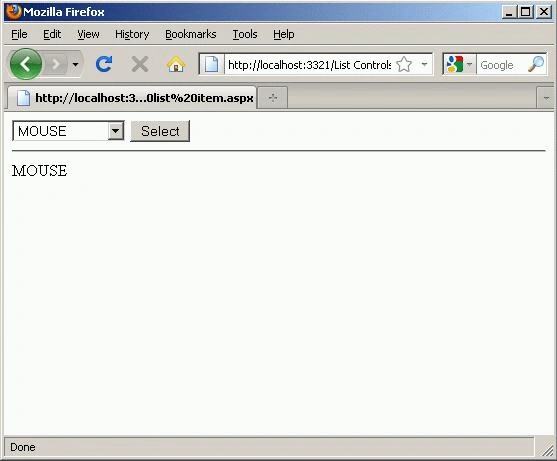
In the example given
below, the page in enable us to select an item from the DropDownList control and
display the value of the selected item's Text property.
<%@ Page Language="VB" %>
<!DOCTYPE html PUBLIC "-//W3C//DTD XHTML 1.0 Transitional//EN""http://www.w3.org/TR/xhtml1/DTD/xhtml1-transitional.dtd">
<script runat="server">
Protected Sub btnSelect_Click(ByVal sender As Object, ByVal e As EventArgs)
lblSelectedProduct.Text = ddlProducts.SelectedItem.Text
End Sub
</script>
<html xmlns="http://www.w3.org/1999/xhtml">
<head runat="server">
<title></title>
</head>
<body>
<form id="form1" runat="server">
<div>
<asp:DropDownList
id="ddlProducts"
DataSourceID="SqlDataSource1"
DataTextField="NAME"
DataValueField="ID"
Runat="server" />
<asp:Button
id="btnSelect"
Text="Select"
OnClick="btnSelect_Click"
Runat="server" />
<hr />
<asp:Label
id="lblSelectedProduct"
Runat="server" />
<asp:SqlDataSource ID="SqlDataSource1" runat="server"
ConnectionString="<%$ ConnectionStrings:DatabaseConnectionString1 %>"
ProviderName="<%$ ConnectionStrings:DatabaseConnectionString1.ProviderName %>"
SelectCommand="SELECT
[ID], [NAME] FROM [PRODUCT_LIST]"></asp:SqlDataSource>
</div>
</form>
</body>
</html>
The SelectedItem property is used to retrieve the selected ListItem control from
the DropDownList control. The value of the selected item's Text property is
displayed in the Label control.
We can use these properties when we want to associate a List control with
another DataBound control. For example, the page given below contains a
DropDownList control that displays a list of product list based on product id
and a GridView control that displays a list of products that match the selected
id in listbox.
<%@ Page Language="VB" %>
Join the conversation! Your thoughts help the community grow.