

Introduction
In Part
- 3 article of this series, we
have discussed how to display records in GridView based on the selected item in
DropDownList. We always use to see that it is necessary to select at-least an
item in DropDownList to process the form.
Appending Data Items
We can mix the list items that we declare in a List control and the list items
that are added to the control when it is bound to a data source. This is useful
when we want to display a default selection.
For example, imagine that we are creating a form in which we want to require a
user to pick an item from a List control. In this situation, we should add a
default item to the List Control so we can detect whether a user has actually
picked an item. We can mix declarative list items with databound list items by
assigning the value true to the AppendDataBoundItems property. Let's take a look
how it is created.
In above picture we have not selected any option and it is displaying the
RequiredFieldValidator message.
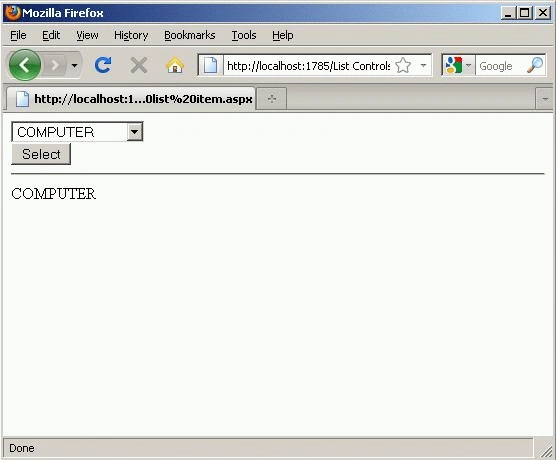
In above picture we have selected an item from DropDownList and hence it is
displaying data on form.
<%@ Page Language="VB" %>
<!DOCTYPE html PUBLIC "-//W3C//DTD XHTML 1.0 Transitional//EN""http://www.w3.org/TR/xhtml1/DTD/xhtml1-transitional.dtd">
<script runat="server">
Protected Sub btnSelect_Click(ByVal sender As Object, ByVal e As EventArgs)
lblSelectedProduct.Text = ddlProducts.SelectedItem.Text
End Sub
</script>
<html xmlns="http://www.w3.org/1999/xhtml">
<head runat="server">
<title></title>
</head>
<body>
<form id="form1" runat="server">
<div>
Join the conversation! Your thoughts help the community grow.