

In this example, we will learn how to create list and columns through SharePoint Hosted Apps.
The following steps must be followed in order to create the List using SharePoint Hosted Apps.
- Create Project using SharePoint Hosted Apps.
- Add a List to the project and add the columns to this list.
- Add permissions to AppManifest.xml in project.
- Deploy the App.
- Add data to the List.
Step 1 - Create Project using SharePoint Hosted Apps
Select the SharePoint Add-in Template, give a name to the project, and select the project location. Click on OK.

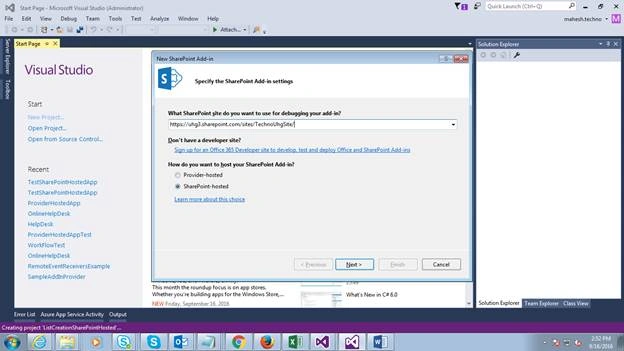
- Give the URL of the Office 365 Site where you are going to debug or deploy the App and select SharePoint Hosted App.
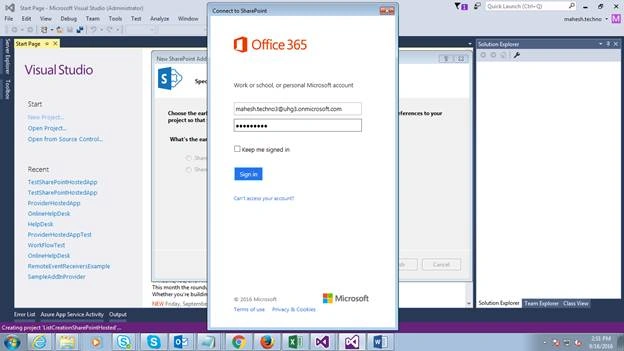
- It will ask for credentials of Office 365. Provide the Username and Password.
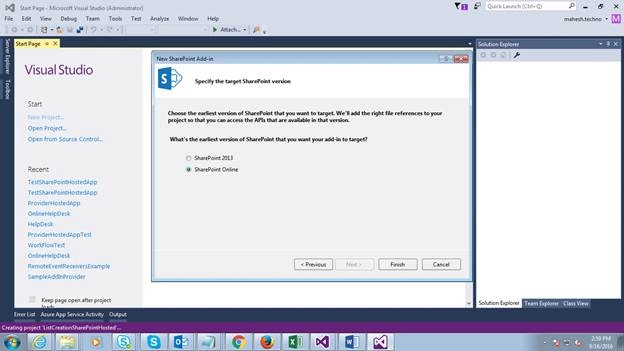
- Click on Finish.
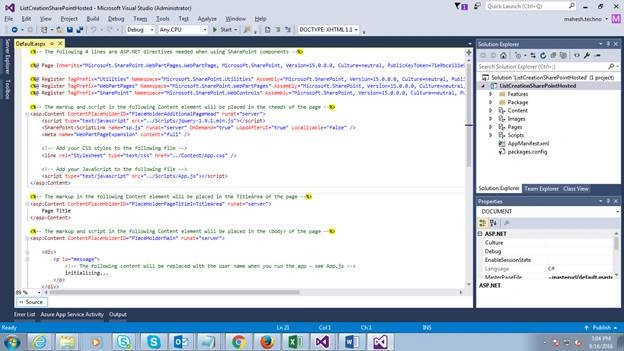
- After clicking on Finish, it will open the project with default pages, scripts, AppManifest.xml file, and etc.
Step 2 - Add the list to the Project
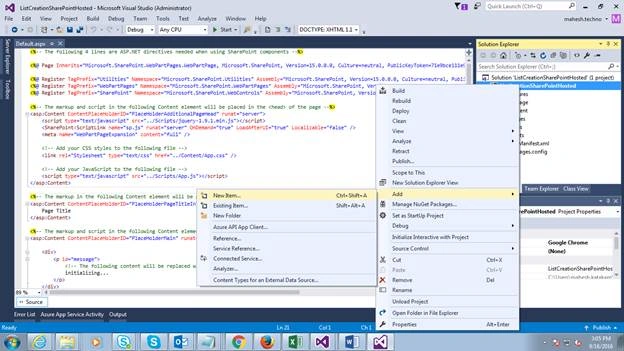
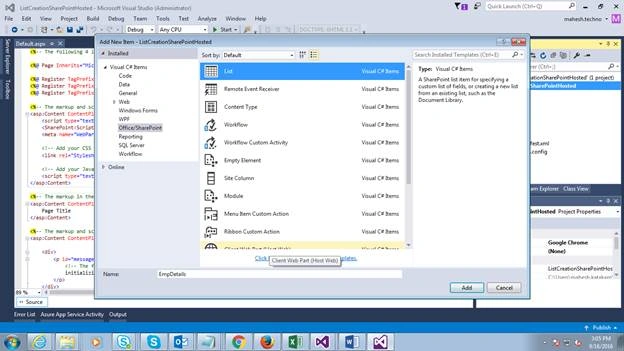
- Select the List Template and give a name to the List. Here, I am giving EmpDetails.
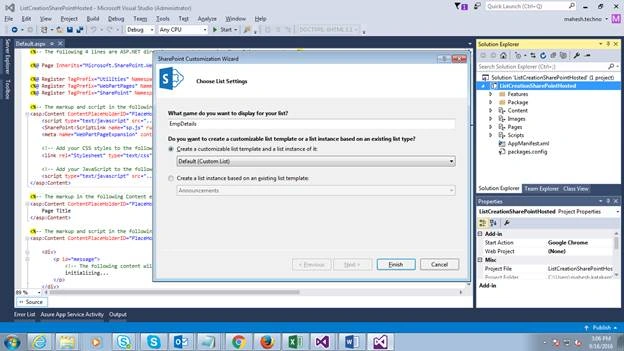
- Select Default (custom List) and click on Finish button.
- Open the EmpDetails list and add columns like EmployeeName, Designation, Salary.
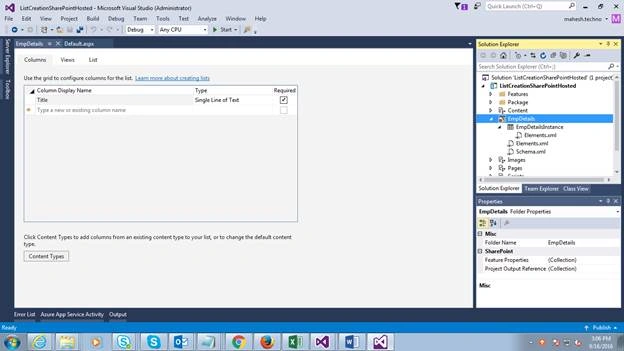
- Here, I renamed the Title column to EmployeeName.
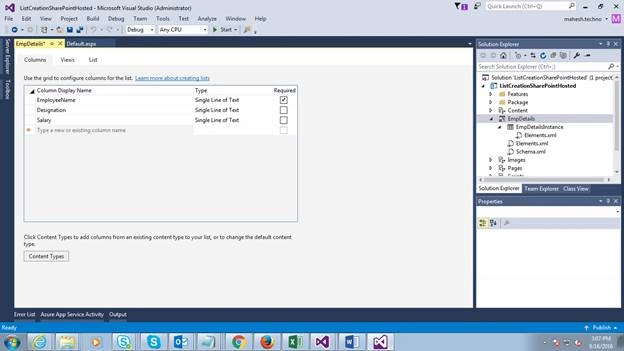
Step 3 - Add permissions to AppManifest.xml in project
- Add permissions under Permissions tab and change the start page URL.
- Give permissions to Site Collection and Full Control.
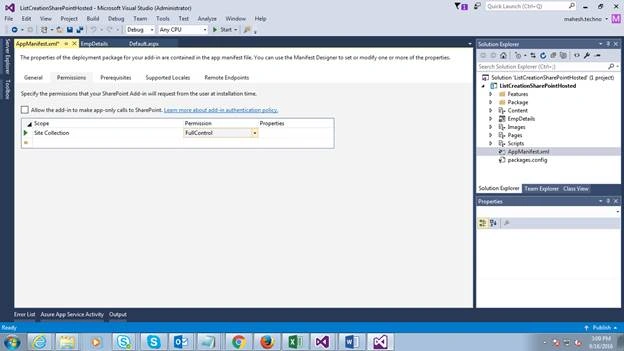
- Change the Start page default.aspx to Lists/EmpDetails.
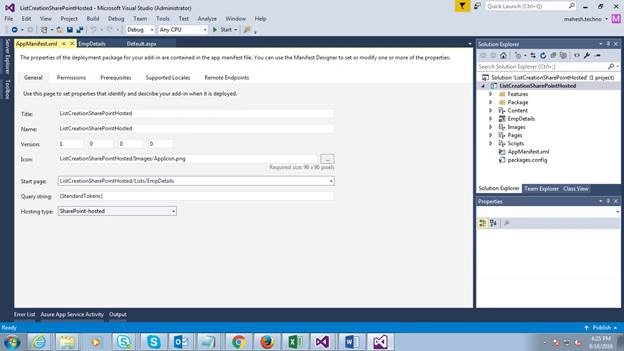
Ex: ListCreationSharePointHosted/Lists/EmpDetails
Step 4 - Deploy the App
- Right click on project and deploy.
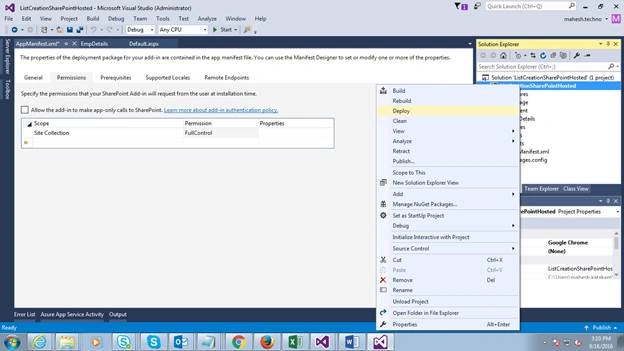
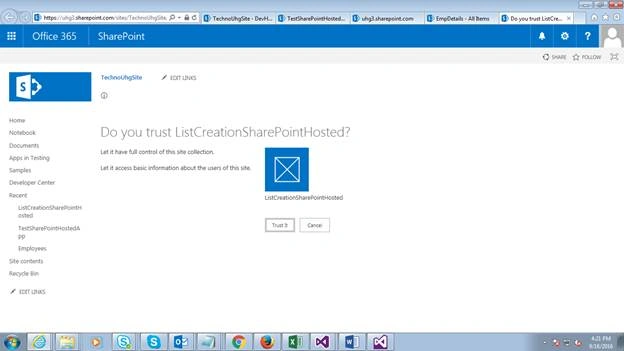
- It will ask for trusting the Site Collection. Just trust it.
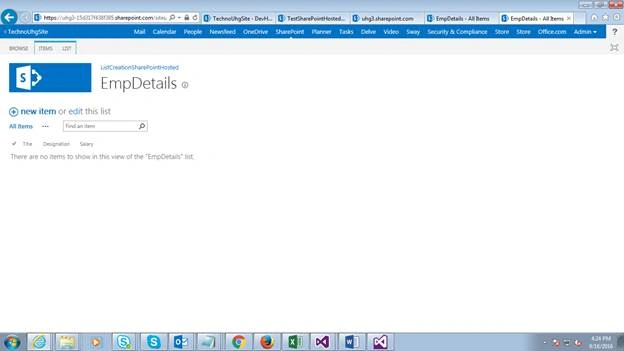
- It will open the EmpDetails list and add the items to the list.
Hope you understand the process. Let me know if you face any issues.
Humayun Kabir MamunPosted Sep 21, 2016, 12:50 AM
Helpful...
Prasanna MuraliPosted Sep 20, 2016, 9:39 PM
Nice share
Vignesh ManiPosted Sep 20, 2016, 6:14 PM
Nice
Tarun DPosted Sep 20, 2016, 6:32 AM
Nice one