Introduction
The HTML lists tag is used for specifying a
list item is ordered, unordered and menu lists. Lists commonly are found in documents, including web pages. They are an easy and effective way to itemize such things as elements, components, or ingredients. The most common HTML lists are ordered and unordered lists.
unordered list
The HTML <ul> tag
is used to define an unordered list. Unordered lists are straight lists with a
graphical bullet. You can choose between different types of bullets using the
type attribute. Each list item can have a different bullet.
Example
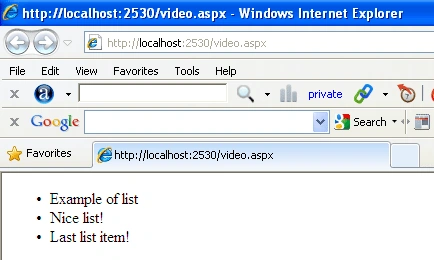
- <ul>
- <li>Example of list</li>
- <li>Nice list!</li>
- <li>Last list item!</li>
- </ul>
Internet explorer
Type attribute of <ul> List
Specifies the shape of the bullets of each list
item.
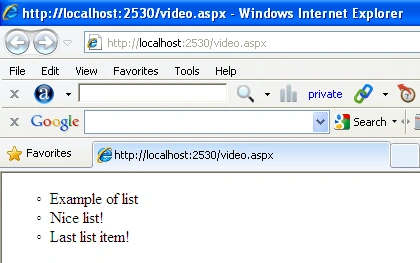
Type= Circle
- <ul type="circle">
- <li>Example of list</li>
- <li>Nice list!</li>
- <li>Last list item!</li>
- </ul>
Internet explorer
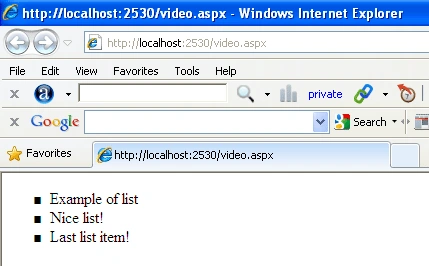
Type=square
- <ul type="square">
- <li>Example of list</li>
- <li>Nice list!</li>
- <li>Last list item!</li>
- </ul>
Internet explorer
Ordered list
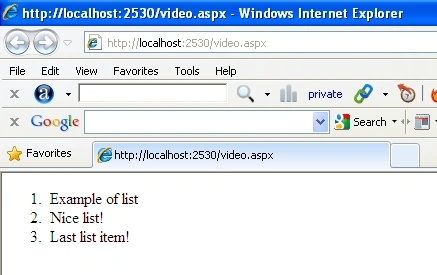
Ordered lists allow you to create lists where the items are in sequential, numerical order.
- <ol>
- <li>Example of list</li>
- <li>Nice list!</li>
- <li>Last list item!</li>
- </ol>
Internet explorer
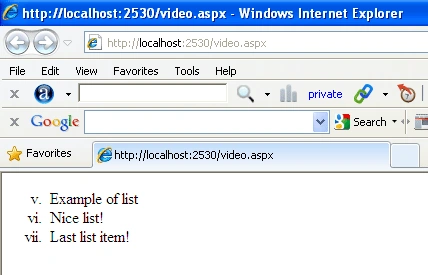
Start attribute of <ol> List
Specifies a number to start the list with
instead of 1.
- <ol start="5">
- <li>Example of list</li>
- <li>Nice list!</li>
- <li>Last list item!</li>
- </ol>
Internet explorer
Type attribute of <ol> List
Specifies the numbering system of the ordered list.
1 - Default
A - Uppercase letters e.g. A,B,C,D
a - Lowercase letters
I - Uppercase Roman Numerals e.g. I,II,III,IV
i - Lowercase Roman Numerals e.g. i,ii,iii,iv
- <ol start="5" type="i">
- <li>Example of list</li>
- <li>Nice list!</li>
- <li>Last list item!</li>
- </ol>
Internet explorer
Definition List
The HTML <dl> tag is used for declaring a
definition list. A definition list is a consists of terms (<dt>) and definitions
(<dd>). This type of list does not contain any attribute.
<dt> tag
The <dt> tag is used for specifying a term/name in a definition list.It is usually followed by a <dd> element; however, multiple <dt> elements in a row indicate several terms that are all defined by the immediate next <dd> element.
<dd> tag
The <dd> tag is to describe a term/name in a description list.
For Example
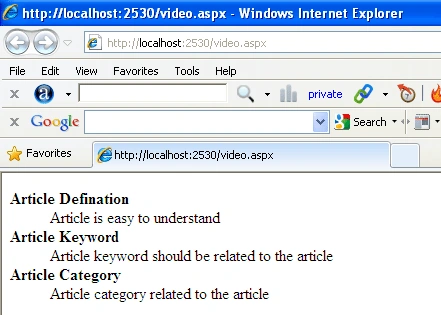
- <dl>
- <dt>
- <strong>Article Defination</strong>
- </dt>
- <dd>Article is easy to understand</dd>
- <dt>
- <strong>Article Keyword</strong>
- </dt>
- <dd>Article keyword should be related to the article</dd>
- <dt>
- <strong>Article Category</strong>
- </dt>
- <dd>Article category related to the article</dd>
- </dl>
Internet explorer
Nested lists
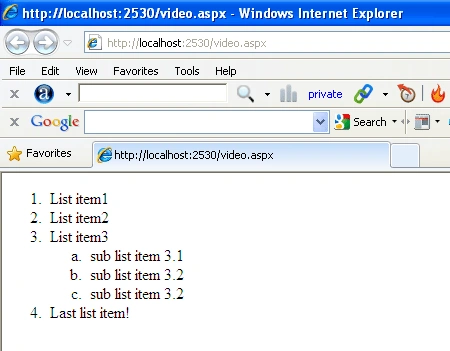
Many times you want to create sublists or
subitems. You can do this by using nested lists.
- <ol>
- <li>List item1</li>
- <li>List item2</li>
- <li>List item3
- <ol type="a">
- <li>sub list item 3.1</li>
- <li>sub list item 3.2</li>
- <li>sub list item 3.2</li>
- </ol>
- </li>
- <li>Last list item!</li>
- </ol>
Internet explorer


Sonia Bhadouria VishvkarmaPosted Oct 3, 2012, 6:05 AM
Good Article.....
keshav singhPosted Jun 12, 2012, 1:17 AM
nice