

Introduction
Hi all, this article explains how to load the contents from a text file using jQuery and style the contents.
Please see this article in my blog: Load Contents From Text File using jQuery
Background
I wanted to load same contents in various pages. For example the article links in my blog. The problem here is, I can't use a master page since I have not included ASP.Net in my hosting plan and the next problem is I have not included a database also. My blog is entirely based on normal HTML pages. So I thought of entering the href tags in a text file and loading those href tags in the pages accordingly.
That's all.
Create a text file
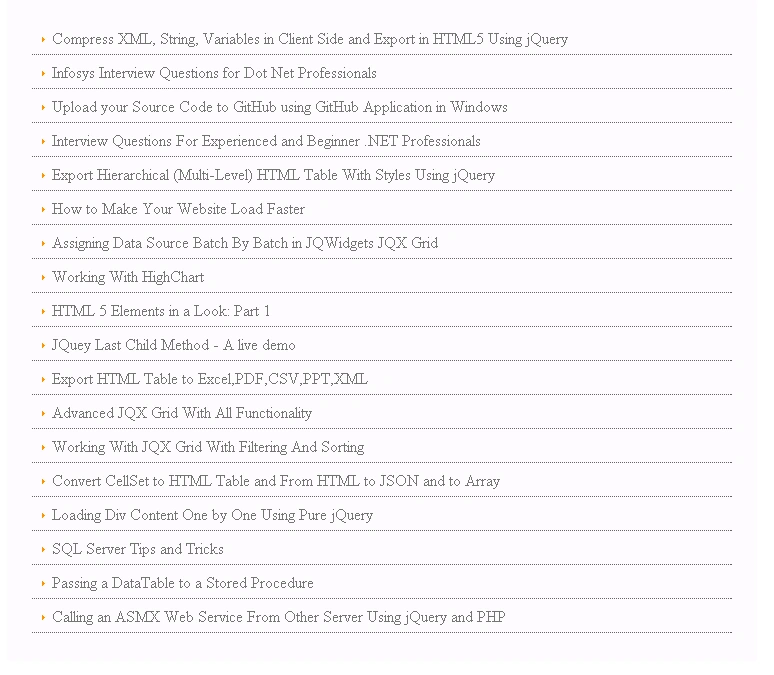
I have put some of my article links in a text file as shown below.
- <a target="_blank" href="compress-xml-string-variables-in-client-side-and-export-in.html">
- Compress XML, String, Variables in Client Side and Export in HTML5 Using jQuery
- </a>myBreak
- <a target="_blank" href="Infosys-Interview-Questions-For-DotNet-Professionals.html">
- Infosys Interview Questions for Dot Net Professionals
- </a>myBreak
- <a target="_blank" href="Using-GitHub-Application-in-Windows.html">
- Upload your Source Code to GitHub using GitHub Application in Windows
- </a>myBreak
- <a target="_blank" href="dot-net-interview-questions-for-experienced-and-fresher.html">
- Interview Questions For Experienced and Beginner .NET Professionals
- </a>myBreak
- <a target="_blank" href="export-hierarchical-html-multi-level-html-with-styles.html">
- Export Hierarchical (Multi-Level) HTML Table With Styles Using jQuery
- </a>myBreak
- <a target="_blank" href="how-to-make-your-website-loads-faster.html">
- How to Make Your Website Load Faster
- </a>myBreak
- -----------------------
- <a target="_blank" href="Convert-CellSet-to-HTML-table-And-From-HTML-To-Json-To-Array.html">
- Convert CellSet to HTML Table and From HTML to JSON and to Array
- </a>myBreak
Sibeesh VenuPosted Jul 13, 2015, 11:11 AM
Debasis Saha Thank you
Debasis SahaPosted Jul 13, 2015, 10:56 AM
Good One..
Sibeesh VenuPosted Jul 13, 2015, 10:16 AM
Gowtham K Thank you
Sibeesh VenuPosted Jul 13, 2015, 10:16 AM
Rakesh Chavda Thank you
Sibeesh VenuPosted Jul 13, 2015, 10:16 AM
Upendra Pratap Shahi Thank you
Gowtham KPosted Jul 13, 2015, 9:35 AM
Good one thanks for sharing
RakeshPosted Jul 13, 2015, 9:08 AM
Good one
Upendra Pratap ShahiPosted Jul 13, 2015, 8:41 AM
Good one Sibeesh Venu Sir
Gowtham RajamanickamPosted Apr 25, 2015, 6:05 AM
keep writing
Gowtham RajamanickamPosted Apr 25, 2015, 6:05 AM
good
Karthik Muthu KaruppanPosted Apr 23, 2015, 11:20 AM
good one
Rahul Kumar SaxenaPosted Apr 22, 2015, 2:31 PM
Good Show bro...
Sibeesh VenuPosted Apr 22, 2015, 6:22 AM
Nitin Tyagi Thank you
NitinPosted Apr 22, 2015, 5:50 AM
Good one
Sibeesh VenuPosted Apr 22, 2015, 1:42 AM
Shubham kumar thank you buddy.
Shubham KumarPosted Apr 22, 2015, 1:22 AM
Nice one
Santhakumar MunuswamyPosted Apr 21, 2015, 10:18 PM
Good one
Krishnanand SivarajPosted Apr 21, 2015, 10:06 PM
Thanks for sharing
Sam HobbsPosted Apr 21, 2015, 9:41 PM
Would it work to store the data as a XML file and then generate the HTML using something such as an Extensible Stylesheet Language (XSL)? Or you could store the data as a tab-delimited file. Alternatively, perhaps you could store your links as a HTML file that you load into an iframe.