

In this article we can explore the feature in Visual Studio 2012 Ultimate for Load Testing a SharePoint 2013 site.
What Load Testing is
Load testing is the process of placing a demand on a system or device and measuring its response.
For example, we can test a SharePoint Site by simulating a load of 100 users at the same time. We can measure the response and possible errors to validate the load-capacity of the servers(s) and measure the performance, scalability, endurance and volume.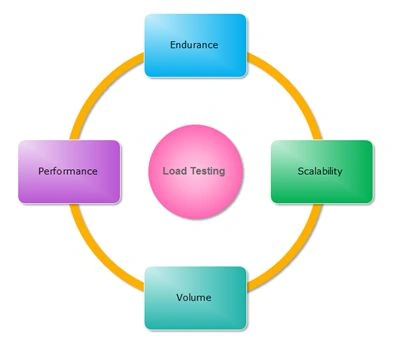
Who Performs Load Testing
Often load testing is performed by Automation Testers on a pre-configured test environment with the same topology as the production system.
What is the Configuration needed?
Often load testing is performed by Automation Testers on a pre-configured test environment with the same topology of the production system.
What we can infer from the results
We can use the results for Capacity Validation for improving the Capacity Planning.
For example, if the expected response time is 3 seconds for 500 users / minute, and the test result is showing 5 seconds then surely we need to optimize the server (s) or change the topology based on the bottlenecks.
Load Testing helps us to validate and improve performance yielding maximum productivity from the system.
What is the version of Visual Studio 2012 required for Load Testing?
Visual Studio 2012 Ultimate is required for doing Load Testing.
You can get a trial download from here.
Simple Load Testing
To perform a simple load test, please use the following procedure.
Step 1: Create a new project.
Create a new project of type Web Performance and Load Test Project.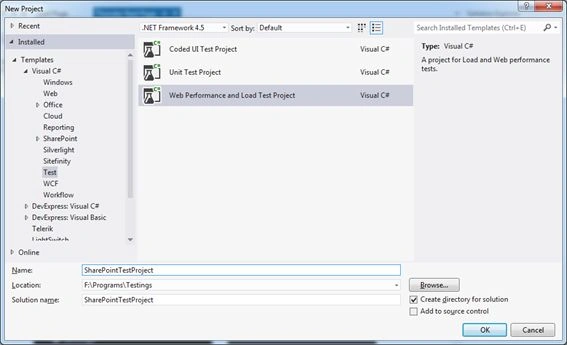
You will get the following screen.
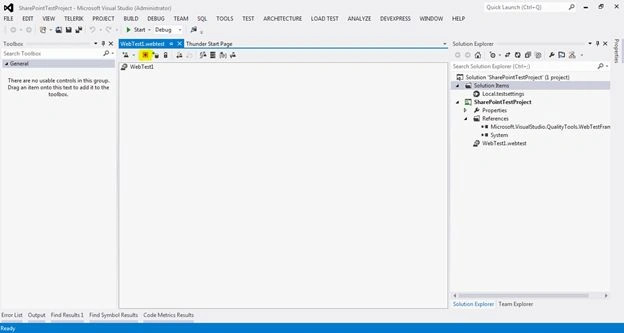
Step 2: Start recording.
Recording is the process of teaching Visual Studio about our activity. The browser will be launched and the URL entry, mouse clicks and keyboard entries will be recorded. The recording will be used for playback later.
Click on the Start Recording button as highlighted above. You will get the following browser window.
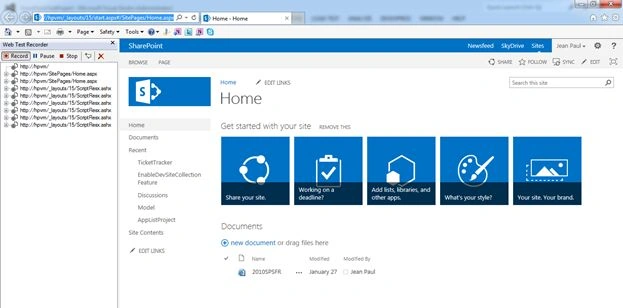
Type the URL and enter the credentials information.
Step 3: Stop recording.
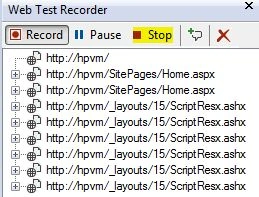
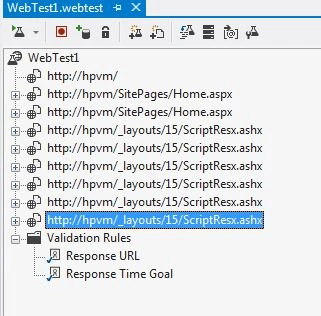
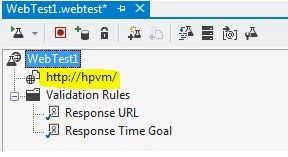
You can see the left pane logs all the requests for pages and scripts. Click the Stop button to stop recording. We are just testing a simple home page load scenario.

Lakshmanan Sethu SankaranarayanPosted Mar 6, 2014, 12:28 AM
Thanks:)
Jean PaulPosted Mar 5, 2014, 11:09 AM
Yes Lakshman, we can simulate number of users, test hit interval, parameter etc. I will come with a detailed test if given a chance :)
Lakshmanan Sethu SankaranarayanPosted Mar 5, 2014, 7:48 AM
Very Informative. But I have a question here. Can we simulate the no of users?