

On previous article(Building a GUI Editor in C#) we have successfully created our "controls.xml" file which holds all the controls properties designed with GUI Editor.
Now in this tutorial we will add these controls and then add these controls on your project.
Please open GUI Editor's solution.We will continue where we remained last time.
Create a new Class named Intro.cs:
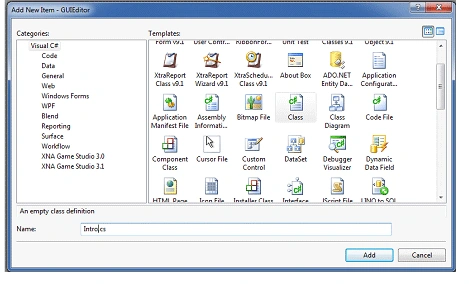
This class will look alike:
using System;
using System.Collections.Generic;
using Microsoft.Xna.Framework;
using Microsoft.Xna.Framework.Audio;
using Microsoft.Xna.Framework.Content;
using Microsoft.Xna.Framework.GamerServices;
using Microsoft.Xna.Framework.Graphics;
using Microsoft.Xna.Framework.Input;
using Microsoft.Xna.Framework.Media;
using Microsoft.Xna.Framework.Net;
using Microsoft.Xna.Framework.Storage;
namespace GUIEditor
{
public class Intro : Microsoft.Xna.Framework.Game
{
GraphicsDeviceManager graphics;
SpriteBatch spriteBatch;
public Intro()
{
graphics = new GraphicsDeviceManager(this);
Content.RootDirectory = "Content";
}
protected override void Initialize()
{
base.Initialize();
}
protected override void LoadContent()
{
spriteBatch = new SpriteBatch(GraphicsDevice);
}
protected override void UnloadContent()
{
}
protected override void Update(GameTime
gameTime)
{
base.Update(gameTime);
}
protected override void Draw(GameTime
gameTime)
{
GraphicsDevice.Clear(Color.CornflowerBlue);
base.Draw(gameTime);
}
}
}
To call Intro.cs you need to change it from Program.cs:
using System;
namespace GUIEditor
{
static class Program
{
[STAThread]
static void Main(string[] args)
{
using (Intro
game = new Intro())
{
game.Run();
}
}
}
}
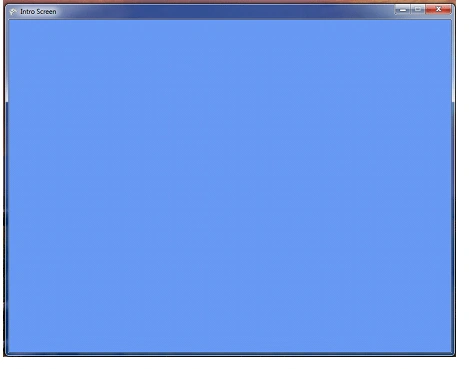
We have changed Game1 as Intro and then run the project.Our Intro screen displayed.
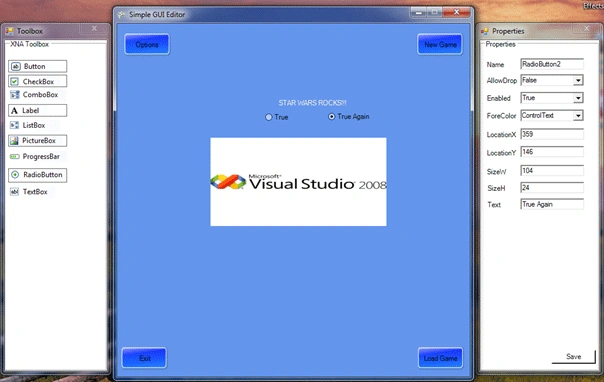
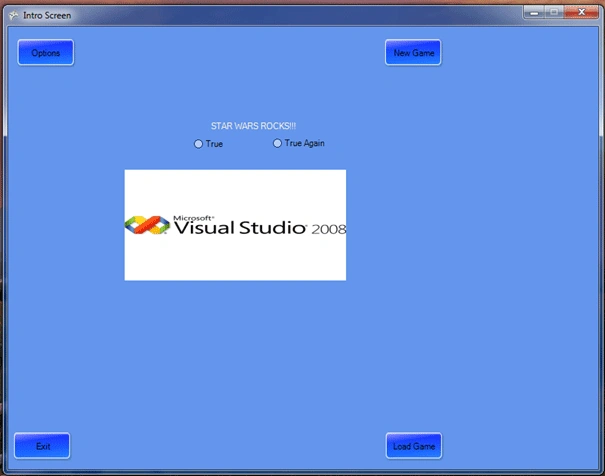
Before beginning to code Game Screens,first of all we need to get controls' properties from XML Files...
Lets write some code in Initialize function how to load the controls we have used previously.
XmlDocument doc = new XmlDocument();
doc.Load("controls.xml");
We have set our XML file named controls.xml which we have saved during designing in GUI Editor.
XmlNodeList ControlList = doc.GetElementsByTagName("Control");
Here we have set our Header Element named Control. As you well know our controls.xml structure looks like:
<GUI>
<Control>
...
</Control>
</GUI>
So we have set our Control element first to access other elements of this xml file.
foreach (XmlNode
node in ControlList)
{
XmlElement ControlElement = (XmlElement)node;
string
cname = ControlElement.Attributes["Name"].InnerText;
string ctype = ControlElement.GetElementsByTagName("Type")[0].InnerText;
string
callowdrop = ControlElement.GetElementsByTagName("AllowDrop")[0].InnerText;
string cenabled =
ControlElement.GetElementsByTagName("Enabled")[0].InnerText;
string cforecolor =
ControlElement.GetElementsByTagName("ForeColor")[0].InnerText;
string clocationx =
ControlElement.GetElementsByTagName("LocationX")[0].InnerText;
string clocationy =
ControlElement.GetElementsByTagName("LocationY")[0].InnerText;
string csizew = ControlElement.GetElementsByTagName("SizeW")[0].InnerText;
string csizeh = ControlElement.GetElementsByTagName("SizeH")[0].InnerText;
string ctext = ControlElement.GetElementsByTagName("Text")[0].InnerText;
}
Here we have declared our string variables to get our controls' properties while querying. We have set an attribute because we have a structure like that:
<GUI>
<Control Name="button1">
<Type>GUIEditor.XButton</Type>
<AllowDrop>False</AllowDrop>
<Enabled>True</Enabled>
<ForeColor>ControlText</ForeColor>
<LocationX>19</LocationX>
<LocationY>31</LocationY>
<SizeW>75</SizeW>
<SizeH>23</SizeH>
<Text>button1</Text>
</Control>
</GUI>
Name is an attribute so we have declared it as XML Attribute.
switch (ctype)
{
case "GUIEditor.XButton":
XButton.moving = false;
XButton btn = new XButton();
btn.Name
= cname;
btn.AllowDrop
= Convert.ToBoolean(callowdrop);
btn.Enabled
= Convert.ToBoolean(cenabled);
btn.ForeColor
= System.Drawing.Color.FromName(cforecolor);
btn.Location
= new System.Drawing.Point(Int32.Parse(clocationx), Int32.Parse(clocationy));
btn.Size
= new System.Drawing.Size(Int32.Parse(csizew), Int32.Parse(csizeh));
btn.Text
= ctext;
Control.FromHandle(Window.Handle).Controls.Add(btn);
break;
case "GUIEditor.XCheckBox":
XCheckBox chk = new
XCheckBox();
chk.Name
= cname;
chk.AllowDrop
= Convert.ToBoolean(callowdrop);
chk.Enabled
= Convert.ToBoolean(cenabled);
chk.ForeColor
= System.Drawing.Color.FromName(cforecolor);
chk.Location
= new System.Drawing.Point(Int32.Parse(clocationx), Int32.Parse(clocationy));
wxd lmPosted May 7, 2010, 11:52 PM
good!
HosseinPosted Apr 26, 2010, 12:22 PM
Great. Thanks a Million dear Ibrahim:) keep up the awesome work :)