

Introduction
In this article, I will describe how to change the location of the Download Folder in Windows 8. Windows 8 allows you to change the Download Folder to any other drive. If your Download Folder is the C Drive and you want to change the folder to any other drive then in Windows 8 you can change it. This can be done if you download any data and problems occur with saving the data due to a lack of memory, we can solve this problem when saving important documents on the Desktop and again any saving problems occur due to a lack of space in any drive when you install the Operating System. You can remove this problem by changing the location of the Download Folder.
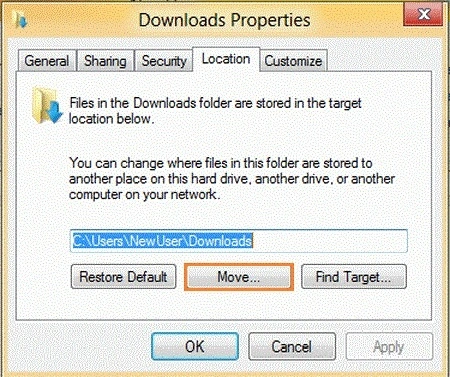
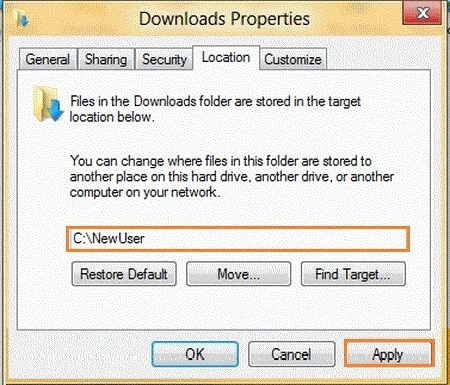
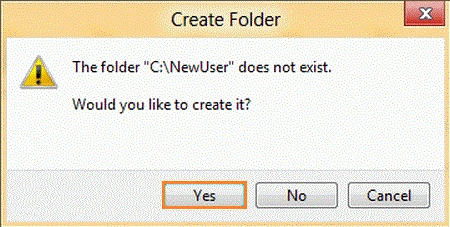
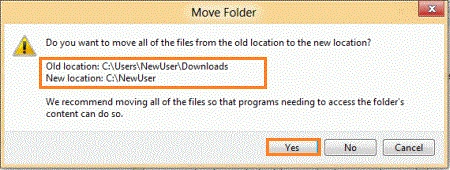
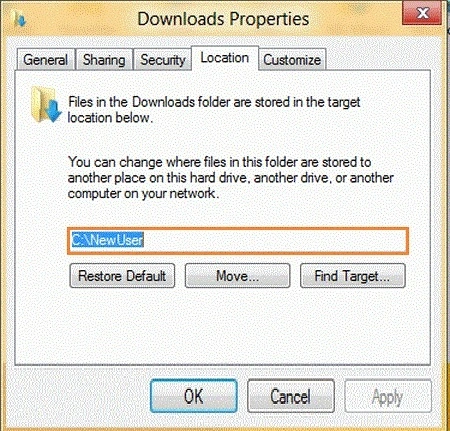
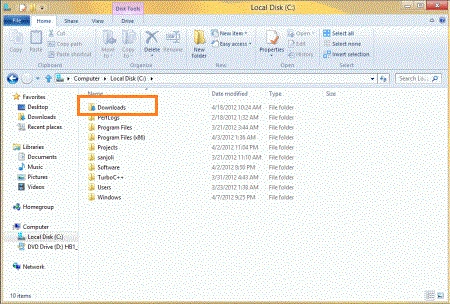
Windows 8 allows you to change the Download Folder when any problems occur with saving the data due to a lack of space. In this way, you can change the Download Folder from the default location to another location in any drive. The Download Folder can be moved to any drive when any problems occur. Basically, the motive to change the Download Folder is when no more space is available for downloading or saving data. First, you right-click on the Windows Explorer, choose the Desktop, and double-click on the Computer Users profile name such as New User. After Clicking on the New User, you can select the Download Folder and right-click on the Download Folder and choose the property or follow the steps. These are given below with the help of images.
Steps to change location of download folder in Windows
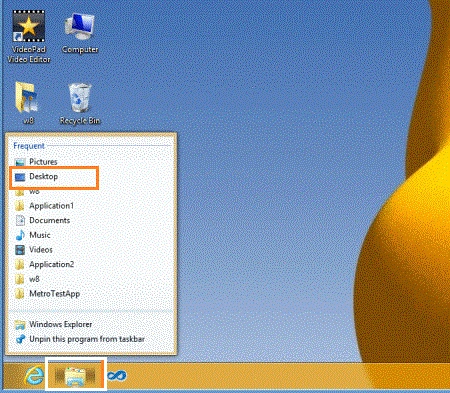
Step 1. In the Desktop Mode, you can right-click on the Windows Explorer folder and select the Desktop. The image is given below.
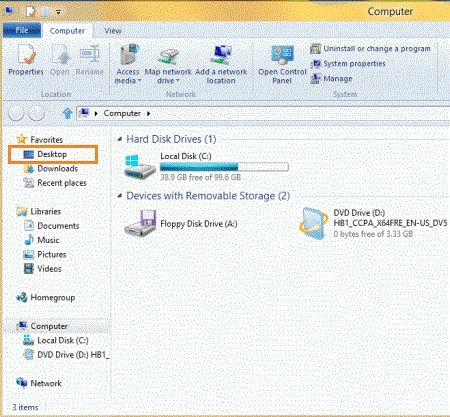
Step 2. Another way is that you can select the Desktop. In the Desktop Mode, click on Computer, choose the Desktop, and click on the Desktop.
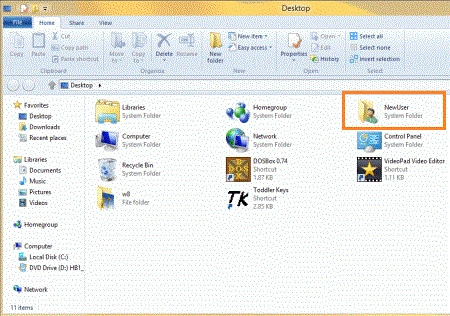
Step 3. The Desktop shows many folders such as Libraries, Homegroup, Computer, Network, Control Panel, and other folders. In this, you can click on the Computer User profile name such as "in this User profile name is New User".
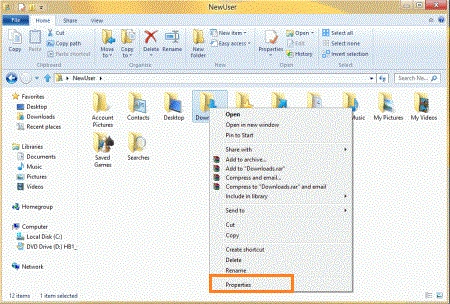
Step 4. In the New, Users see many folders such as Account Pictures, Contacts, Desktop, Downloads, My Pictures, and other folders. You can choose the Downloads Folder.
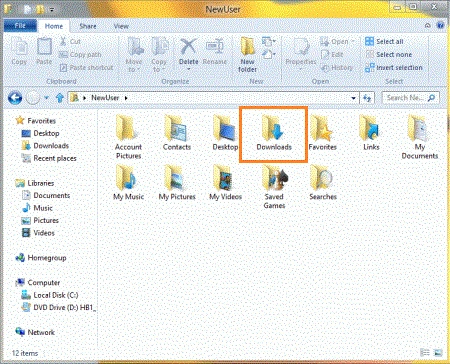
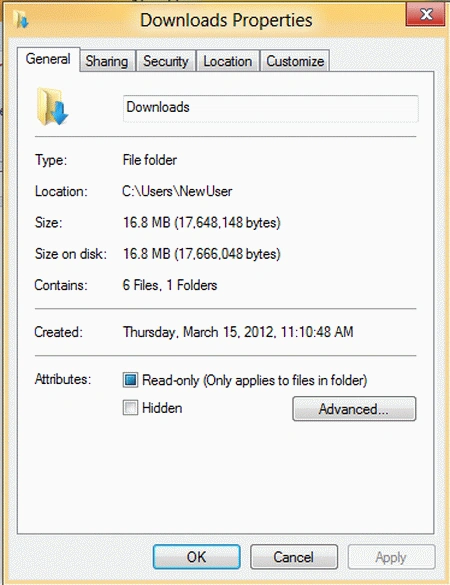
Step 5. In the Downloads Folder, you can right-click on Downloads Folders and choose the Property.
Tessa HudsonPosted Jun 26, 2018, 3:10 PM
TY TY TY it worked!!!
Suresh TekwaniPosted Aug 20, 2013, 8:46 AM
You very sure this works have u tried it? What about downloads earler or is this from Now only?Will the apps and downloads earlier crash? Can I make the default download location to E drive on a portioned drive> will it work? please confirm before I attempt. Thankz!