

Scenario
You have a SharePoint list and a custom new/edit/delete form for it. The custom form will allow controlled editing of the item, plus some validations.
It means User A cannot edit User B’s item. How to achieve this?
Solutions
I am recommending various solutions for this scenario.
Solution 1: Item Level Permissions
One easy solution is using the List, Advanced Settings, then Item-Level Permissions.

But, this solution won’t work if you need Approvers group to edit the items.
Solution 2: Delete Edit Form using SharePoint Designer
Here we can delete the edit form of list & provide another custom HTML form to manage the restricted edit. To delete the edit form, here are the steps:
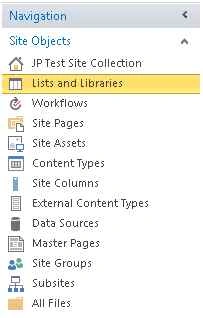
Open the list in SharePoint Designer, thenLocate the EditForm.aspx and Choose Delete option.
Open SharePoint Designer and click Your list.
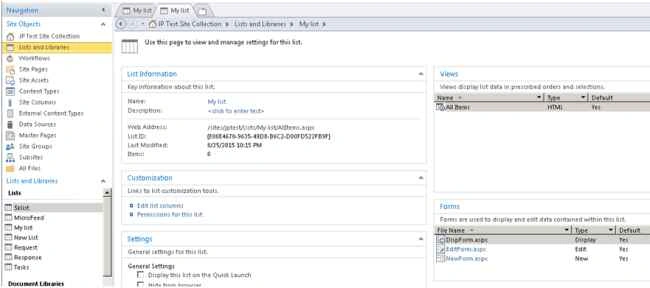
Go to the Forms section as in the following screenshot:
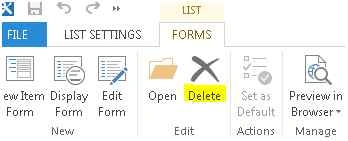
From the ribbon choose the Delete option.
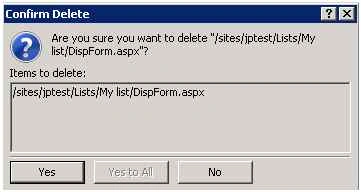
Save changes and now Open the list in browser.

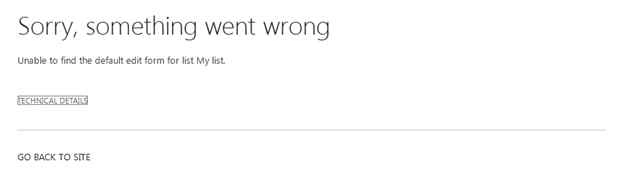
You should not be getting the Edit form now. Although the following error needs to be modified.
Note
- You require design permission to work with SharePoint Designer. You may also wish to delete the user control from the Edit form and provide a friendly message to the user.
- In future you can always restore the custom edit form using SharePoint Designer.
- Please note that we cannot change the permission of the user as there are other permission-sensitive forms to work on. This is the reason we are locking OOB Edit Forms.
Summary
In this article we explored a real-world scenario of locking OOB Edit Forms.
Santhakumar MunuswamyPosted Sep 17, 2015, 10:34 AM
Thanks for nice article:)
Vinodh NarayananPosted Sep 14, 2015, 2:33 PM
cool stuff. good one jean paul sir
Mohammed IbrahimPosted Sep 14, 2015, 1:08 PM
nice information
Rajeesh MenothPosted Sep 14, 2015, 11:49 AM
Nice One..
Kaviya BalasubramanianPosted Sep 14, 2015, 10:43 AM
Useful One Jean :)
Jean PaulPosted Sep 14, 2015, 8:08 AM
Thank You Dear Friends. Antoine - You are right that a Power User can change the view Or create edit-form back using designer; here we may need to remove view / permission for view-creation/designer to avoid the scenario.
Sumit DeshmukhPosted Sep 14, 2015, 7:16 AM
Very Nice Article Sir..Thanks you :-)
Karthikeyan KPosted Sep 14, 2015, 6:03 AM
Good one sir...Thanks for sharing
Vaikesh K PPosted Sep 14, 2015, 5:35 AM
Nice One
Antoine LOIZEAUPosted Sep 14, 2015, 4:46 AM
I sorry but ,I think, user can edit items with datasheet view.
Harshad PansuriyaPosted Sep 14, 2015, 4:33 AM
Nice One