

Introduction
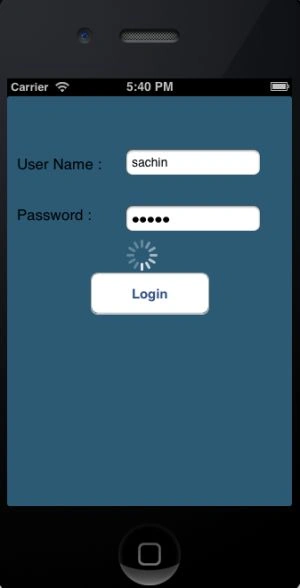
In this article I will create a single-view application. Here I use two text fields, one button and two labels from outlets. In this article I will add an activity indicator which shows after the login button is clicked.
Step 1
Open XCode by double-clicking on it.

Step 2
Create a New XCode Project by clicking on it.

Step 3
Now select Single View Application and click on Next.
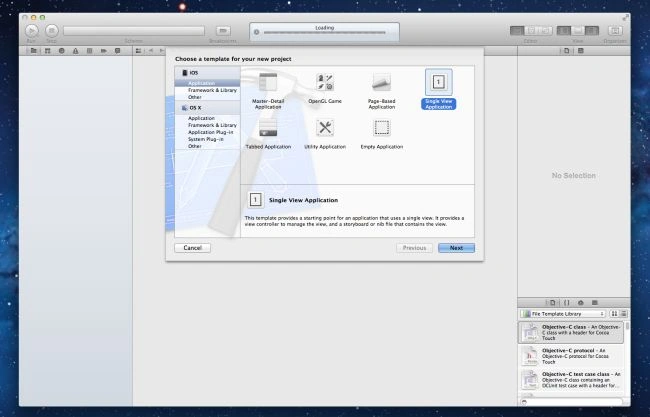
Step 4
Now provide your Product Name and Company Identifier then click on Next.
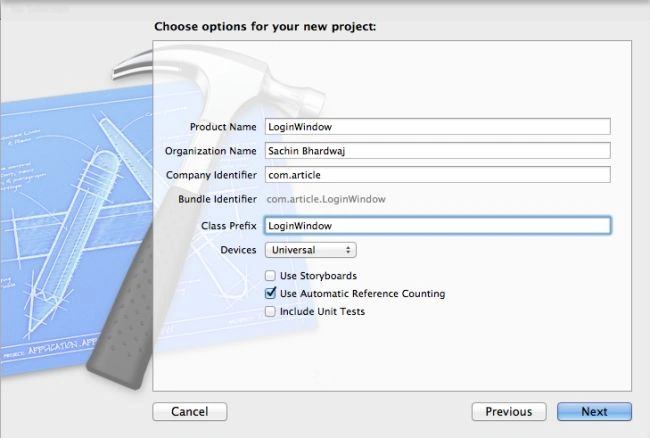
Step 5
Select the location where you want to save your project and click on Create.
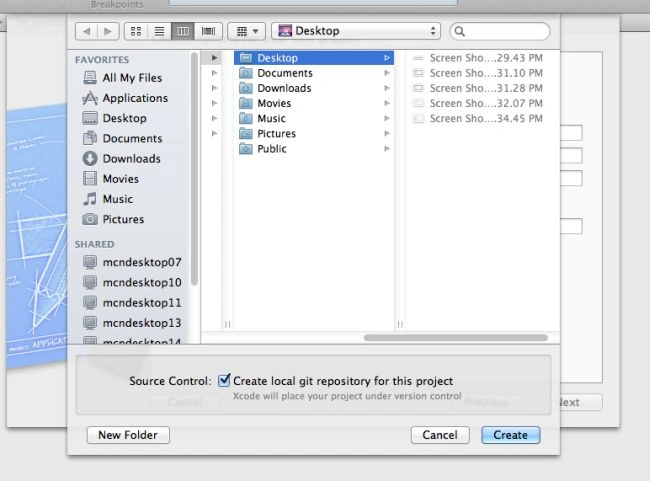
Step 6
Here we write the code:


Step 7
To hide the keyboard after clicking on the keyboard return button, we link a delegate of the text field to the file owner.
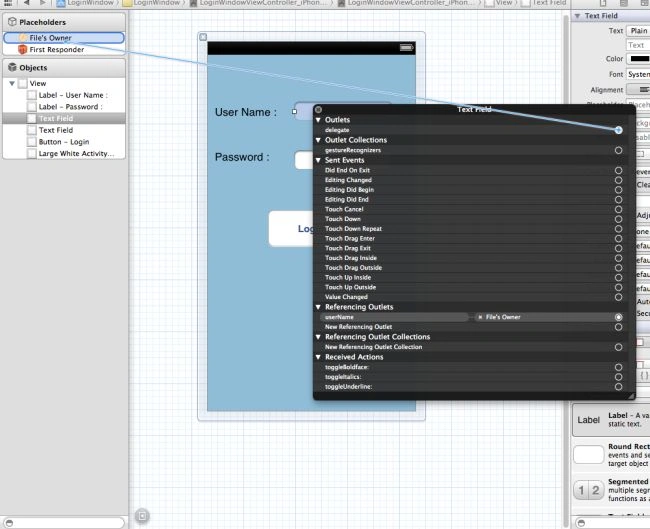
Step 8
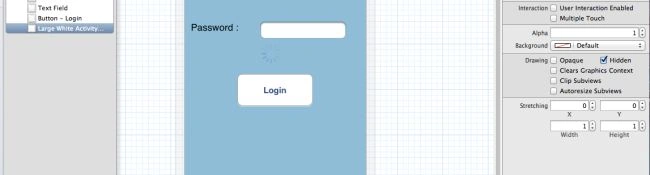
To hide the Activity Indicator from the UI we select the activity indicator and mark it's property to hidden.
Step 9
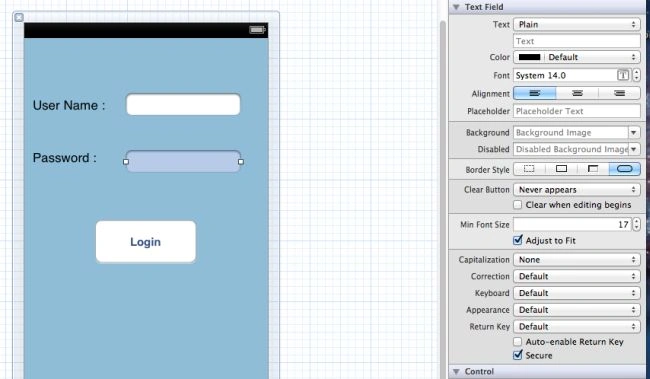
To secure the password field we select the text field property and set it to Secure.
Step 10
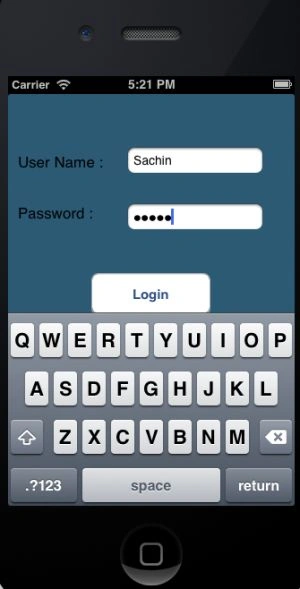
At last we run our application and see the output.
Output
Output 1 in iPhone:
Output 2 in iPhone:
Sachin BhardwajPosted Nov 30, 2012, 8:55 AM
Hello Mayur, If you want to learn iPhone Technology first of all you have Mac Machine to run Xcode(IDE) then you download ios sdk (Xcode,ios Simulator) and you read my article daily or use goggle for always up to date in this technology.
Mayur MorePosted Nov 27, 2012, 9:38 AM
Hello Sir, I am Mayur More. Write now i m in 1stSEM MCA. I want to learn a IOS technology. Bt i dont know how to start,which software needed to develop this application............so please help me.