

Introduction
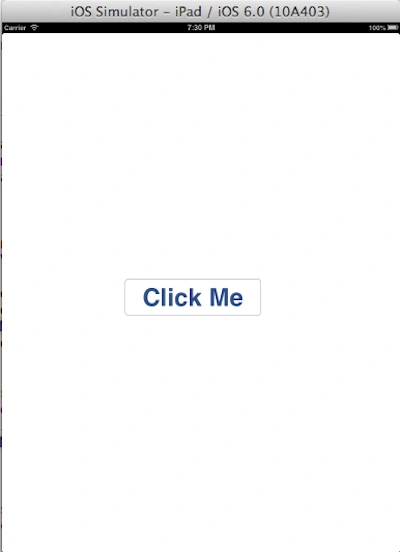
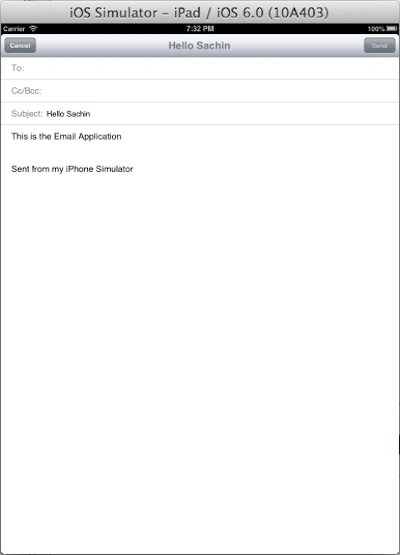
In this article I will create a Single View application with a button from Xib. When we click on the button, the message composer opens.
To understand it we use the following.
Step 1
Open XCode by double-clicking on it.
Step 2
Create a new XCode Project by clicking on it.
Step 3
Now select Single View Application and click on Next.
Step 4
Now provide your Product Name and Company Identifier.
Step 5
Select the location where you want to save your project and click on Create.
Step 6
Now we write the code.
ViewController.h
#import <UIKit/UIKit.h>
#import <MessageUI/MessageUI.h>
@interface ViewController : UIViewController < MFMailComposeViewControllerDelegate>
{
IBOutlet UIButton *button;
}
- (IBAction)buttonPressed;
@end
ViewController.m
#import "ViewController.h"
@interface ViewController ()
@end
@implementation ViewController
- (void)viewDidLoad {
if ([MFMailComposeViewController canSendMail])
button.enabled = YES;
}
- (IBAction)buttonPressed {
Saber ShaikhPosted May 30, 2015, 7:40 AM
nice
Kush MuchaalPosted Mar 19, 2013, 11:23 PM
Congrats Sachin
Kush MuchaalPosted Mar 17, 2013, 11:58 PM
Nice one
Kush MuchaalPosted Mar 17, 2013, 11:56 PM
Good Sachin
Kush MuchaalPosted Mar 17, 2013, 11:41 PM
Very handy article
Kush MuchaalPosted Mar 17, 2013, 11:38 PM
Good Sachin Keepitup