

Introduction
Hi all, in this article you will learn about mail merging in Word 2013. Most of you may have already worked on this, or familiar with it. This article is for those who have not yet tried this.
Background
Yesterday one of my friends asked me about mail merging in Word. To be frank, that was the first time I had heard about it. I then learned it is a feature available in Word. But I could search and help my friend about that. So I thought of sharing that info with you all.
Mail Merging in Word
The Mail Merge feature helps you to create Word documents with nearly the same contents with only a few differences. Let us say you have to send your marriage invitation Word document to 100 people. In this case, only the address will be different, right? (I know you won’t create your marriage invitation in a Word document. This is just for an example.) So here we can use the mail merge feature.
How it works
We will have two Word documents. The first document will have the address details of the recipients. And the second document will have the marriage invitation content. So what we are going to do is, just gathering the data from the first document to the second. At last we will have a separate marriage invitation for the separate address.
Let’s start
We will do the entire process step by step.
Step 1
Open a sample Word document.
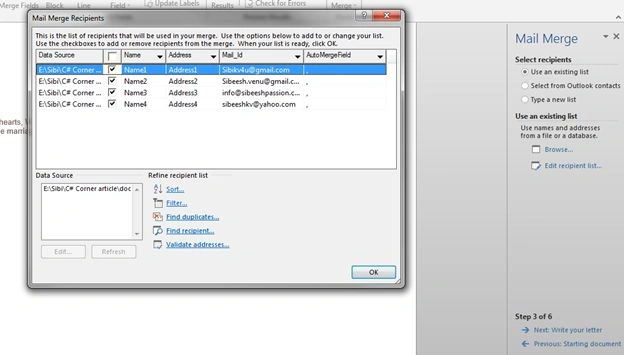
Consider that we have the first document, document 1, as in the following (please see the document1.docx from the download list).
| Mail Id | Name | Address |
| [email protected] | Name1 | Address1 |
| [email protected] | Name2 | Address2 |
| [email protected] | Name3 | Address3 |
| [email protected] | Name4 | Address4 |
NB: The most important thing here is, I have used a comma (,) as the delimiter. To work with this feature we must give a delimiter (separator) in each of the details.
Step 2
Create invitation Word document.
Consider we have the content (document2.docx) as follows.
……………………………………………………………………………………………………………………………………………
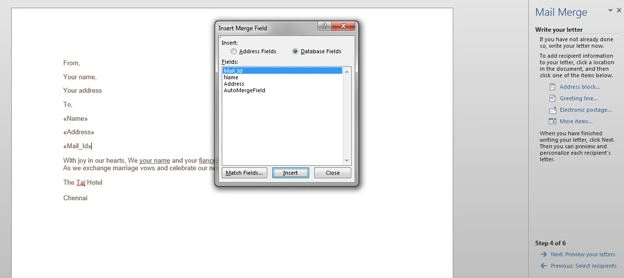
From,
Your name,
Your address
To,
With joy in our hearts, we your name and your fiancée name, request the honor of your presence as we exchange marriage vows and celebrate our new life together Saturday, June 19, 2015.
The Taj Hotel
Chennai
--------------------------------------------------------------------------------------------------------------------------
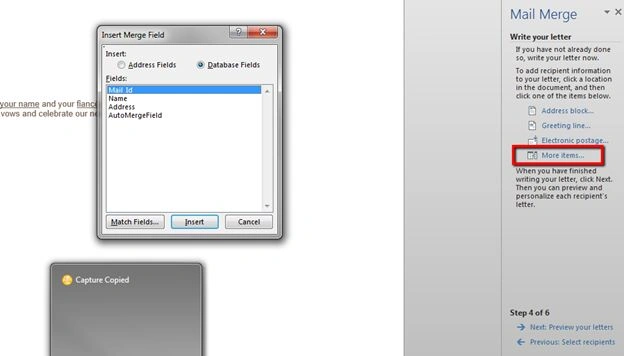
Please note that I have not given the “to address”, this content we will gather from the document1.
Step 3
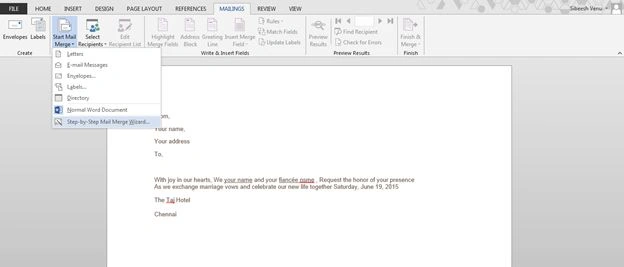
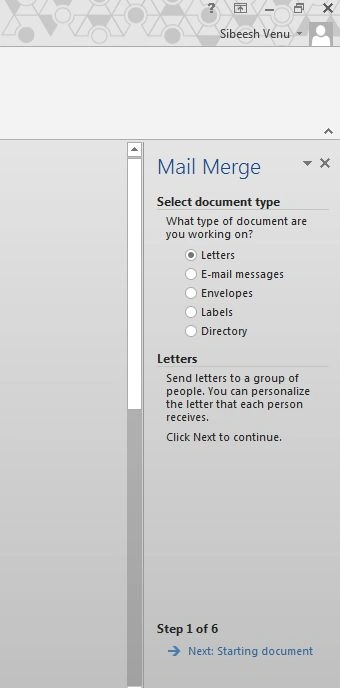
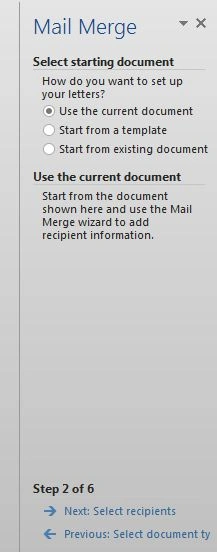
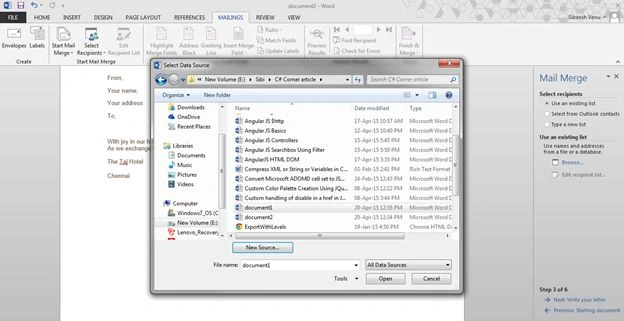
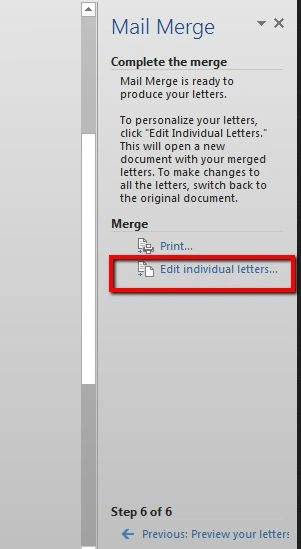
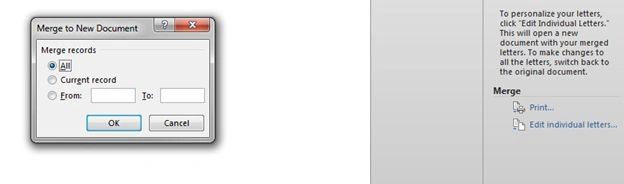
SriramPosted Jul 6, 2015, 1:32 AM
Good.............
Karthik Muthu KaruppanPosted Apr 23, 2015, 11:24 AM
good
Greg DonaldsonPosted Apr 23, 2015, 4:41 AM
Good article. It really is a painful process doing a mail merge. Have you considered using www.SnappyStamp.com to make this easier?
Krishnanand SivarajPosted Apr 21, 2015, 10:08 PM
Thanks for sharing :P
Sibeesh VenuPosted Apr 21, 2015, 2:15 PM
Santhakumar Munuswamy Thank you buddy .
Santhakumar MunuswamyPosted Apr 21, 2015, 2:12 PM
Thanks for sharing