

In this article I will show you how to make Login Form in Windows Application using C# where I will enter a dummy data in the form of username and password and will check that the entered data by the user is correct or not. if it is correct, the user gets into his account.
Initial chamber
Step 1: Open Visual Studio 2010, Go to File, New, Projects and under Visual C#, select Windows.
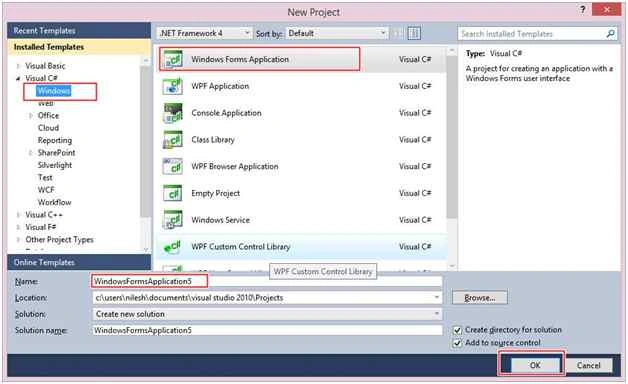
You can change the name of the project and browse your project to different location too. And then press OK.
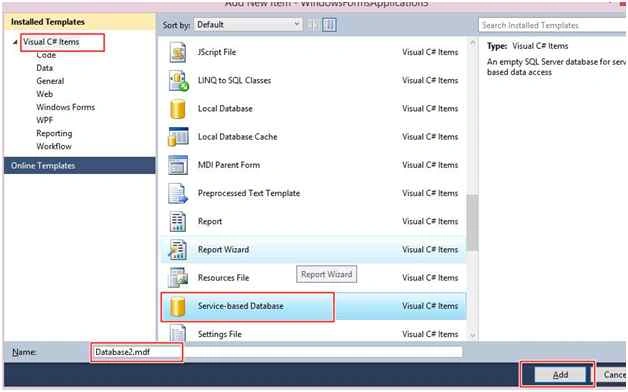
Step 2: In Solution Explorer you get your Project, Add Service Based Database. By going to your Project, Right Click and Add New Item. After that select Service-based Database.
Database chamber
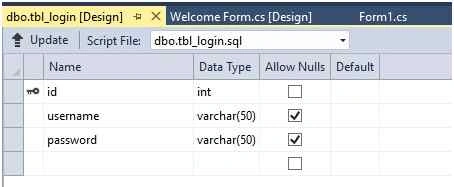
Step 3: Get to your Database [Database.mdf], we will create a table tbl_login. Go to the database.mdf - Table, then Add New table, design your table like the following screenshot:
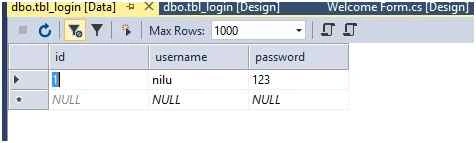
Tbl_login- show table data:
Design chamber
Step 4: Now open Form1.cs[Design] file, where we create our design for Login Form Application.
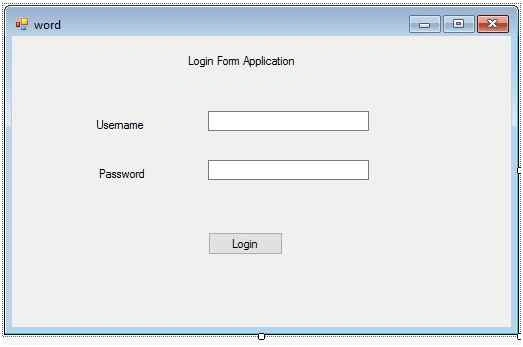
We will drag two label and textbox and a button from the tool box to Form1.cs [Design], you will see your Form look like the following screenshot:
Code chamber
Right click on the blank part of Form1.cs - View Code. You will see you entered in the code part of the form. Write the following code and then Press F5 to run the project.
- using System;
- using System.Collections.Generic;
- using System.ComponentModel;
- using System.Data;
- using System.Drawing;
- using System.Linq;
- using System.Text;
- using System.Threading.Tasks;
- using System.Windows.Forms;
- using System.Data.SqlClient;
- namespace LoginFormWindowApplication
- {
- public partial class Form1 : Form
- {
- public Form1()
- {
- InitializeComponent();
- }
- private void button1_Click(object sender, EventArgs e)
- {
- SqlConnection con = new SqlConnection(@"Data Source=NiluNilesh;Initial Catalog=mynewdata;Integrated Security=True");
- SqlCommand cmd = new SqlCommand("select * from tbl_login where username=@username and password =@password", con);
- cmd.Parameters.AddWithValue("@username", textBox1.Text);
- cmd.Parameters.AddWithValue("@password", textBox2.Text);
- SqlDataAdapter sda = new SqlDataAdapter(cmd);
- DataTable dt = new DataTable();
- sda.Fill(dt);
- con.Open();
- int i = cmd.ExecuteNonQuery();
- con.Close();
- if (dt.Rows.Count > 0)
- {
- Welcome_Form settingsForm = new Welcome_Form();
- settingsForm.Show();
- }
- else
- {
- MessageBox.Show("Please enter Correct Username and Password");
- }
- }
- }
- }
Output chamber
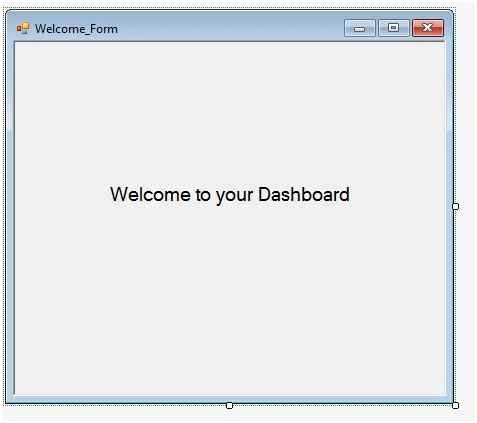
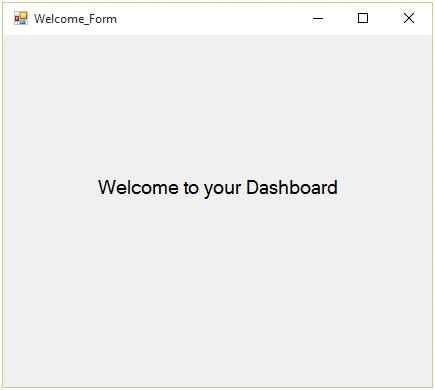
When you give correct username and password you will get to your dashboard.
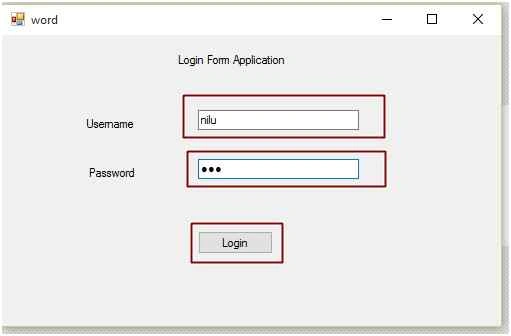
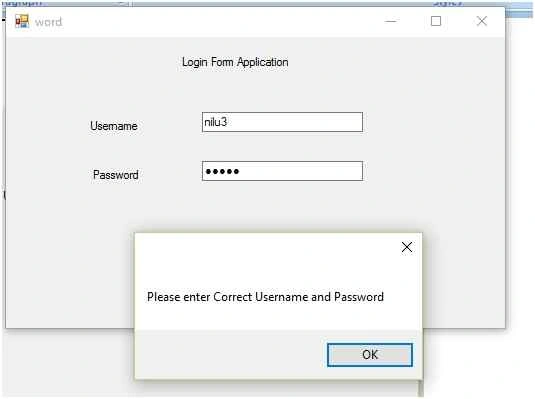
Otherwise if you enter wrong password:
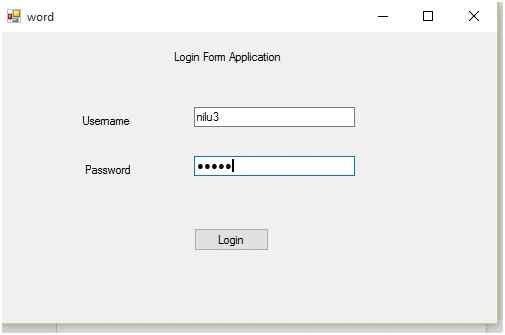
It will show an error message box:
Hope you liked it. Have a good day. Thank you so much for reading.
Stupid NamePosted Jan 29, 2022, 4:06 PM
To anybody who has the bad luck to try following this idiotic tutorial, which like many others is absolutely horribly explained, a couple of points: 1. You can find your Data Source with a right click -> properties on your Database.mdf file. 2. You're going to need SQL Server Express installed on your PC in order to create a Database.mdf file in the first place, which the author also completely ommitted. 3. You're most likely going to need to install System.Data.SqlClient from the package manager, so google how to do that too. 4. Rename your table from the default name which is Table, or when writing it write it with [] squares, so it's [Table]. Good luck using the godawful software that Visual Studio has turned into and trying to follow this joke of a tutorial.
Nawty MaiyaPosted Dec 19, 2017, 11:00 PM
Plzz help mee....it shows error
Arul RPosted Oct 28, 2015, 5:32 AM
Good one !!!
Vinodh NarayananPosted Sep 27, 2015, 9:04 AM
nice share man
Vipul MalhotraPosted Sep 27, 2015, 3:42 AM
nice article sir
Gopi ChandPosted Sep 26, 2015, 2:43 PM
Well written
RakeshPosted Sep 26, 2015, 1:03 PM
Good one
Santhakumar MunuswamyPosted Sep 26, 2015, 12:11 PM
Nice share
Pankaj Kumar ChoudharyPosted Sep 26, 2015, 11:55 AM
Nice Explain Sir..........
Sujeet SumanPosted Sep 26, 2015, 11:53 AM
Nice Article.............