

Introduction
In this article, we explain how to make Windows 8 use the old Boot Manager. If you have a Windows 8 dual-boot system then it uses a new Boot Manager.
Procedure to use the old Boot Manager
Step 1
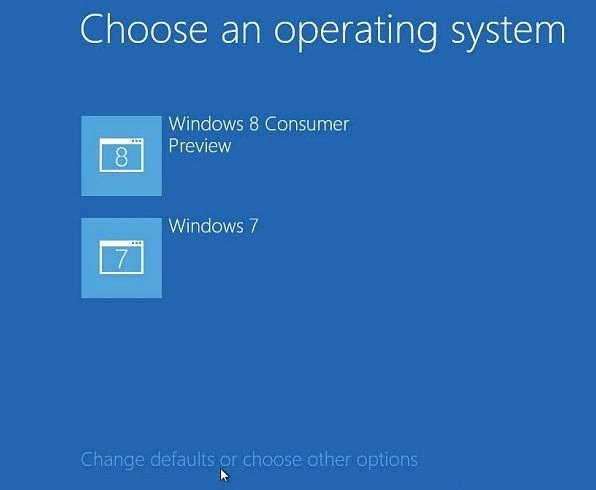
First, we open the Windows 8 Boot Manager and click the button "Change defaults or choose other options".
Step 2
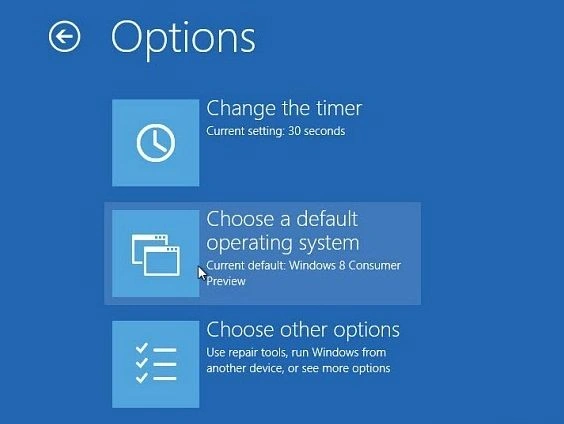
After that, we select the second option "Choose a default operating system".
Step 3
Now select Windows 7, Vista or XP; whichever OS you want to boot into.
Step 4
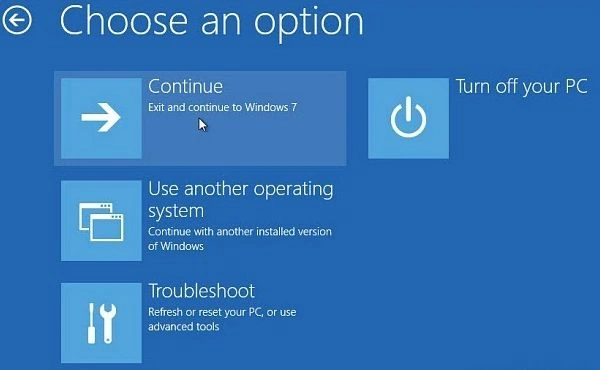
Click the back button and select continue to Windows 7 or the OS you want. Or select Turn Off Your PC.
Step 5
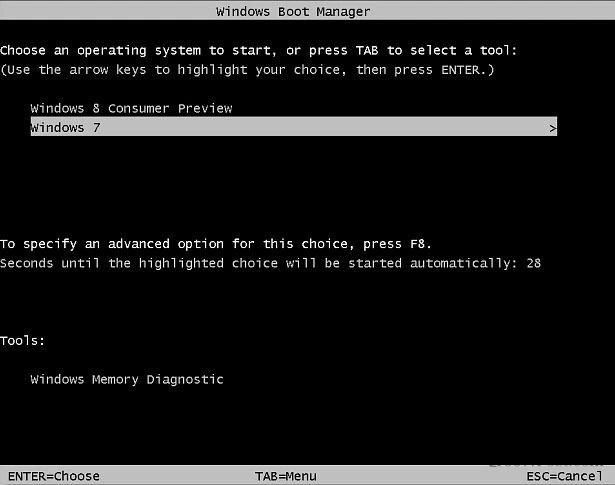
From now on, when you restart the computer you'll see the familiar and speedy DOS-style Boot Manager.
Summary
In this article, we learned about Make Windows 8 Use the Old Boot Manager.
Join the conversation! Your thoughts help the community grow.