
If you have had experience in HTML and JavaScript and always wanted to dive into Application Development, you’re in the right place. With the advent of UWP (Universal Windows Platform), you can now leverage what you have already learned and make awesome applications for Windows Desktop and Mobile. Without even wasting a second, let’s jump right into the cool stuff.
Let’s make our first “Hello World” UWP Application, using HTML and JavaScript.
Step 1
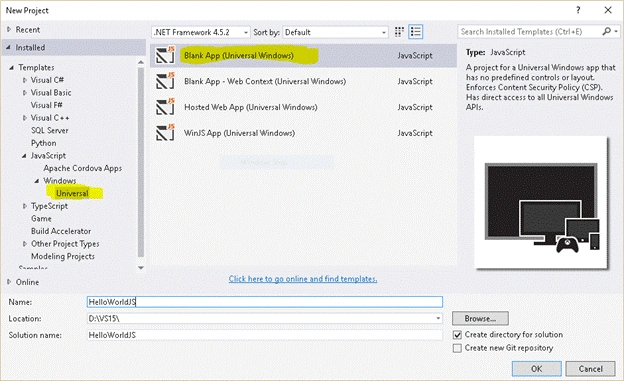
Open Visual Studio -> Click on File -> New -> Project. Then click on JavaScript -> Windows -> Universal and select Blank App (Universal Windows) Template. Hit OK, as shown below.
Step 2
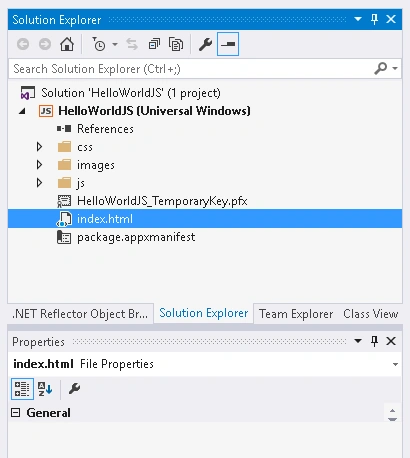
You should see the following structure in Solution Explorer.
Step 3
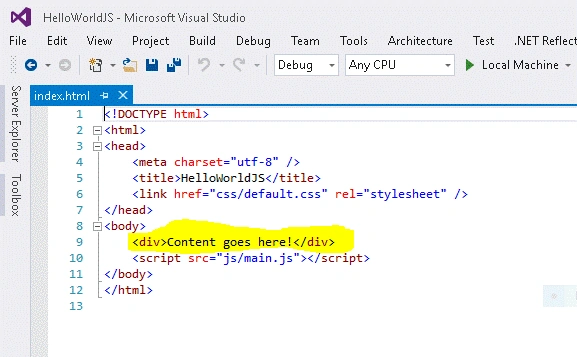
Now, open the index.html and view the contents of it. It should look something like this.
Step 4
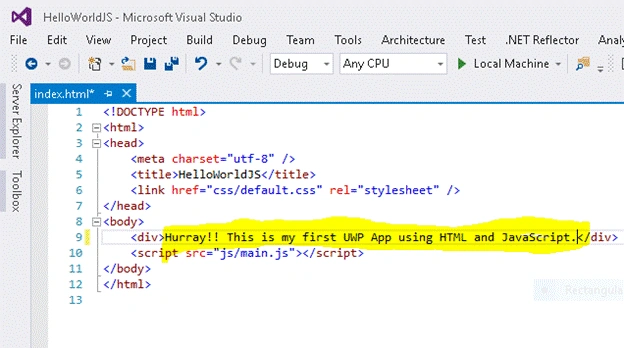
Put whatever you want instead of “Content goes here!” (see highlighted part in the previous step).
Step 5
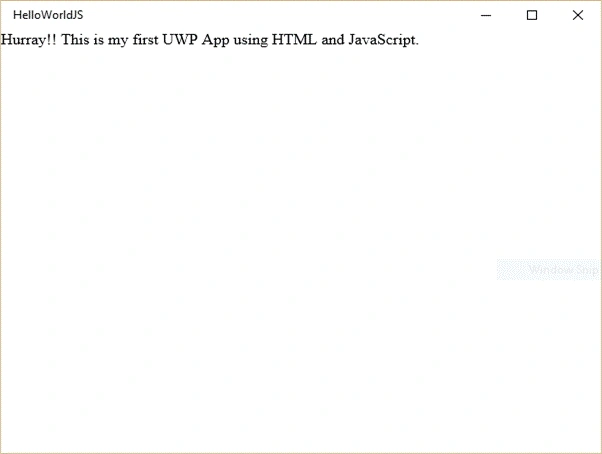
That’s it! Now, run the application on a Local Machine (your PC or Laptop), or on a Windows Phone and the results will be like this.
On PC/Laptop
On Windows Phone
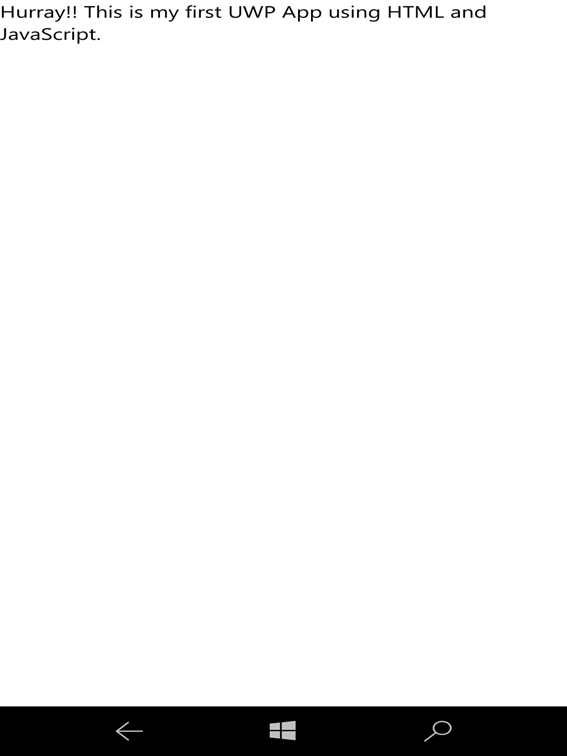
You must be wondering how the application navigates to “index.html”. Well, just open the “package.appxmanifest” and have a look at it. You can see the Start Page pointing to the “index.html”. Likewise, you can point to a local (Within your App) Web page or even a hosted Web Page (e.g. www.yourwebsite.com) and the application will open that Web page when it launches.
As you can see, how easy and intuitive it is to develop an app using HTML and JavaScript on the Universal Windows Platform (UWP). I suggest you explore more on this topic and stay tuned for more articles to follow. Cheers!

Making Your First UWP Application Using HTML And JavaScript
Join the conversation! Your thoughts help the community grow.
Sign in to leave a comment
It is the same account you read, post and publish with — and you will come straight back to this page.
amit vasdevPosted Jul 28, 2017, 4:02 AM
Resource violated directive 'script-src ms-appx: 'unsafe-eval' blob:' in Host Defined Policy: https://maps.googleapis.com/maps/api/js?key=AIzaSyDd0kxytI2nKQPydTpvEieX9V8sijNEUjg. Resource will be blocked. + Universal windows platform HTML Javascript
amit vasdevPosted Jul 28, 2017, 4:02 AM
Hi i have to use google map api on my page, when i use google code inside my script file i getting an error google is undefined and when i am trying to use code on my html page where google api files has been declated as script source on that page i am getting another error ::
Ammar ShaukatPosted Oct 13, 2016, 9:51 PM
Good
Humayun Kabir MamunPosted Oct 13, 2016, 3:45 AM
Nice...