

Welcome to an article on how to Manage Organization Profiles at the SharePoint Admin Center for Office 365. Sharing has always been an important part of SharePoint. Here in this article, we will see what are the options available for us to Manage Organization Profiles at the SharePoint Admin Center.
To see that, you need to be a tenant admin. If you are, Let’s see how we can do it,
- Click on the left corner of your SharePoint site to view the apps.
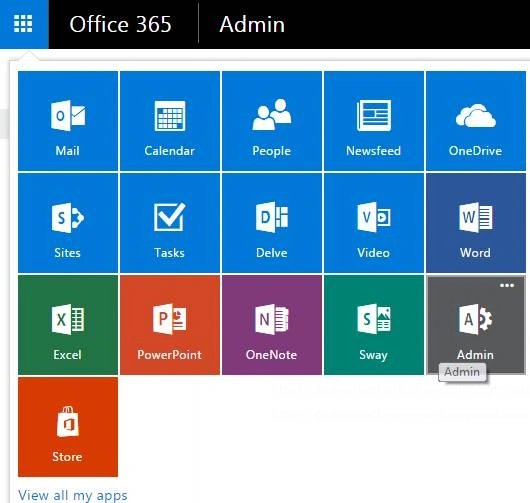
- Click on Admin.
- You will come to the “SharePoint admin center”.

- Select user profiles on the left navigation.
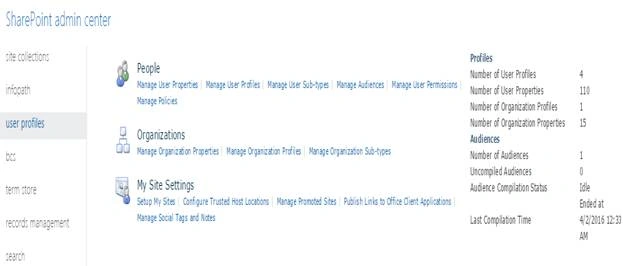
Under Organizations click on ‘Manage Organization Profiles’,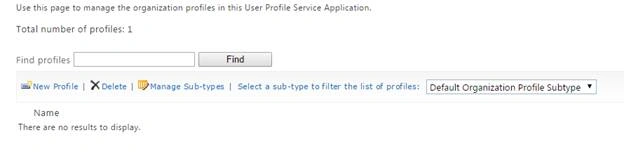
You can use this section to manage or create or remove Organization profiles in your site.
It’s like you are creating an account on one of the social sites which will allow you to make the Organization access to those SharePoint sites you want them to.
The only difference is that here not the Organization but the admin creates the profile.
Let’s see what it has.
- New Profile
Click on the ‘New Profile’ and you will see a form which opens below where you need to fill in all the details here with all personal and official details like a social site of an organization.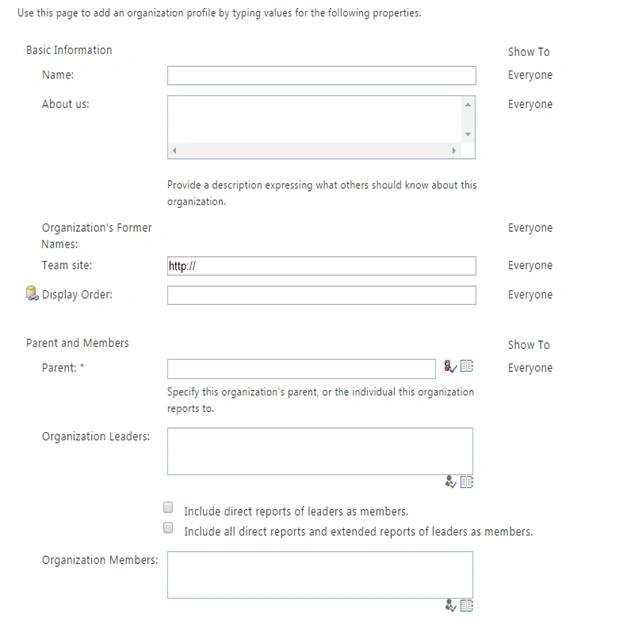
So fill in all the details and create a profile of an organizatiion so that you can provide them access on the Office 365 SharePoint sites. - Delete
You can delete Organization profiles only from here if you have a tenant level of access. - Manage Sub-types
Use this page to manage sub types for profiles.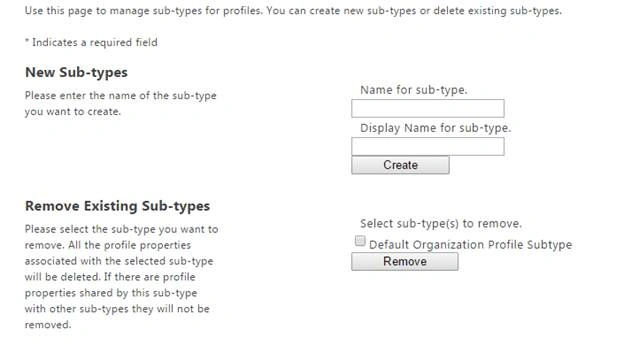
- New Sub-types
Provide a name to create sub types by providing a name and the display name for sub- type. - Remove Existing Sub-types
Here you can choose to remove the existing sub types.
Once you have sub types, you will be able to view them here and you can choose it from this drop down.
Here in this article we learnt how to Manage Organization Profiles at the SharePoint Admin Center for Office 365.
Keep reading and keep learning!
Humayun Kabir MamunPosted Apr 13, 2016, 12:21 AM
Nice...
Mohammed IbrahimPosted Apr 12, 2016, 2:08 PM
nice
Gowtham RajamanickamPosted Apr 12, 2016, 1:17 AM
good show
Rahul Kumar SaxenaPosted Apr 11, 2016, 10:46 PM
Good show