

Introduction
This article is about the way to check and process the Security Center's alerts and protect resources.
Advanced detections that trigger security alerts are only available with Azure Defender. A free trial is available. Azure Security refers to security tools and capabilities available on Microsoft’s Azure cloud platform.
Azure security center
Azure Security Center may be a unified security management system offered by Microsoft to Azure customers. Some Azure Security Center benefits are,
- Providing visibility and control over the safety of Azure resources (like Virtual Machines, Cloud Services, Azure Virtual Networks, and Blob Storage).
- Strengthening security position.
- Protecting hybrid workloads deployed in Azure.
- Detecting and blocking cybersecurity threats
Azure security works
Microsoft Azure Security infrastructure operates under a shared security responsibility model.
- In IaaS (infrastructure as a service), Azure takes over physical security (hosts, networks, and datacenter).
- In PaaS (platform as a service), Azure takes over physical security and therefore the OS.
- In SaaS (software as a service), Azure takes more responsibilities: physical security, OS, network controls, and application
Azure security are
- Store your keys within the Azure Key Vault. This vault is meant to support passwords, database credentials, and other secrets.
- Install an internet application firewall.
- Use Azure MFA (Multi-factor Authentication), especially for admin accounts.
- Use Azure’s DDoS services to stop and mitigate DDoS (distributed denial of service) attacks.
Security alerts
The Security Center collects, analyzes, and integrates log data and thus the network. And firewall and endpoint protection solutions help to detect real threats and reduce false positives.
Manage security alerts
Sign into the Azure portal. (Your Azure subscription), then click on the Azure portal menu, then open the Security Center's overview page. Then select the Security Alerts tile at the top of the page.
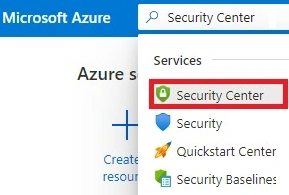
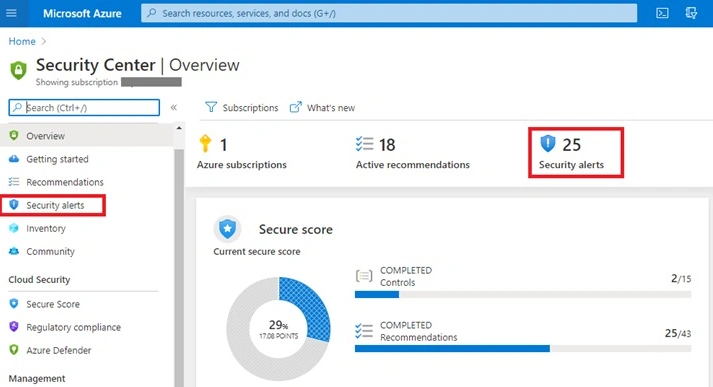
Then, open the security alerts map (Preview).
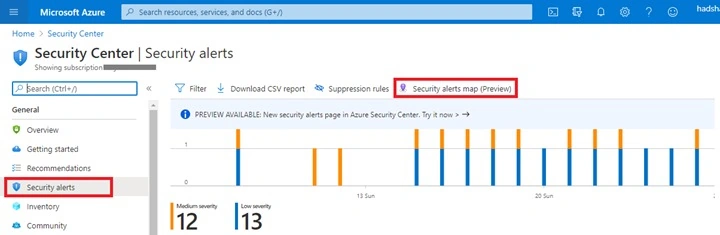
View the security alerts page.
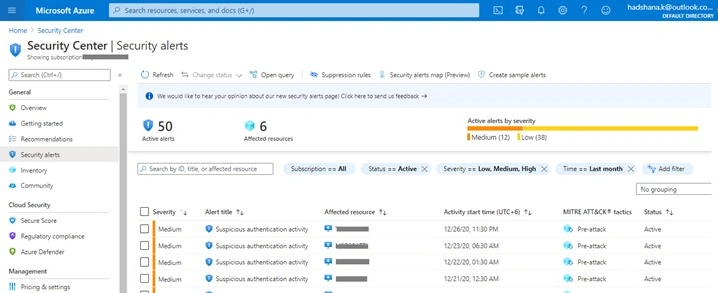
This filter the alerts list, if the need selects any of the relevant filters. And Filtering is often very helpful.

How to respond to security alerts
From the Security Alerts page list, select an alert. Open it and it shows an outline of the alert and every one of the affected resources. Choose View full details.

These details help to investigate the issue.
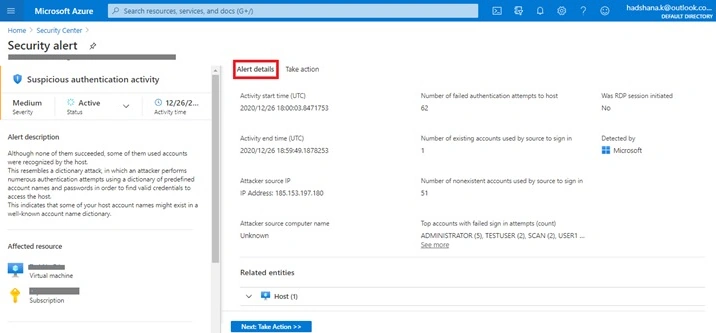
These details help to require further actions regarding the security alert.
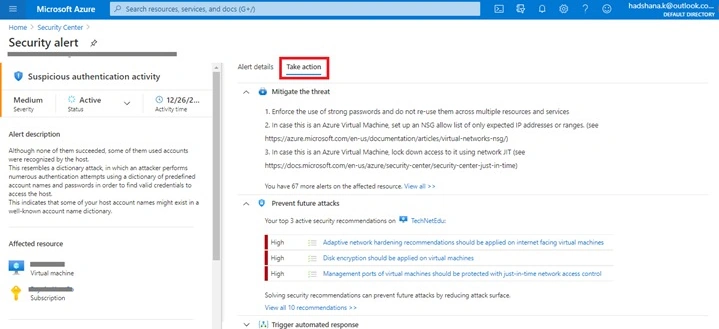
Summary
This article was about how to Manage security alerts in Azure Security Center. In my next article, I cover the next step of this series.
Viknaraj ManogararajahPosted Dec 31, 2020, 6:52 AM
Superb Article Hadshana