Sometimes we have a requirement in which we need to manage information without touching the database, and save all of that information only when the user clicks the SUBMIT button, i.e. in one store one client wants to buy some products, the cashier has to scan every product and the system will be listing the items on screen, but the information will be submitted only when the cashier clicks the "MAKE TRANSACTION" button.
So here is a small tutorial of how to add items to a temportal/virtual table (html table in front end), and remove items from that table just using jquery, and saving all items of the table into database only when the submit button is clicked:
So, let's begin with the tutorial.
The tools we need for this tutorial:
- EntityFramework.
- Jquery.
- Bootstrap (Optional)
- Visual Studio
- Sql Server Management Studio
First of all let's create a new database and a new table, open sql server management studio, and execute the following scripts,
Create database MoviesDB
- create database MoviesDB
-
- use MoviesDB
-
-
- Create Table Movie (
- Id int Identity primary key,
- Title varchar(500),
- Summary varchar(max),
- Year int
- )
Now let's create a new MVC Project:
Open Visual Studio, then go to File - New - Project, and under Web section select .Net web application, give it any name you want and click OK button:
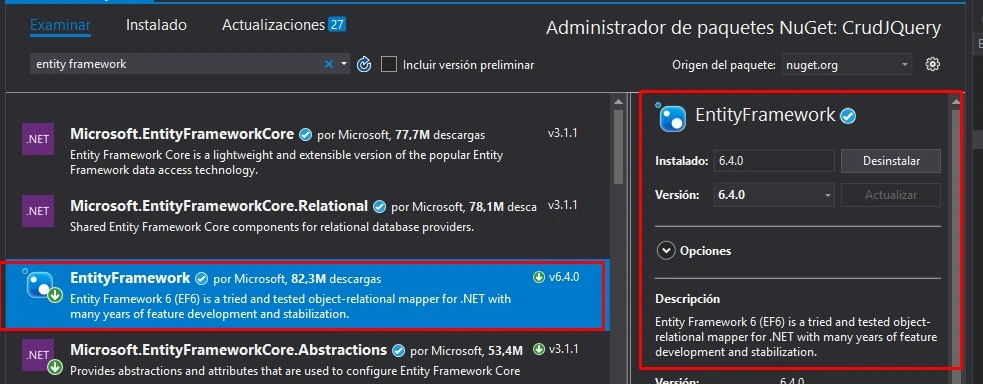
Now in the project, right click on references and then Manage nuget packages, click on browse tab and then type Entity Framework :
Install the package (select the most recent version).
Now lets create the database model for Movie Table using code first method (manually):
Add a new class with the name "Movie" inside the Models folder:
Here is the definition of the class,
- using System;
- using System.Collections.Generic;
- using System.ComponentModel.DataAnnotations.Schema;
- using System.Linq;
- using System.Web;
-
- namespace CrudJQuery.Models
- {
- [Table("Movie")]
- public class Movie
- {
- public int Id { get; set; }
- public string Title { get; set; }
- public string Summary { get; set; }
- public int Year { get; set; }
- }
- }
Now we need to create our dbcontext class to use this model. To do this let's create a new folder in the project and name it "DBModels", once created add a new class named "MoviesContext" to it,
Here is the definition of the class,
- using CrudJQuery.Models;
- using Microsoft.EntityFrameworkCore;
- using System;
- using System.Collections.Generic;
- using System.Data.Entity;
- using System.Linq;
- using System.Web;
-
-
- namespace CrudJQuery.DBModels
- {
-
- public class MoviesContext : DbContext
- {
- public MoviesContext() : base("DbConnection")
- {
- }
-
- public DbSet<Movie> Movies { get; set; } //Movie model as property
-
- }
-
- }
The last step to configure entity framework is to add the connection string in our web.config file.
Open your web.config file located on the root path of the project and then add the following content inside configuration node.
- <connectionStrings>
- <add name="DbConnection" connectionString="Data Source=JASBALANCE; Initial Catalog=MoviesDB; Trusted_Connection=True;" providerName="System.Data.SqlClient"/>
- </connectionStrings>
-
Here we are doing connection to sql server through Windows authentication:
The name of the connection string must match the one specified in our context class.
Now let's create a new function to receive the list of movies from the frontend and to save the informaiton into our database, open HomeController,
And replace all content for the following content,
- using CrudJQuery.DBModels;
- using CrudJQuery.Models;
- using System.Collections.Generic;
- using System.Web.Mvc;
-
- namespace CrudJQuery.Controllers
- {
- public class HomeController : Controller
- {
- public ActionResult Index()
- {
- return View();
- }
-
- [HttpPost]
- public JsonResult SaveMovies(List<Movie> Movies) //function to save information into database
- {
-
- using (MoviesContext db = new MoviesContext())
- {
- foreach (Movie mov in Movies)
- {
- db.Movies.Add(mov);
- }
- db.SaveChanges();
- }
-
- bool Result = true;
- return Json(Result);
- }
- }
- }
Now we are done with the backend side.
Let's continue with the front end stuff.
Open Layout file located on Views/Shared folder and replace all content by the following content , here we are including reference to jquery and bootstrap.
- <!DOCTYPE html>
- <html>
- <head>
- <title>JQUERY Crud</title>
- @*Bootstrap reference*@
- <link rel="stylesheet" href="https://maxcdn.bootstrapcdn.com/bootstrap/4.0.0/css/bootstrap.min.css"
- integrity="sha384-Gn5384xqQ1aoWXA+058RXPxPg6fy4IWvTNh0E263XmFcJlSAwiGgFAW/dAiS6JXm" crossorigin="anonymous">
- @*Jquery Reference*@
- <script src="https://code.jquery.com/jquery-3.4.1.min.js" integrity="sha256-CSXorXvZcTkaix6Yvo6HppcZGetbYMGWSFlBw8HfCJo=" crossorigin="anonymous"></script>
- </head>
- <body>
- <div class="container body-content">
- @RenderBody()
- <hr />
- </div>
- @RenderSection("scripts", required: false)
- </body>
- </html>
Now open Index.cshtml file located inside views folder and replace all of its content with the following content,
- @*Page scripts references*@
- <script src="~/JsJquery/MoviesScript.js" type="text/javascript"></script>
-
- <section class="m-3">
- <section class="card">
- <section class="card-header text-center">
- <label class="h3">Create Movies</label>
- </section>
- <section class="card-body">
- <section id="form-container">
- <section class="form-group">
- <label>Title:</label>
- <input type="text" placeholder="Title" id="TitleTxt" class="form-control" />
- </section>
- <section class="form-group">
- <label>Summary:</label>
- <input type="text" placeholder="Summary" id="SummaryTxt" class="form-control" />
- </section>
- <section class="form-group">
- <label>Year:</label>
- <input type="text" placeholder="Year" id="YearTxt" class="form-control" />
- </section>
- <section class="text-center">
- <a href="javascript:void(0)" class="text-info" id="AddTempMovieBtn">ADD MOVIE</a>
- </section>
- </section>
- <section id="MsnContainer">
- <section class="text-center">
- <label class="font-weight-bold text-danger" id="Msn"></label>
- </section>
- </section>
- <br><br>
- <section id="table-container">
- <table class="table table-bordered table-striped" id="table-information">
- <thead>
- <tr class="bg-info text-light font-weight-bold text-center">
- <td>Title</td>
- <td>Summary</td>
- <td>Year</td>
- <td>Actions</td>
- </tr>
- </thead>
- <tbody id="table-body"></tbody>
- </table>
- <section class="text-center">
- <button id="SubmitMoviesBtn" disabled="disabled" class="btn btn-success w-50">SAVE ALL MOVIES</button>
- </section>
- </section>
- </section>
- </section>
- </section>
And to finish let's create a new folder in our project and name it "JsJquery", then add a new javascript file inside this folder and name it "MoviesScript" (this is the file referenced in Index view file and this file contains all js operations to control that view):
Now paste all the following content on it (please read comments to see what each method/function does),
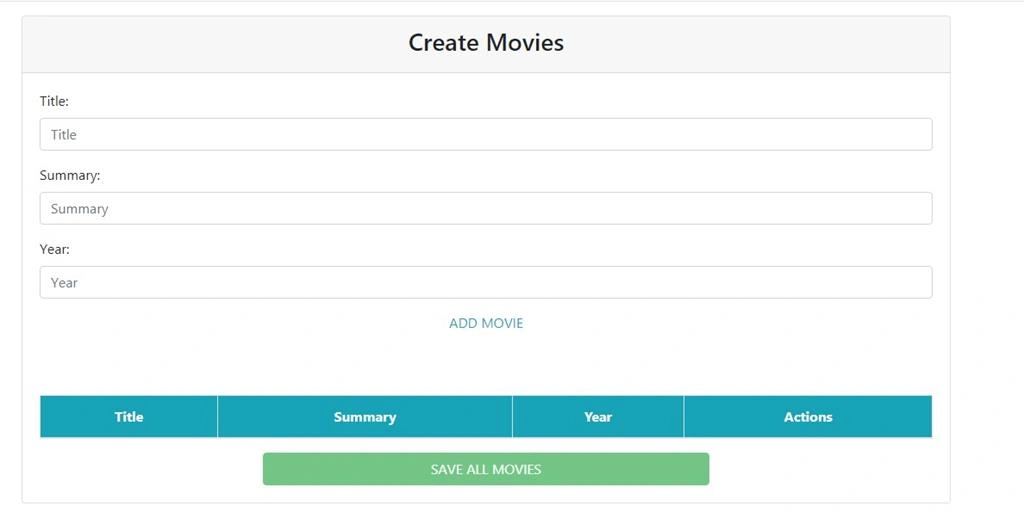
And we are done, now let's see the project in action. Run your project and you will see the following page,
SAVE ALL MOVIES button will be enable only if one or more items are added in the table, so let's add 3 or more items,
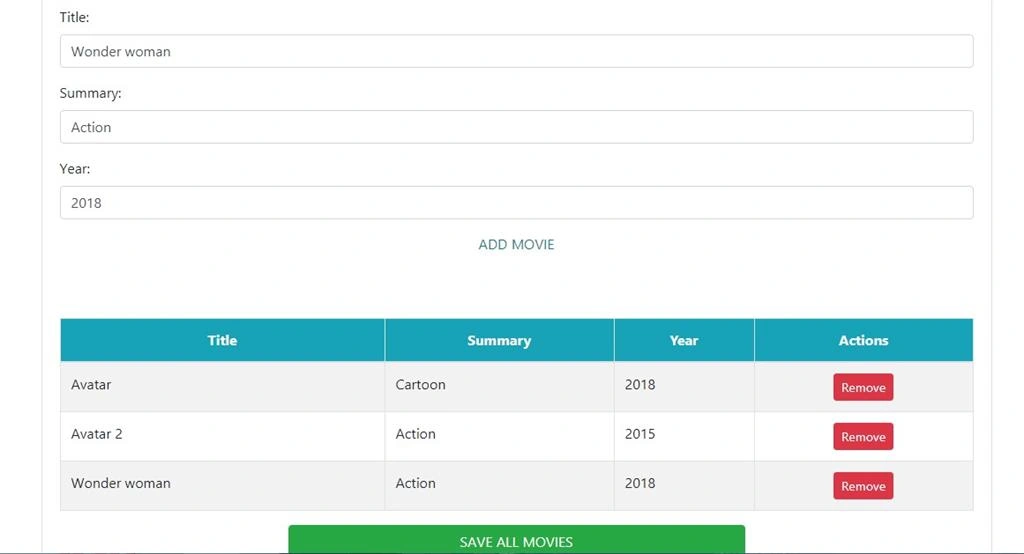
To remove a movie from the table just click the remove button of the movie you want to remove.
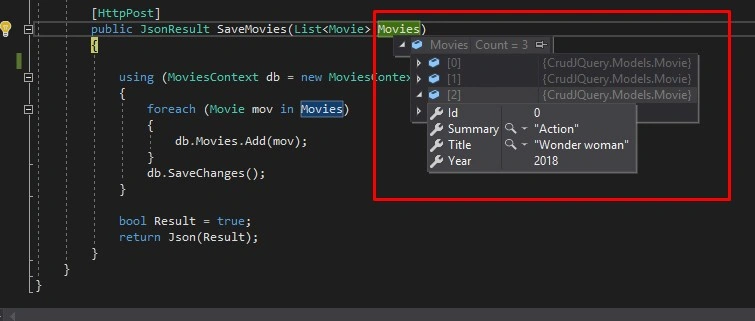
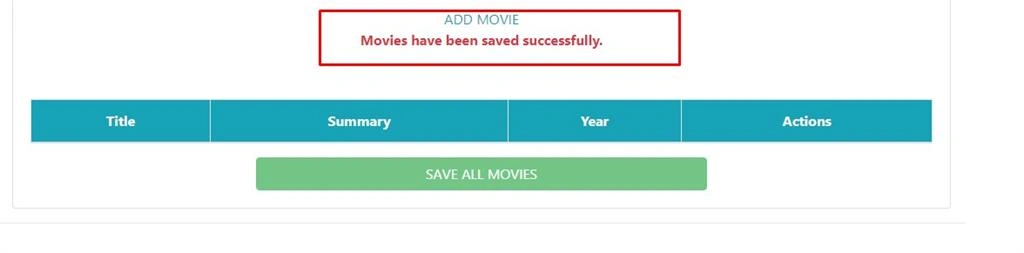
Finally, to save those movies into the db just click SAVE ALL MOVIES button and jquery will execute our function to send the list of movies to the controller,
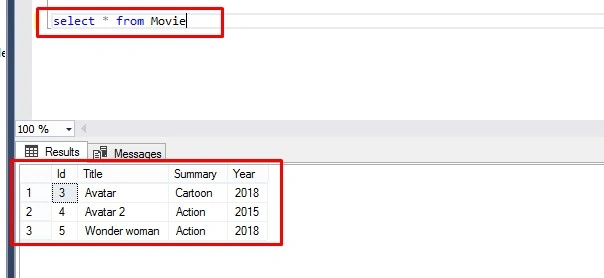
and let's check our database,
And that's it my friends, I hope this post helps someone. Thanks.




Join the conversation! Your thoughts help the community grow.