

Here, you can add or remove Farm admins by providing or removing complete access on the Farms in the current Central Administration Server.
How do we manage it?
Let’s open Central Admin of SharePoint on your machine. On your Windows desktop screen, click Start >> Administrative Tools >> SharePoint 2013 Central Administration.
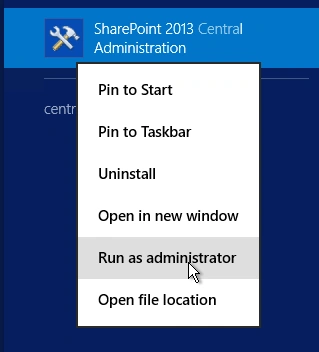
- Run it as an administrator to have the elevated privileges.
- You will see the screenshot given below.
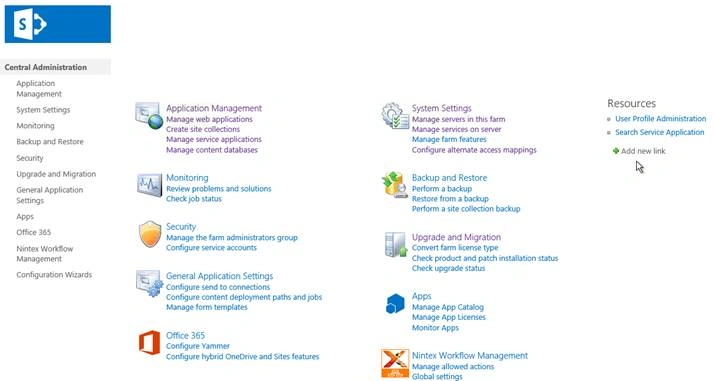
- Central Admin is configured under the categories given above.
- Click Security.
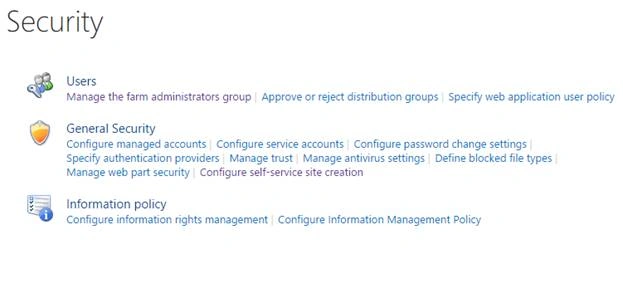
- Go to Users.

- Click Manage the farm administrators group.
- You will see the screen given below.
Configure
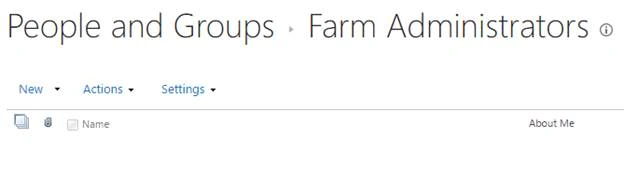
Here, you add the Farm administrators.
- Click New and you will see the screen given below.
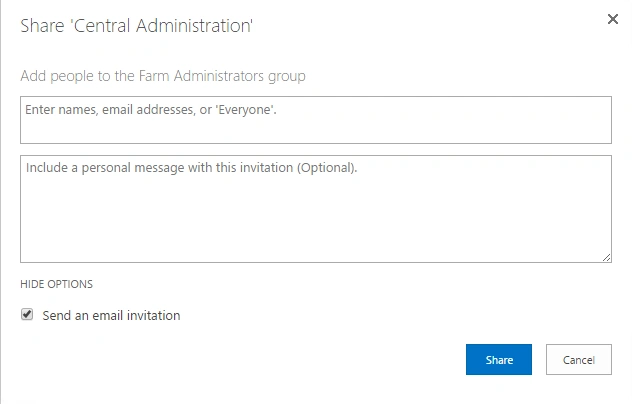
Here, you can add a new Farm administrator to this group and send a personal message along with an email invitation to the farm.
- Actions
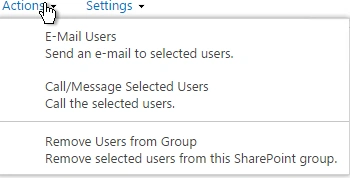
Here, you can select the users and choose the actions given below, as in E-mailing them or calling or messaging the users and even removing them from the group.
- Settings
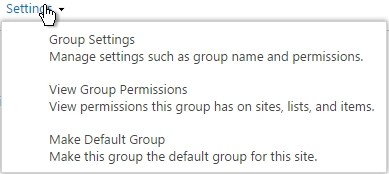
Here, you can manage the group settings, their permissions, and choose to make this as a default group on Central Administration Farm accounts.
Once the configuration is done, these users will be the Farm administrators with complete control of the Farm.
In this article, we saw how to manage the Farm administrators group in SharePoint 2013 Central Administration. There are more articles to come on Central Administration. Until then, keep reading and keep learning.
Join the conversation! Your thoughts help the community grow.